The latest XR5610-V950 firmware's verified by Versa as of 05/26/2026.
| Firmware | Latest Version verified |
| iDRAC | 7.30.30.54 |
| BIOS | 2.11.2 |
| CPLD | 1.1.1 |
| E810 NVM | 24.0.5 |
| XR5610-V950 IDM (Versa customized) | VYPYK_Versa_CustBSU_1_00.pm |
| XR5610-V920 IDM (Versa customized) | 0019323_CustBSU.pm |
Please refer to Dell product support site for the firmware release notes and changes.
iDRAC: Version 7.30.30.54
filename: iDRAC-with-Lifecycle-Controller_Firmware_P3PPC_WN64_7.30.30.54_A00.EXE
https://www.dell.com/support/product-details/en-us/product/poweredge-xr5610/drivers
BIOS: Version 2.11.2
filename: BIOS_RF6JC_WN64_2.11.2.EXE
https://www.dell.com/support/product-details/en-us/product/poweredge-xr5610/drivers
CPLD: Version 1.1.1
filename: CPLD_Firmware_HYRC3_WN64_1.1.1_A01.EXE
https://www.dell.com/support/product-details/en-us/product/poweredge-xr5610/drivers
E810 NIC NVM: 24.0.5
filename: Network_Firmware_N11TD_WN64_24.0.5_A00.EXE
https://www.dell.com/support/product-details/en-us/product/poweredge-xr5610/drivers
XR5610-V950 ID Module (For customized DMI product name XR5610-V950 and BIOS settings)
filename: VYPYK_Versa_CustBSU_1_00.pm
https://versanetworks.box.com/s/kdtny6w8bq7ucsa31dyqhtioi6quahgs
XR5610-V920 ID Module (For customized DMI product name XR5610-V920 and BIOS settings)
filename: 0019323_CustBSU.pm
https://versanetworks.box.com/s/ygaofwl8hi3hf7fvp40yeyy2sr9v5z0i
Notes:
It is NOT required to reinstall VOS after a firmware update unless otherwise instructed.
However, it is strongly recommended to re-verify the Versa specific BIOS/iDRAC settings after a firmware update to make sure the settings remain the same as Versa certified configuration. Please refer to the BIOS settings section in the VOS installation and verification guide below.
Please DO NOT restore BIOS settings to default after a firmware update. Otherwise, Versa specific settings such as TPM=enabled may be set back to default TPM=disabled.
Please follow the Dell firmware update guides from Dell tech support site to update Dell firmware, BIOS/iDRAC via iDRAC Web GUI.
System may need to be power cycled or rebooted for the new firmware to take effect.
Versa services may be interrupted temporarily.
Quick reference ONLY:
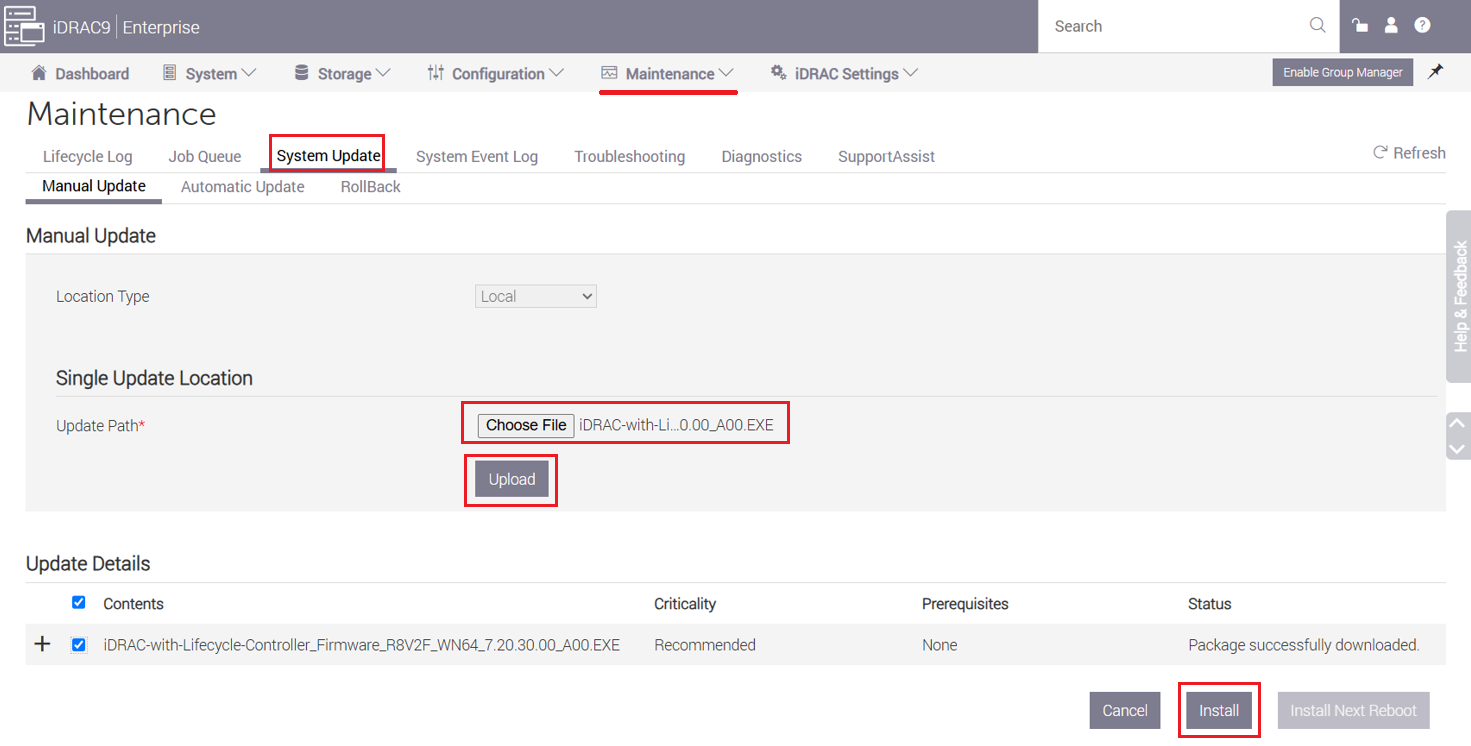
- Go to Dell iDRAC > Maintenance > System Update >
- Choose and upload iDRAC/BIOS/ firmware file (.exe)
- Select "Install" to begin the firm
- Follow on-screen instructions if any.
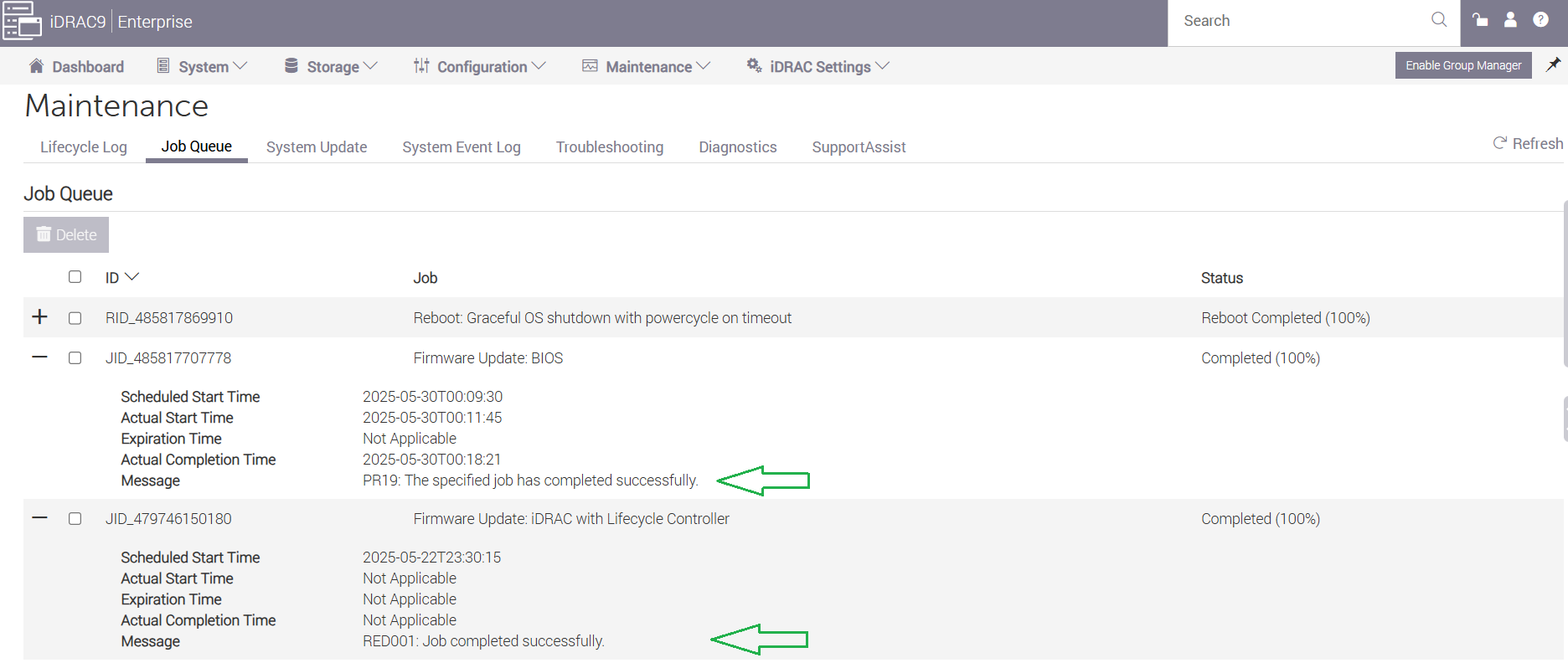
Firmware update status can be monitored and confirmed under Job Queue.
iDRAC > Maintenance > Job Queue
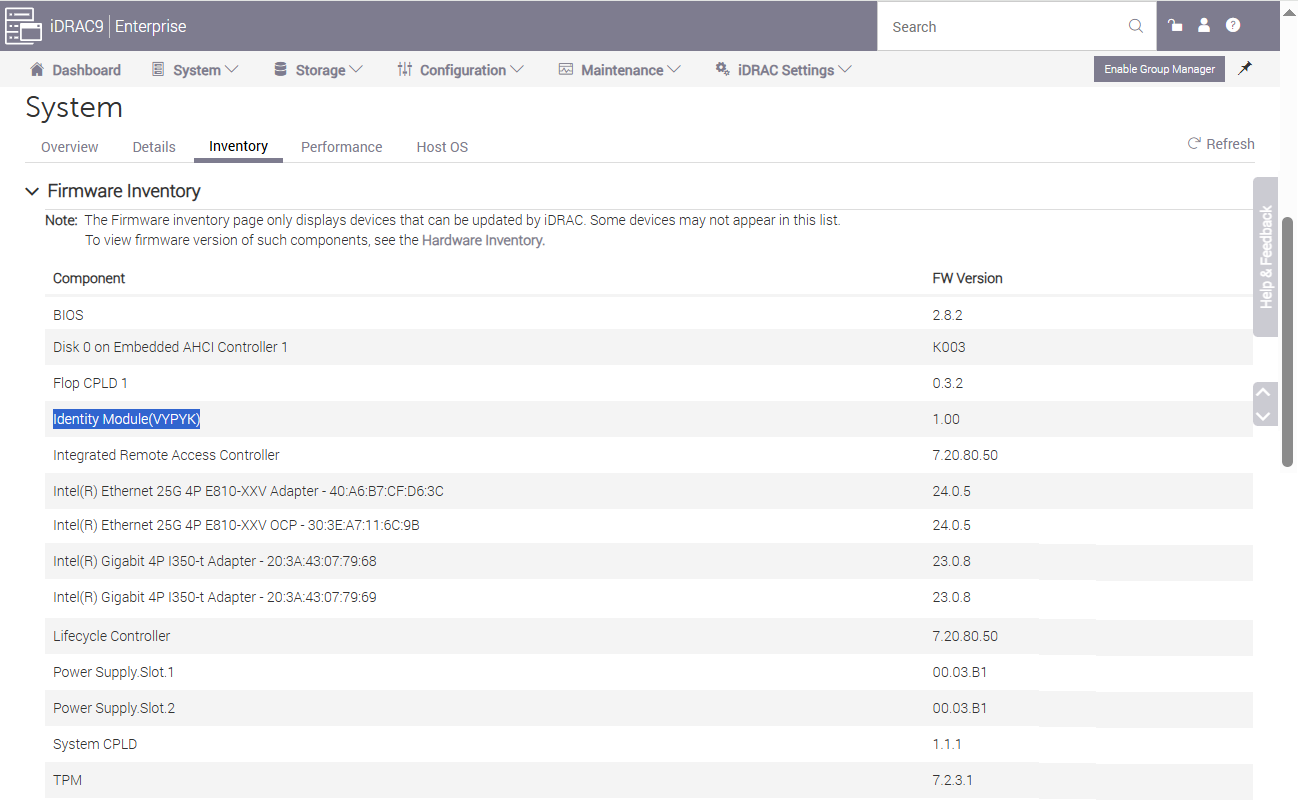
The list of current firmwares can be viewed under iDRAC > System > Inventory > Firmware Inventory as shown below.