Service Templates basically is a subset of the workflow template to associate services like NGFW, QOS and Application Steering with one or more ORG/Suborg and devices. Thereby, making the configuration change management more service specific and easier to deploy.
How a Device Workflow looks like without any linked Service Template(s)?
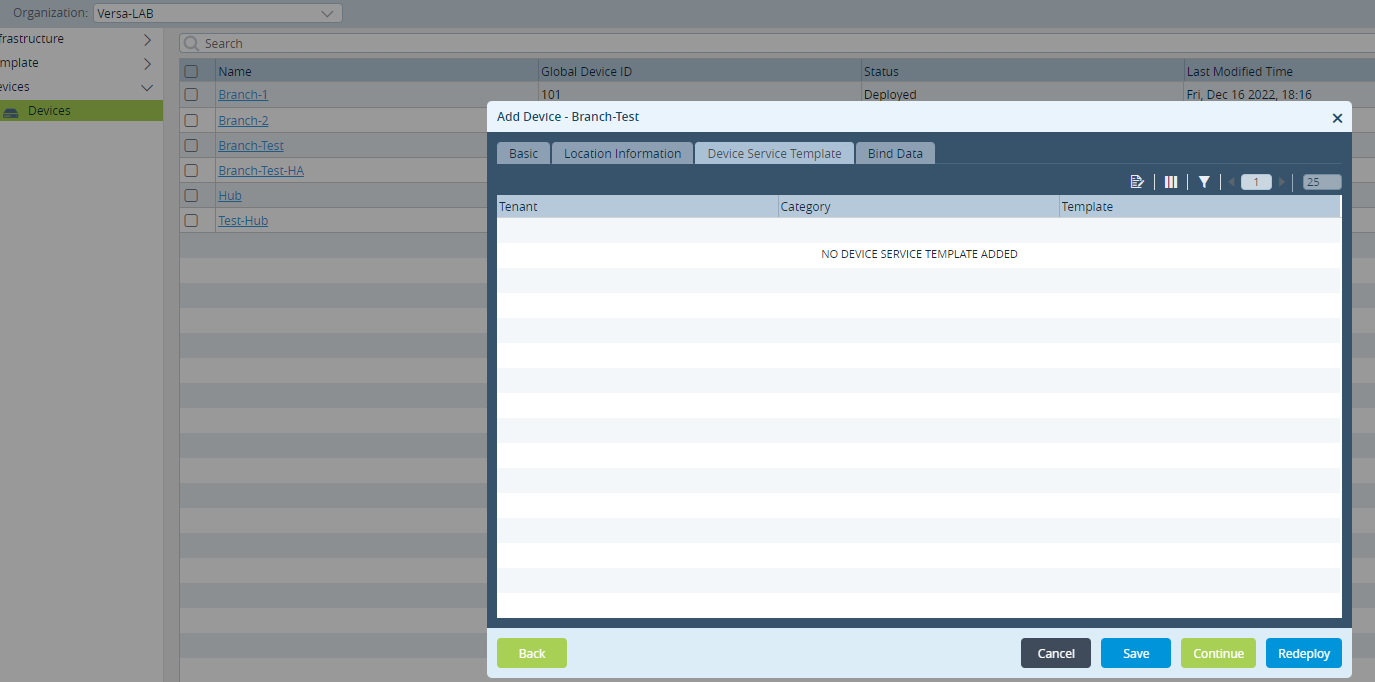
How to:
1. Create Service Template
2. Configuring the Service Template
3. Add Service Template to Device Workflow
4. Commit Template to add those services to appliances in ORG/Suborg
Alternate Method: Add Service Template to Device Group
Apart from adding service template to the Device Workflow as in step 3-4, service template(s) can be added to the Device Groups.
5. Create General Service Template
6. Configuring General Service Template (Parameterized Variable)
7. Add Service Template to Device Group
8. Add bind values for the parameterized fields in Device Workflow
9. Commit Template
Create Service Template(s)
For demonstration purpose, we will create 3 service templates for NGFW, Application Steering and QOS
Service Template: NextGen Firewall (NGFW)
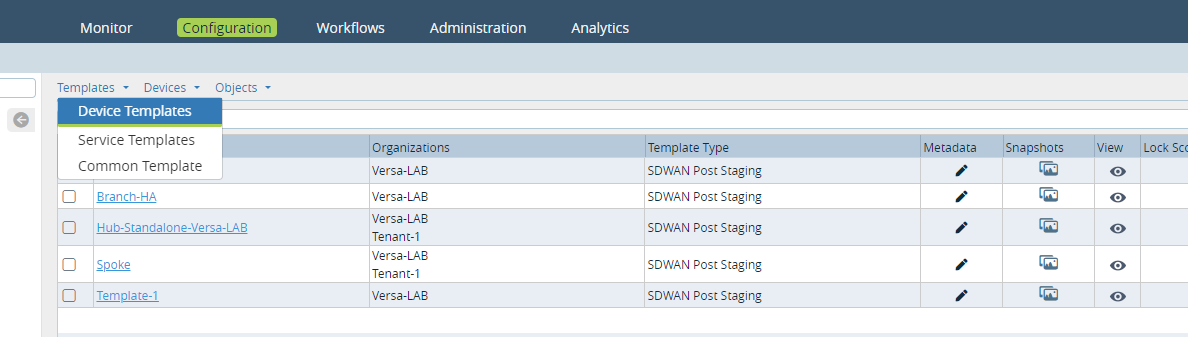
- Go to Configuration > Templates > Service Templates
- Select Shared Service Templates
- Click + (add) to add Service Template
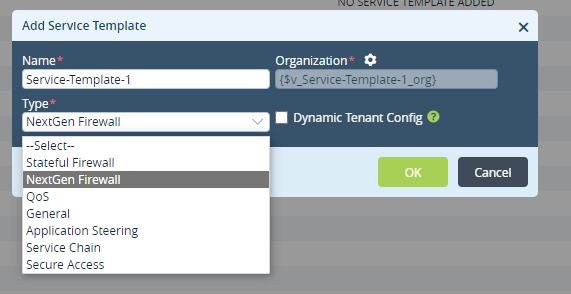
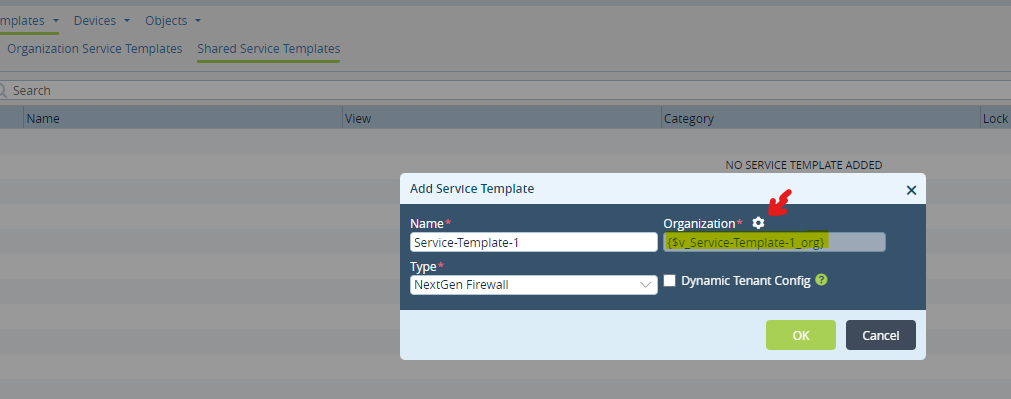
- Fill in the Name, Organization and Type = (NextGen Firewall)
Note: The Organization field can be either provided with a specific ORG/Suborg OR alternatively left with a variable by
clicking the settings icon) to be applied to any ORG in the future.

Service Template: SD-WAN Applications Steering (Applications)
- Go to Configuration > Templates > Service Templates
- Select Shared Service Templates
- Click + (add) to add Service Template
- Fill in the Name, Organization and Type = (Applications)
Note: The Organization field can be either provided with a specific ORG/Suborg OR alternatively left with a variable by
clicking the settings icon) to be applied to any ORG in the future. (Screenshot above)
Service Template: Class of Service (QOS)
- Go to Configuration > Templates > Service Templates
- Select Shared Service Templates
- Click + (add) to add Service Template
- Fill in the Name, Organization and Type = (QOS)
Note: The Organization field can be either provided with a specific ORG/Suborg OR alternatively left with a variable by
clicking the settings icon) to be applied to any ORG in the future. (Screenshot above)
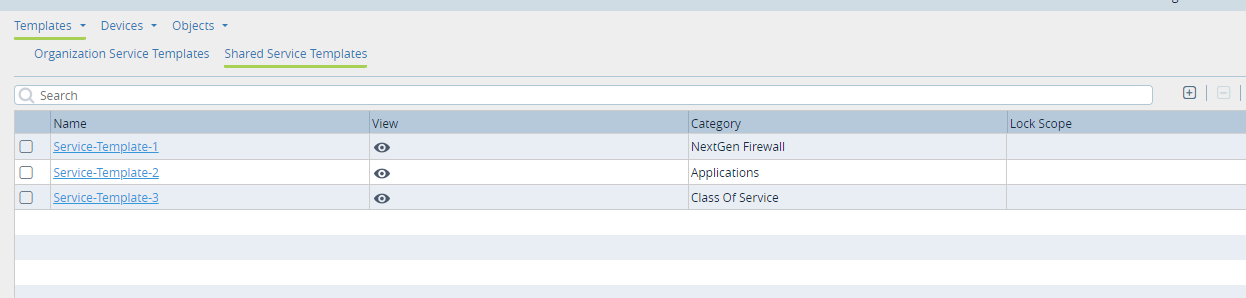
Configure Service Template(s)
NGFW
- Click on the Service Template for NextGen Firewall created in Step 1 above.
- Select Services > Next Gen Firewall
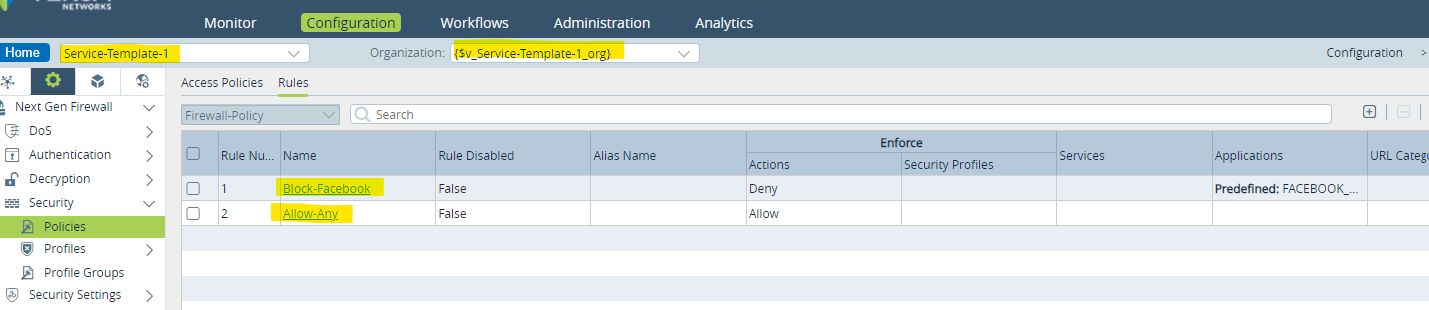
For demonstration, we are creating a Firewall Policy with a rule to block Facebook traffic and allow others.
- Select Security > Policies > Access Policies
- Click + (add) to add a Policy
- Select Rules
- Click + (add) to add Rules
Applications
- Click on the Service Template for Application Steering created in Step 1 above.
- Select Services > SDWAN
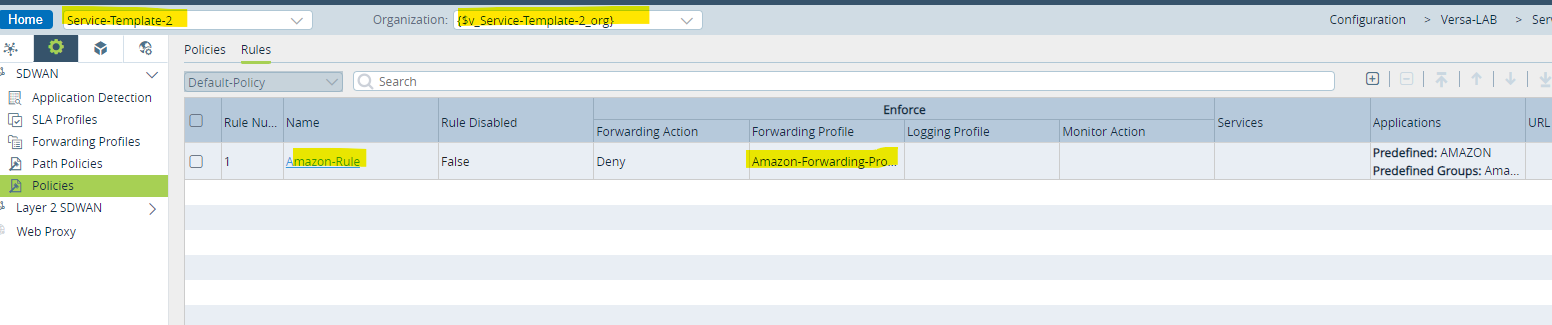
For demonstration, we are creating an SDWAN rule to apply a Forwarding Profile for traffic related to Amazon sites.
- Select SDWAN > Policies
- Click + (add) to add a Policy
- Select Rules
- Click + (add) to add Rules
QOS
- Click on the Service Template for QOS created in Step 1 above.
- Select Networking > Class of Service
For demonstration, we are creating a QOS rule for all Video Traffic (like Zoom, Webex) and modifying the DSCP to ef.
- Create a QOS Profile
- Create a RW (rewrite) Rule
- Create an App QOS Policy and add Rule

Add Service Template to Device Workflow
- Go to Workflow > Devices > Device
- Verify the ORG and Device Group
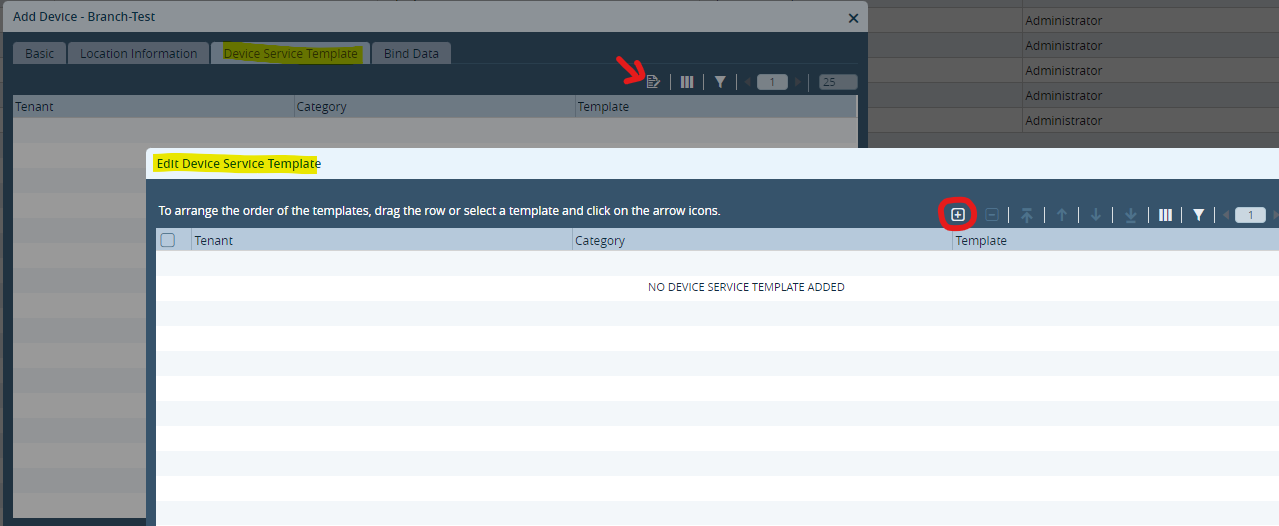
- Select Device Service Template > Association icon
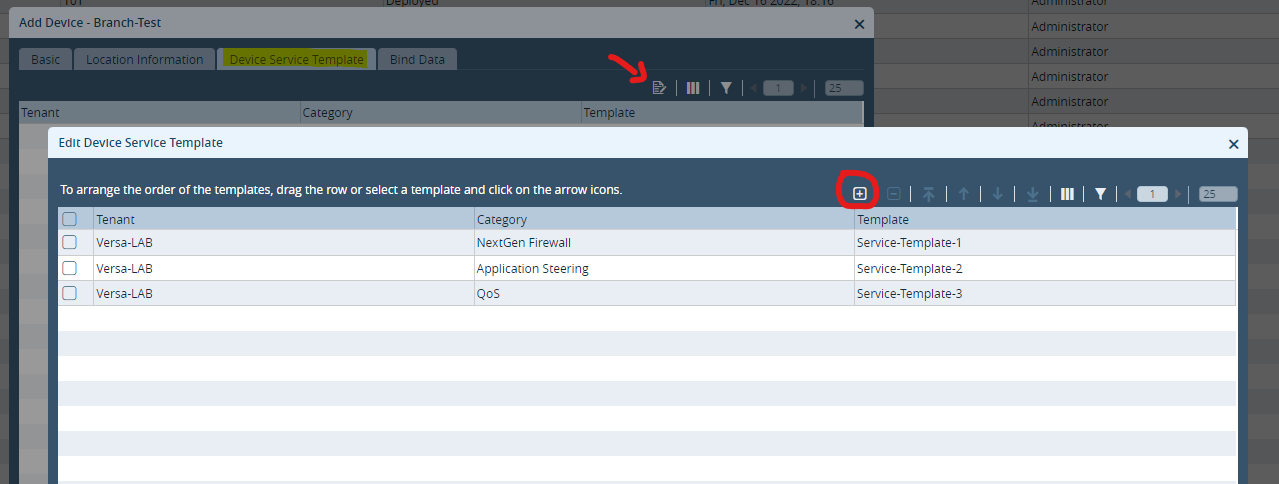
- Click + (add) to add Service Template
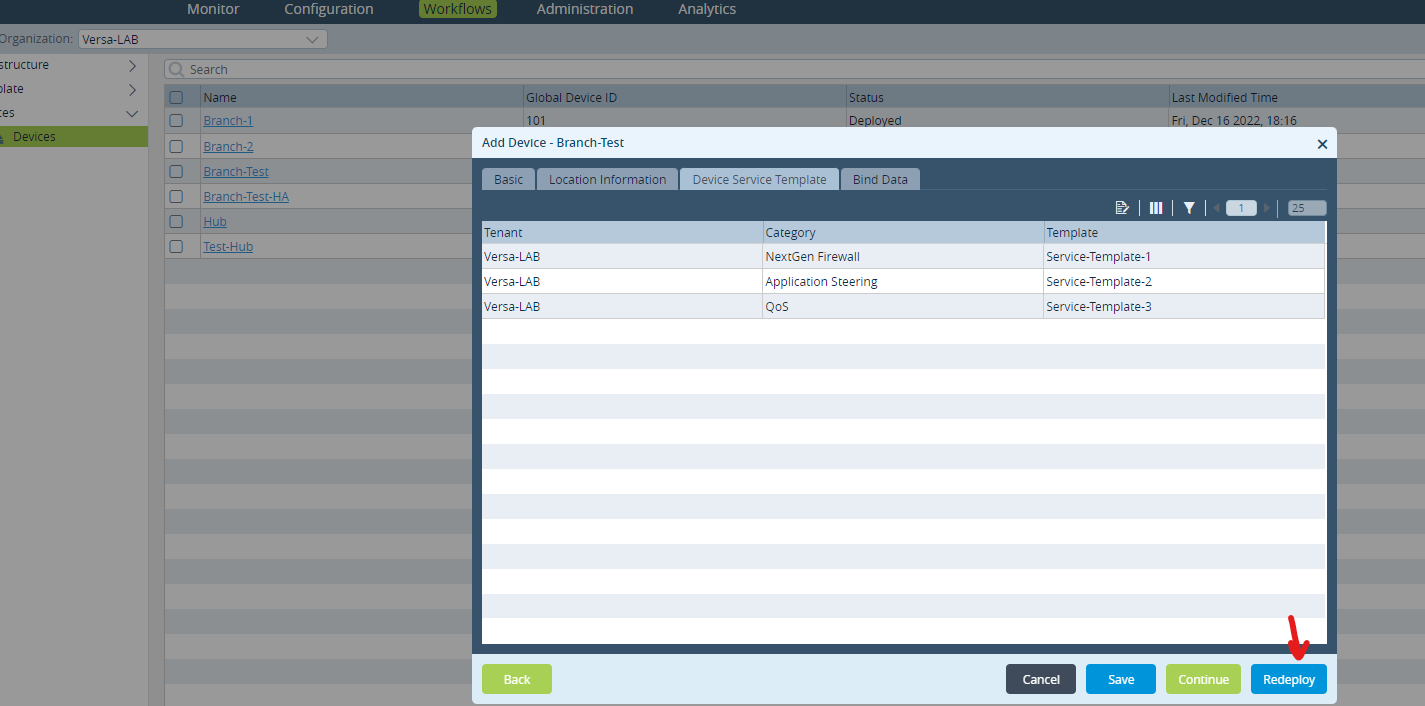
- Fill in the details for Tenant ORG, Category and Service Template
- Once added, click OK and Redeploy the template
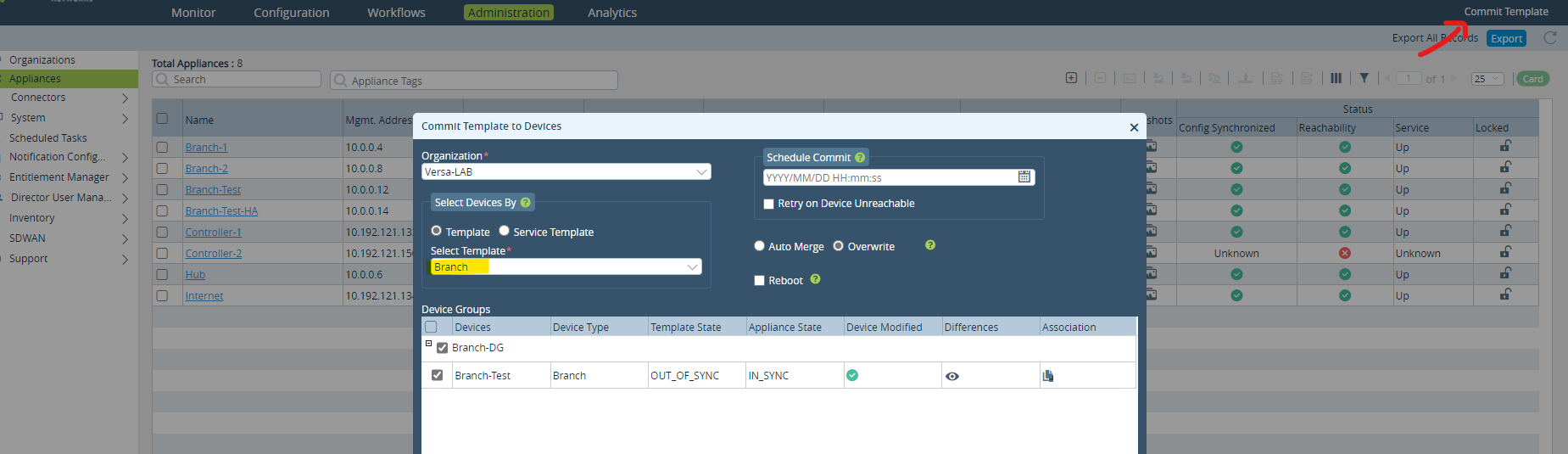
Commit Template
- Go to Administration tab
- Click Commit Template
- Select ORG > Device Template > Device (Appliance to apply the service template to)
- Verify the differences and Commit
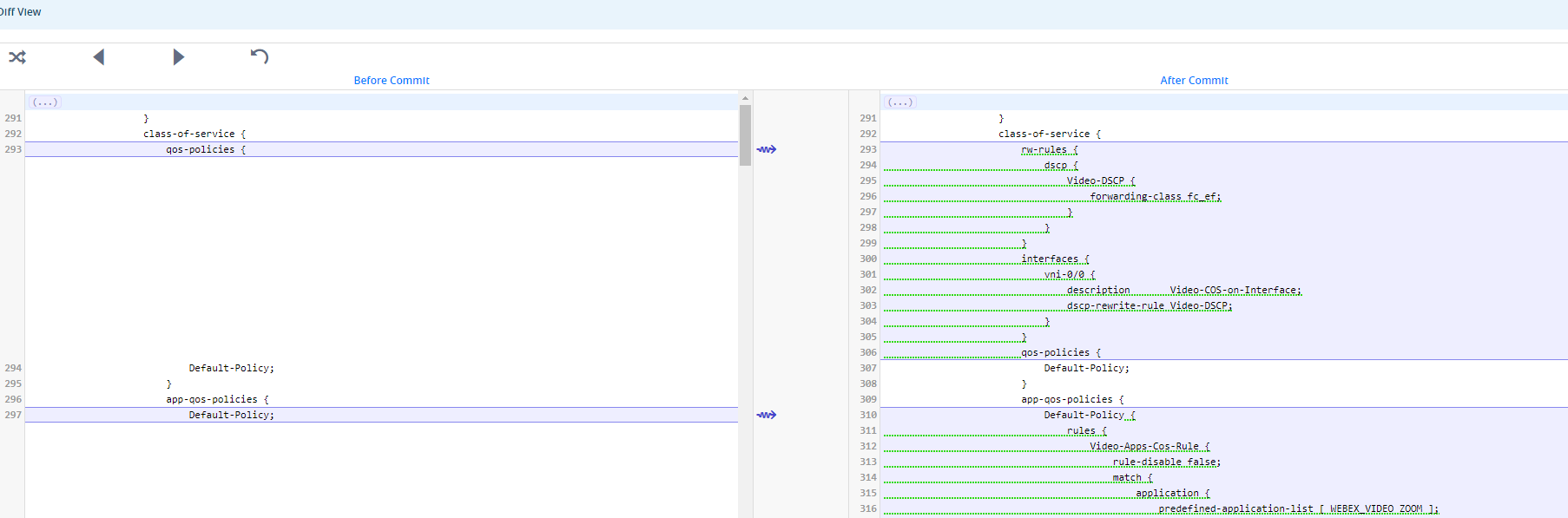
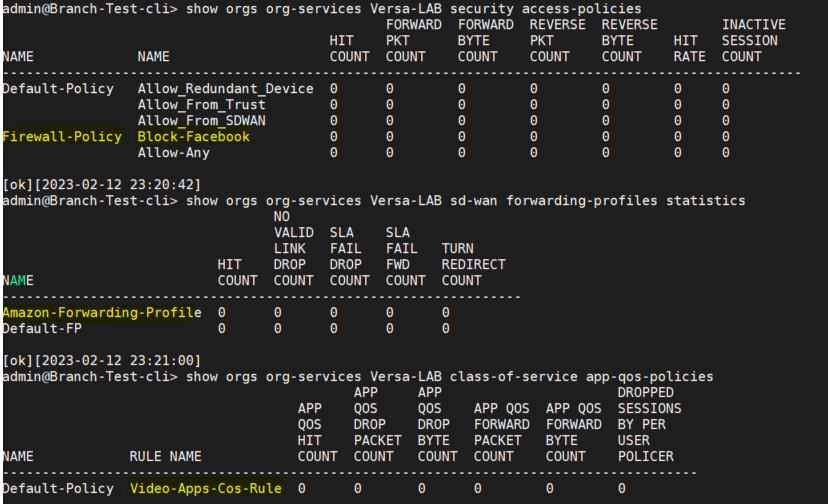
Once the Commit Task is successful, the appliance will be embedded with all the associated service templates.
------------------------------------------------------------------------------------------------------------------------------------------------------------------------------------------------------------------------------------------------------------------------------------
-------------------------
Alternate Method:
-------------------------
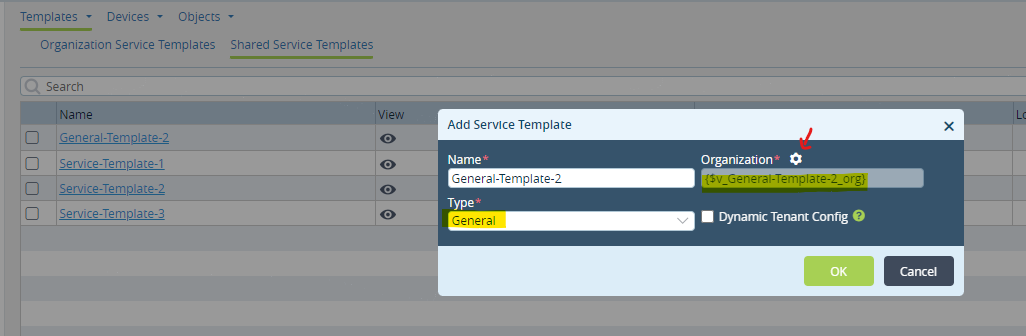
Create General Service Template
For demonstration purpose, we will create a general service template.
Service Template: General
- Go to Configuration > Templates > Service Templates
- Select Shared Service Templates
- Click + (add) to add Service Template
- Fill in the Name, Organization and Type = (General)
Note: The Organization field can be either provided with a specific ORG/Suborg OR alternatively left with a variable by
clicking the settings icon) to be applied to any ORG in the future.
Configure General Template(s)
General
- Click on the Service Template for General created in above step.
- You can configure any feature/service in a general service template (not limited to any specific service)
For demonstration, we are creating a LAN interface and DHCP service with parameterized variables to be populated with
Device Workflow bindings
- Select Networking > Interfaces
- Click + (add) to add an interface
- With the main interface, add sub-interface(s) (as required)
- For Static IP Address/Mask on the interface (hit settings icon) to parameterize the field
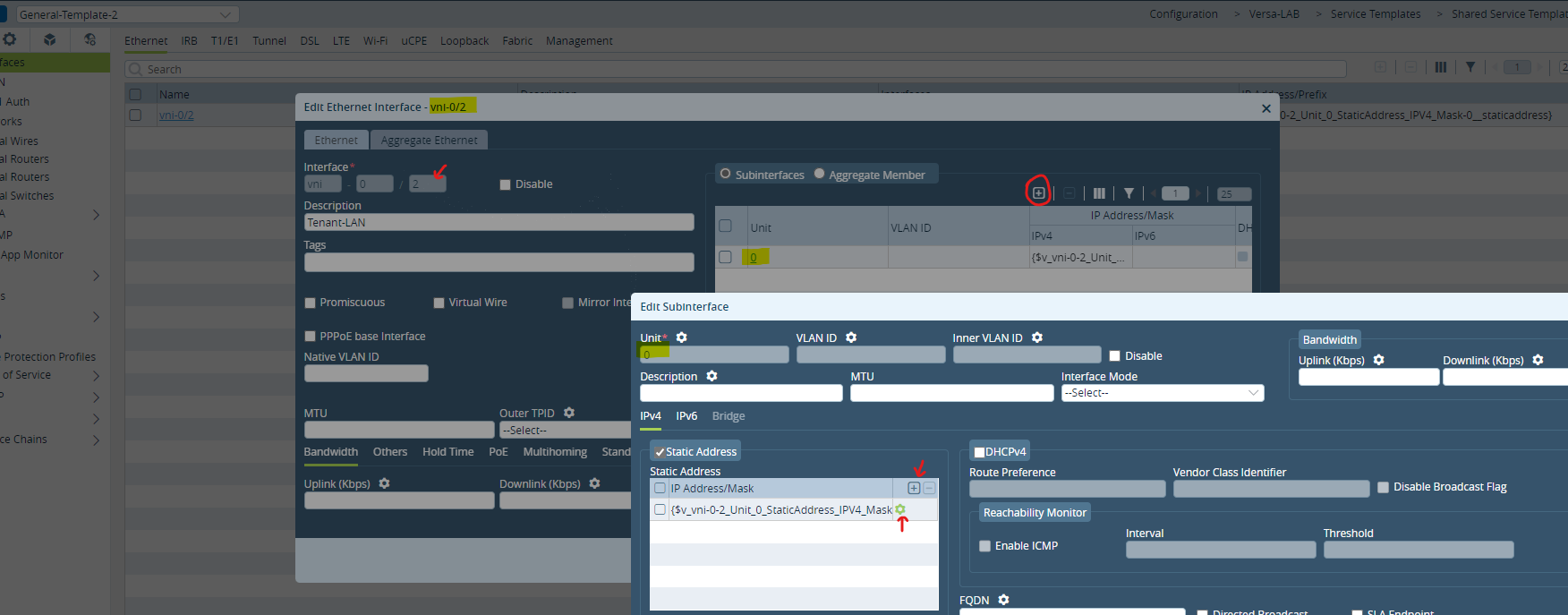
For DHCP service,
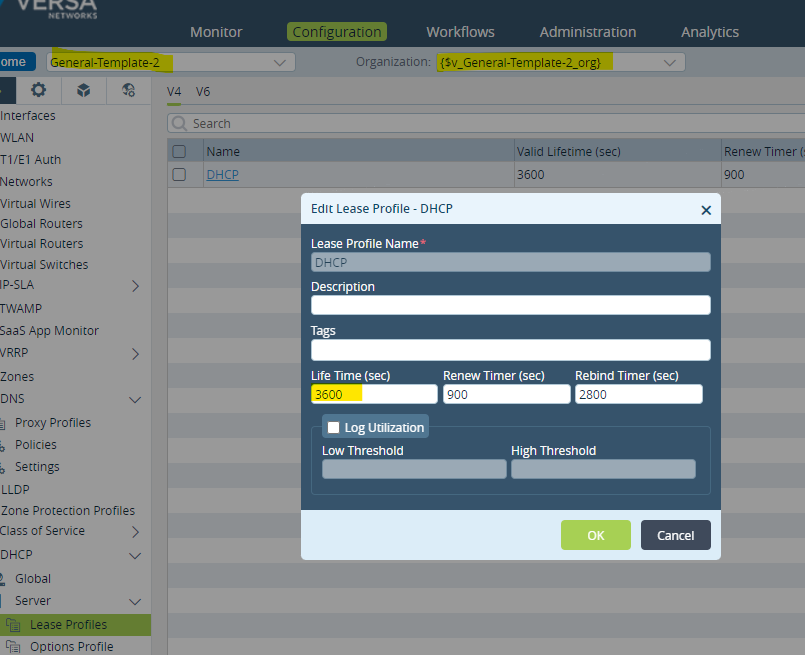
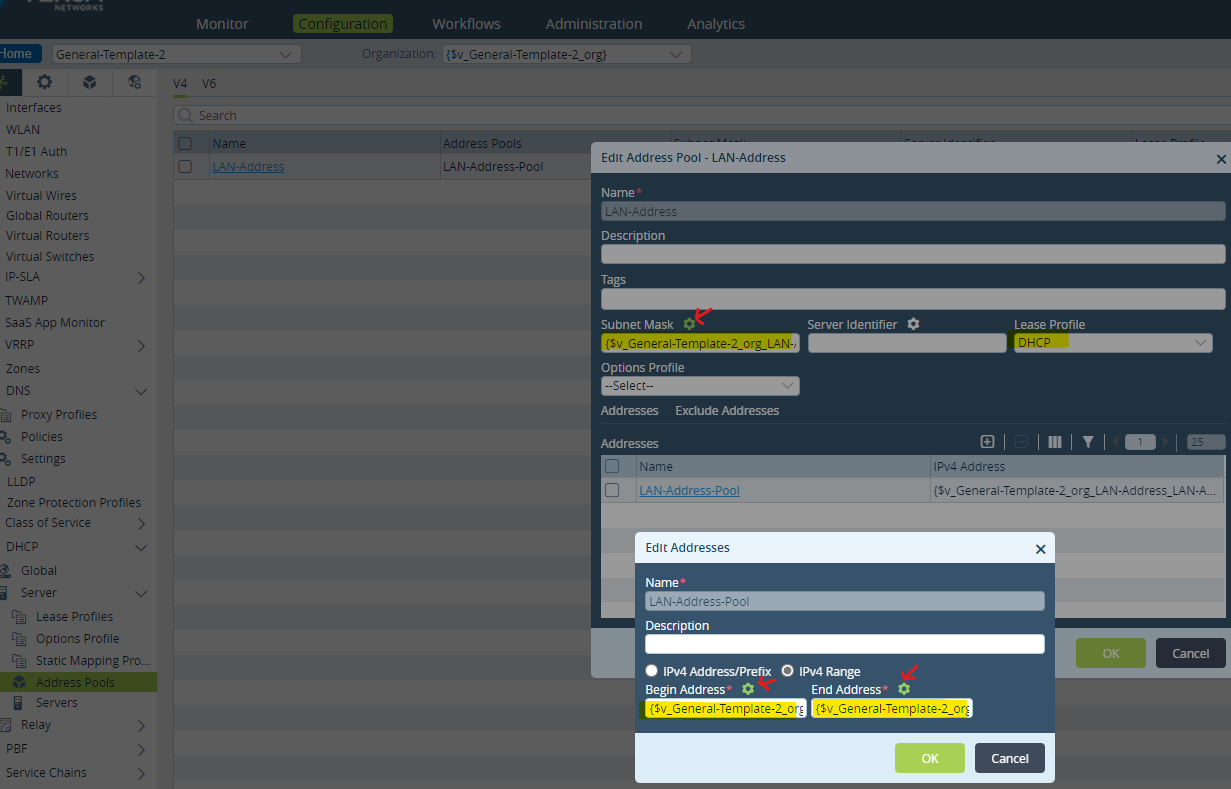
- Select Networking > DHCP
- Create a Lease Profile, click + (add) with required renew time settings (default 3600)
- Create an Address Pool with the added Lease Profile above and parameterize the required fields
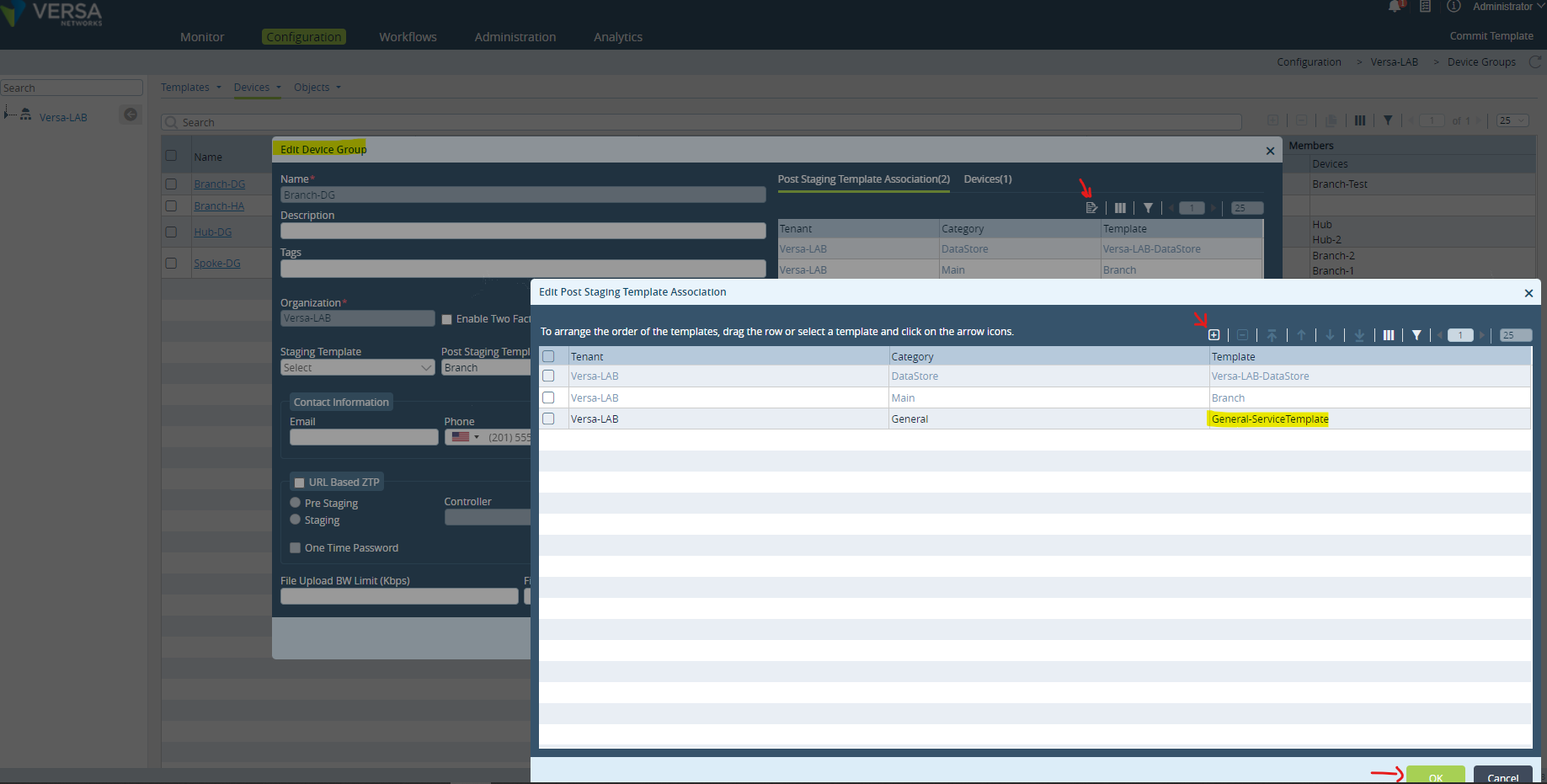
Add Service Template to Device Group
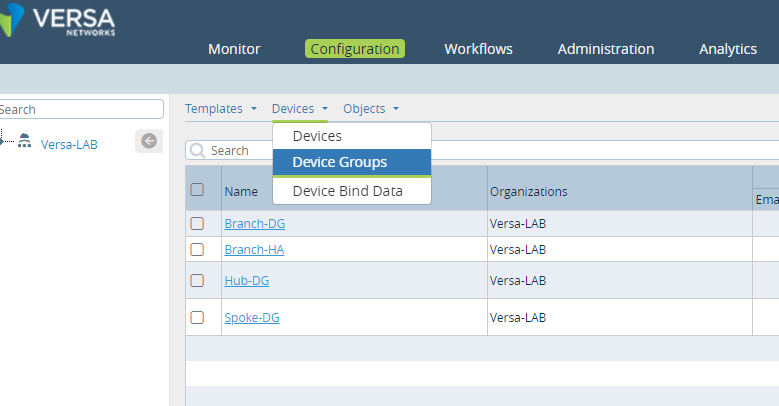
- Go to Configuration > Devices > Device Groups
- Select Device Group and verify associated post staging template
- Select Device Service Template Association icon
- Click + (add) to add Service Template
- Fill in the details for Tenant ORG, Category and Service Template
- Once added, click OK and recreate the Device Group
Note: The Order of Service Templates is an important factor to consider when adding service templates.
Add bind values for the parameterized fields
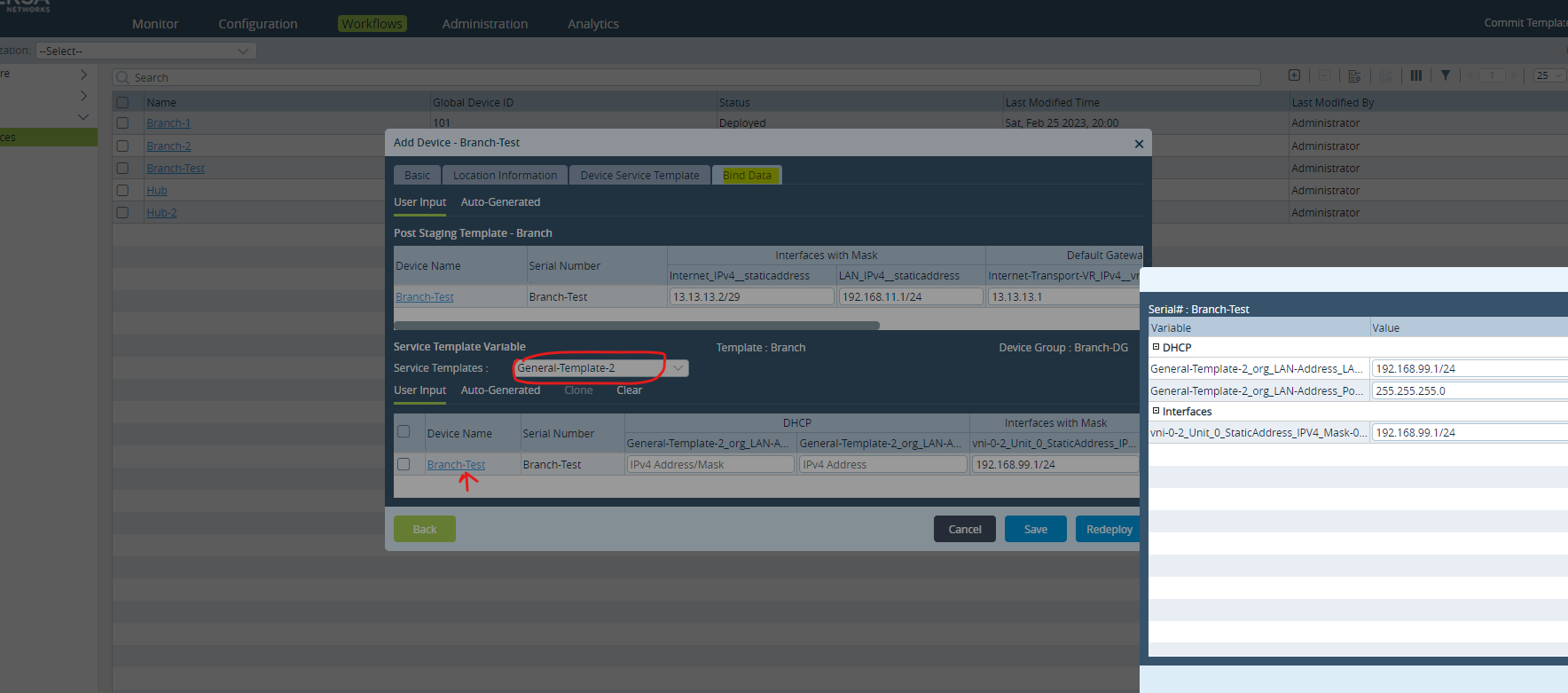
- Go to Workflow > Devices > Device
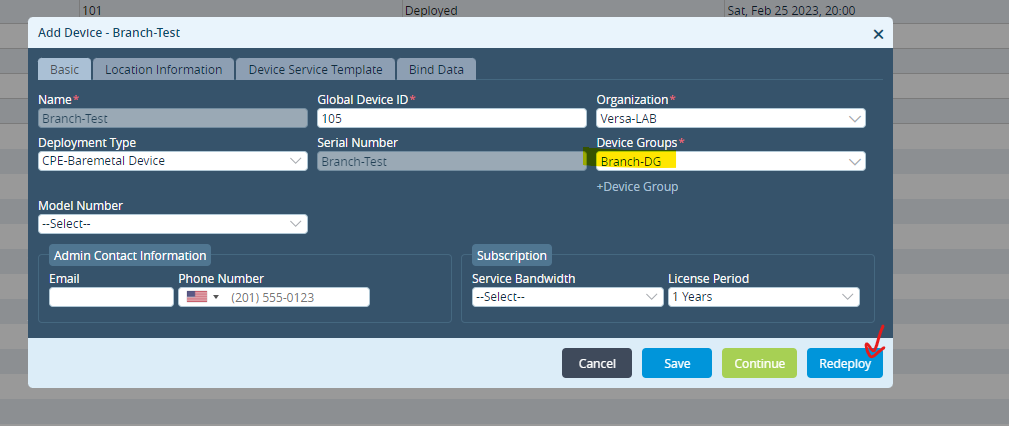
- Verify the ORG and Device Group (with the defined service template)
- Go to Bind Data and fill in the parameterized fields added in service template above.
- Once added, click OK and Redeploy the template
Commit Template
- Go to Administration tab
- Click Commit Template
- Select ORG > Device Template > Device (Appliance to apply the service template to)
- Verify the differences with diff and Commit
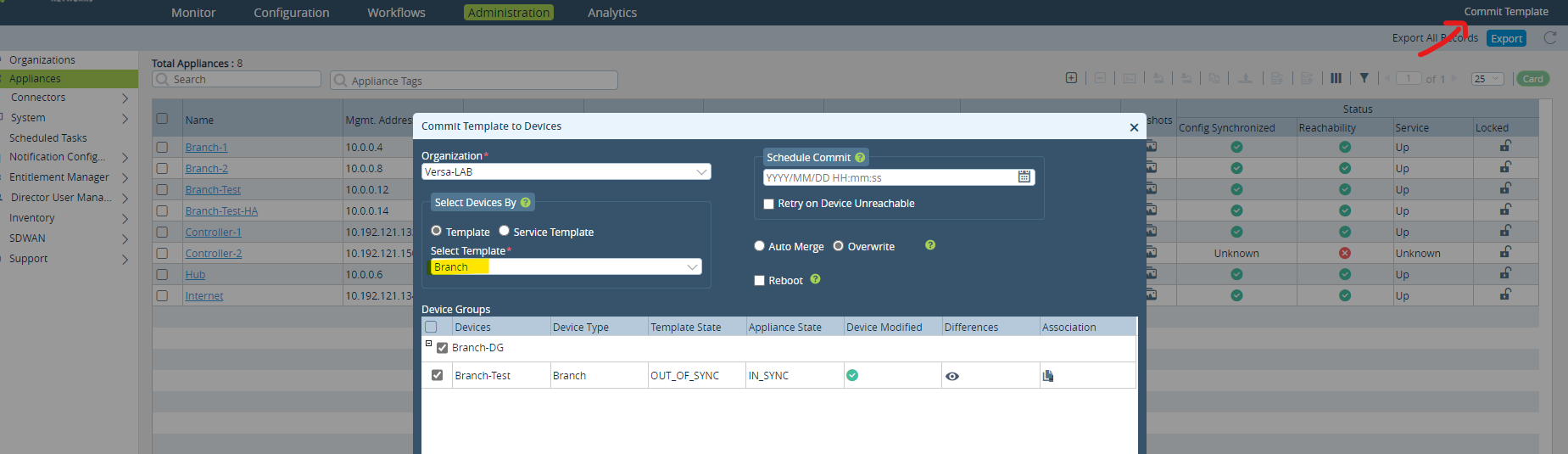
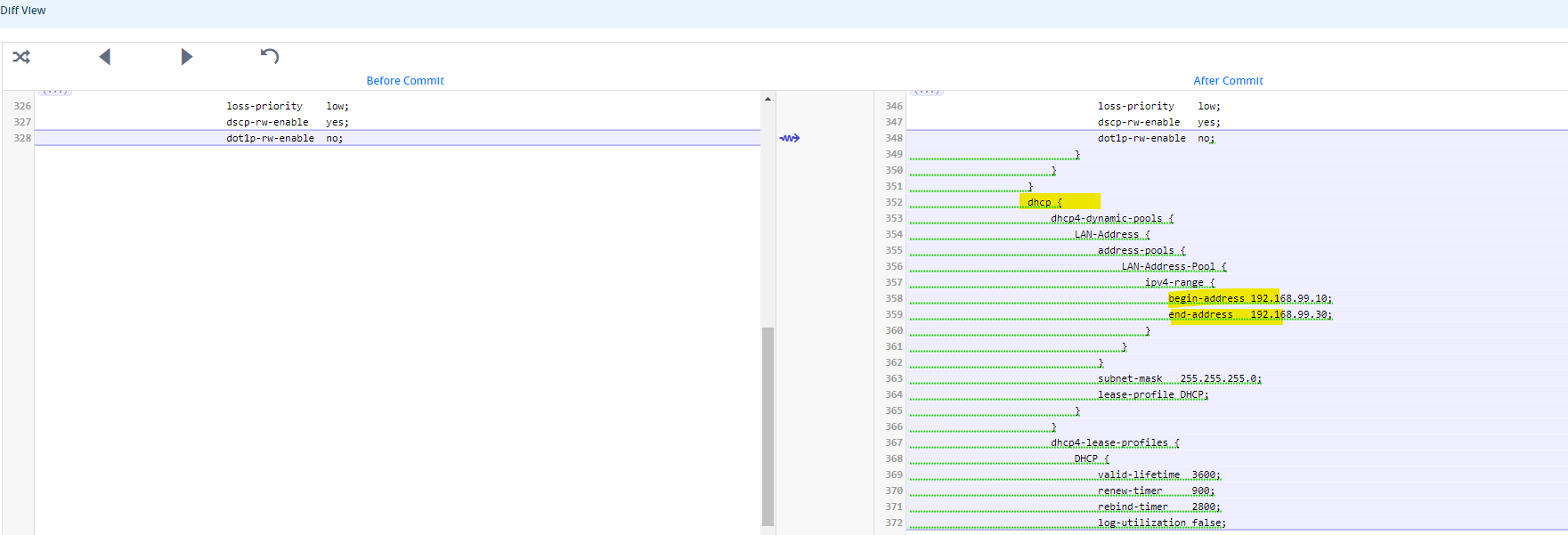
Once the Commit Task is successful, the appliance(s) will be embedded with all the associated service templates.