This article describes how to configure Destination NAT (DNAT) IPv4-to-IPv4 on Versa FlexVNF CPE
DNAT-44 is used when customer wants to expose a server on LAN segment to be accessible for internet-based clients.
Prerequisites
- The branch is provisioned with Direct Internet Access (DIA) using Config Template
- There is at least 1 IP address available in the pool to be used for DIA at the branch
- This document is not restricted to specific Versa certified software and hardware versions.
Use Case:
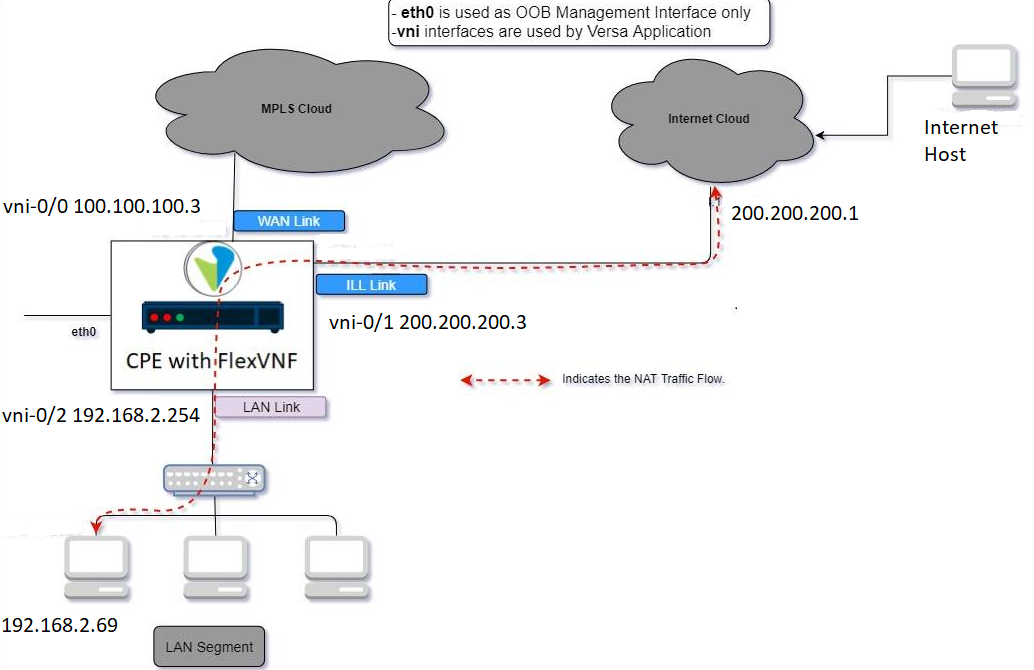
Here the user on the internet wants to access a server residing within the LAN segment of the Versa FlexVNF CPE.
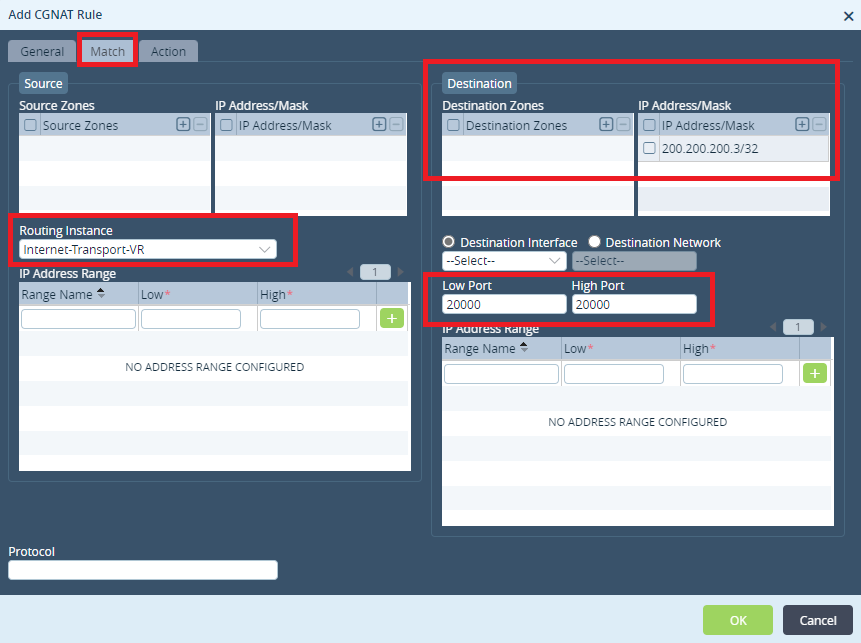
The server is accessible on private IP address 192.168.2.69 on the LAN segment and a client with a public IP is trying to access it from internet.
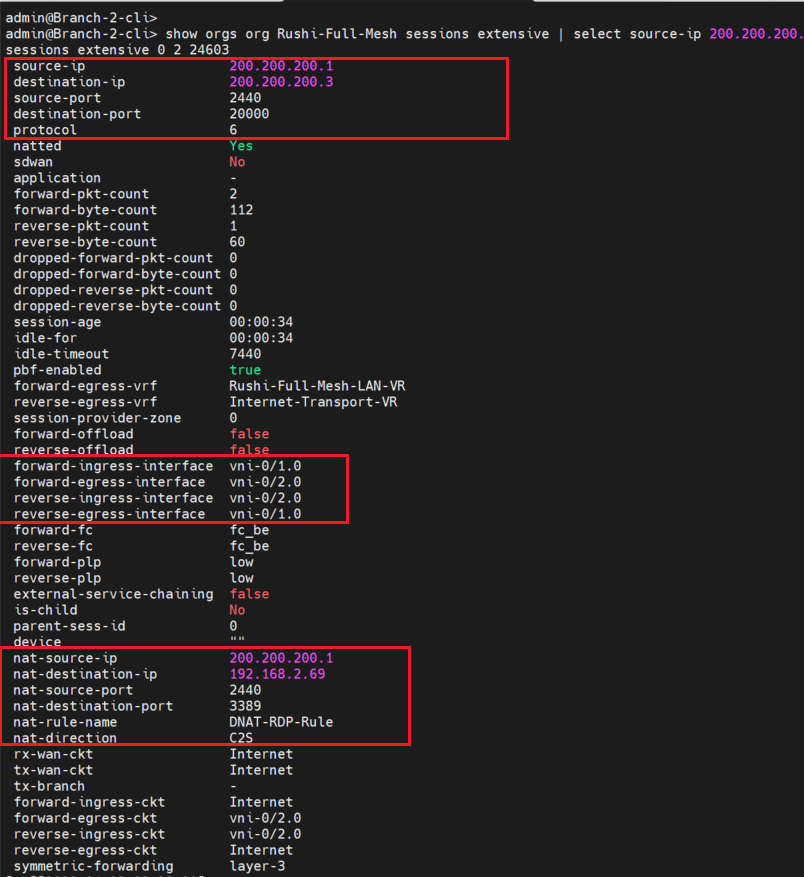
- Original Source IP Address of Internet: 200.200.200.1
- Destination IP address: 200.200.200.3
- destination-port: 20000
Once the traffic reaches the FlexVNF and process the DNAT.
- Source NAT IP address: 200.200.200.1
- Destination NAT IP Address: 192.168.2.69
- nat-destination-port :3389
Configuring DNAT
- Creating a Pool
- Creating CGNAT Rule for DNAT-44
Creating a Pool
- The first step in the configuration is to create a pool. The pool is where the internal IP of the service is configured.
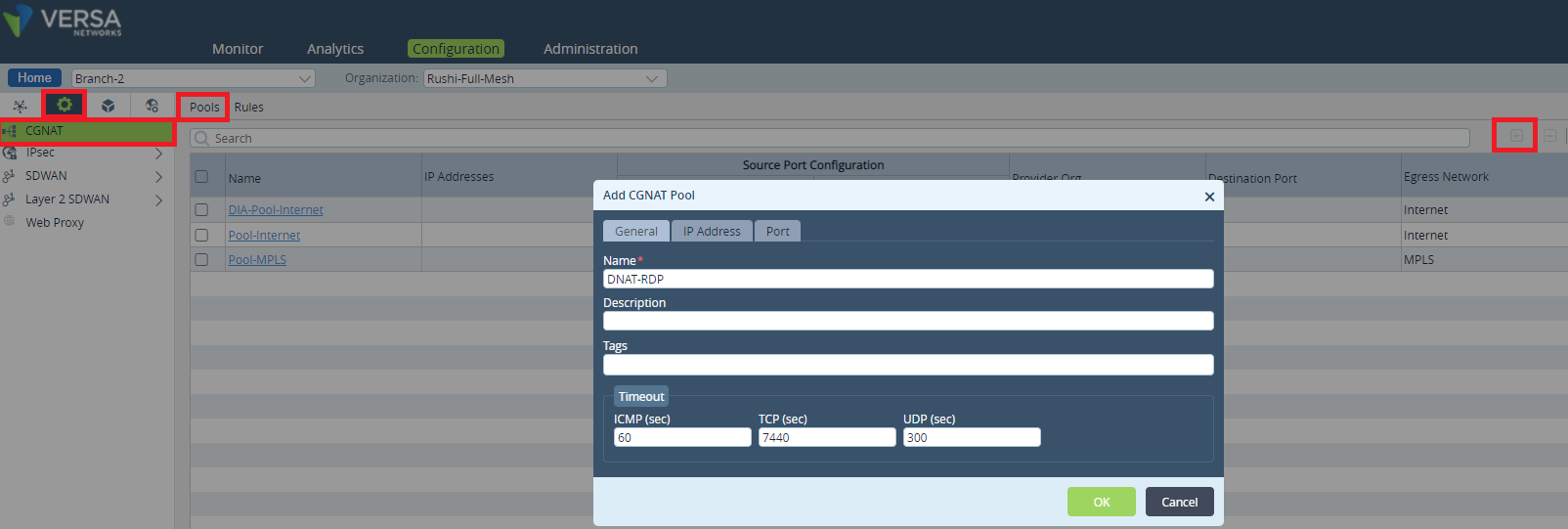
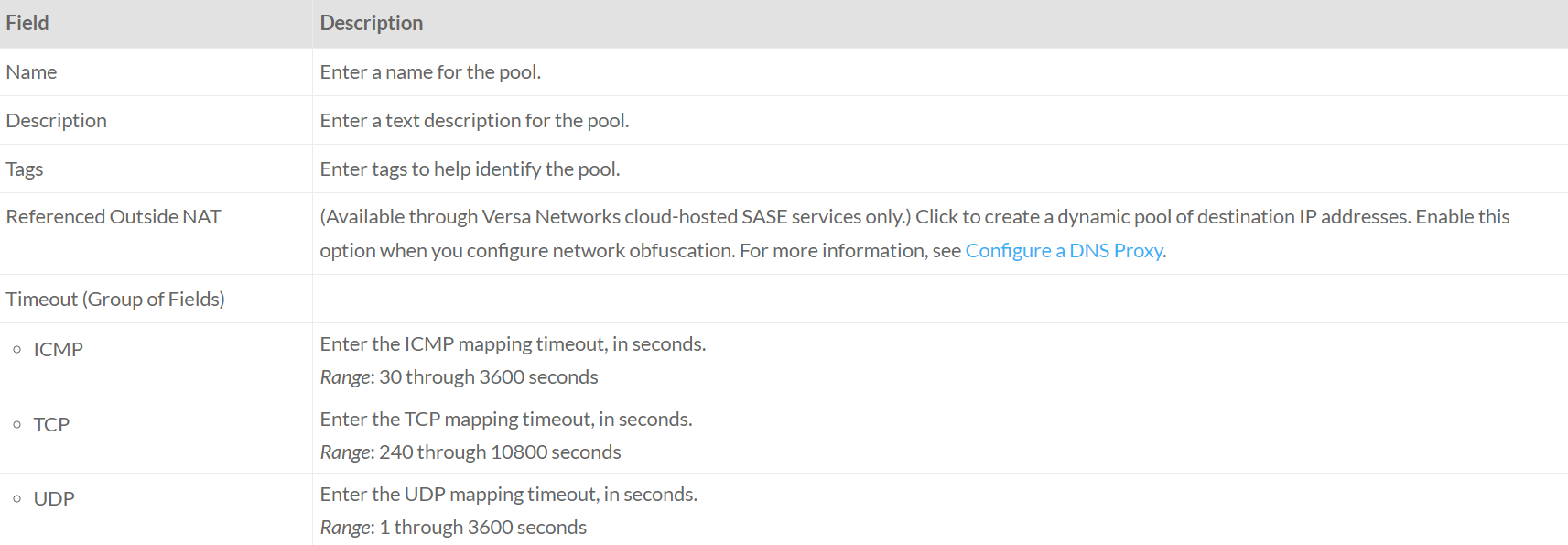
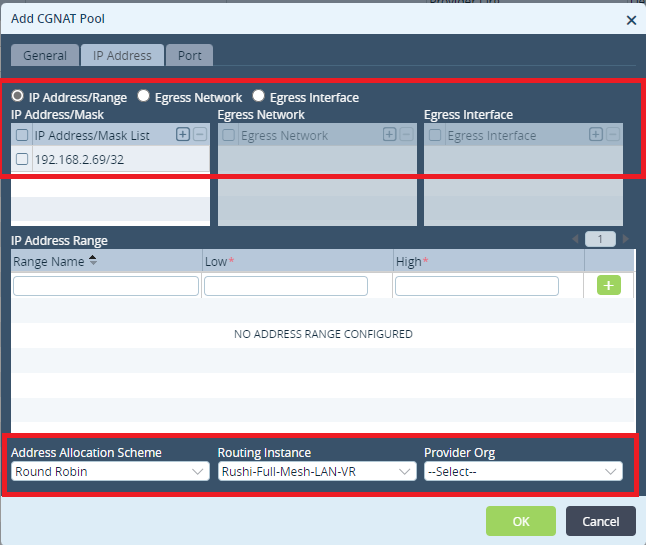
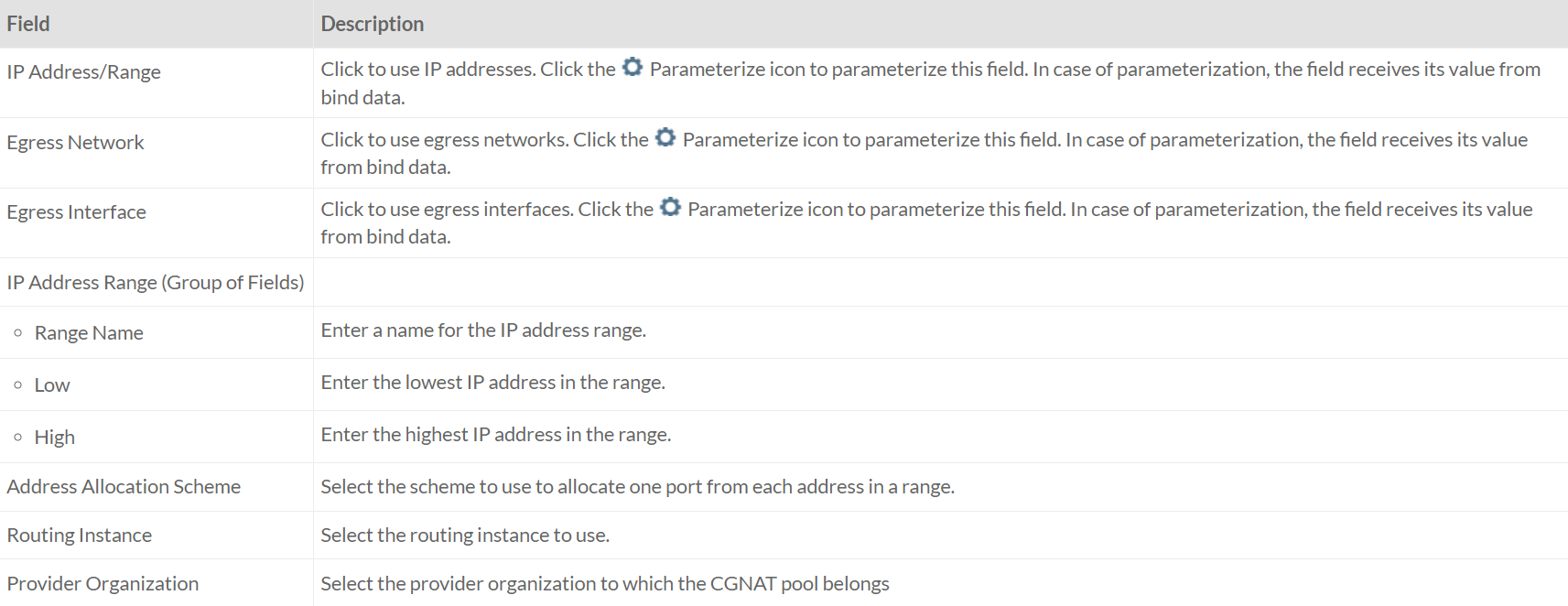
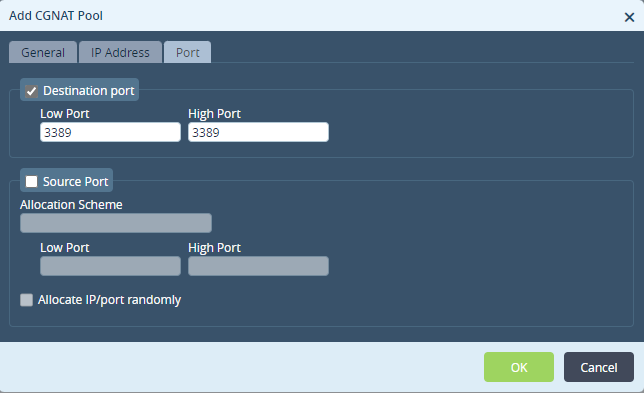
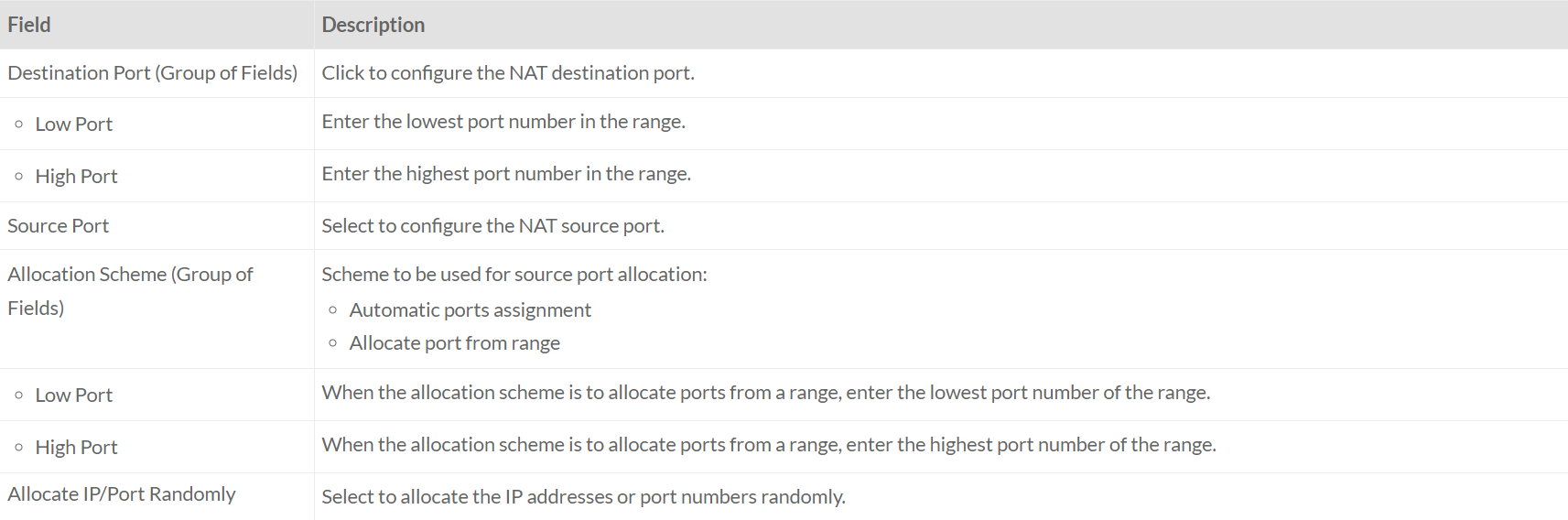
- Click OK.
The next step is to define the network address match criteria and the action to be taken when the criteria is met.
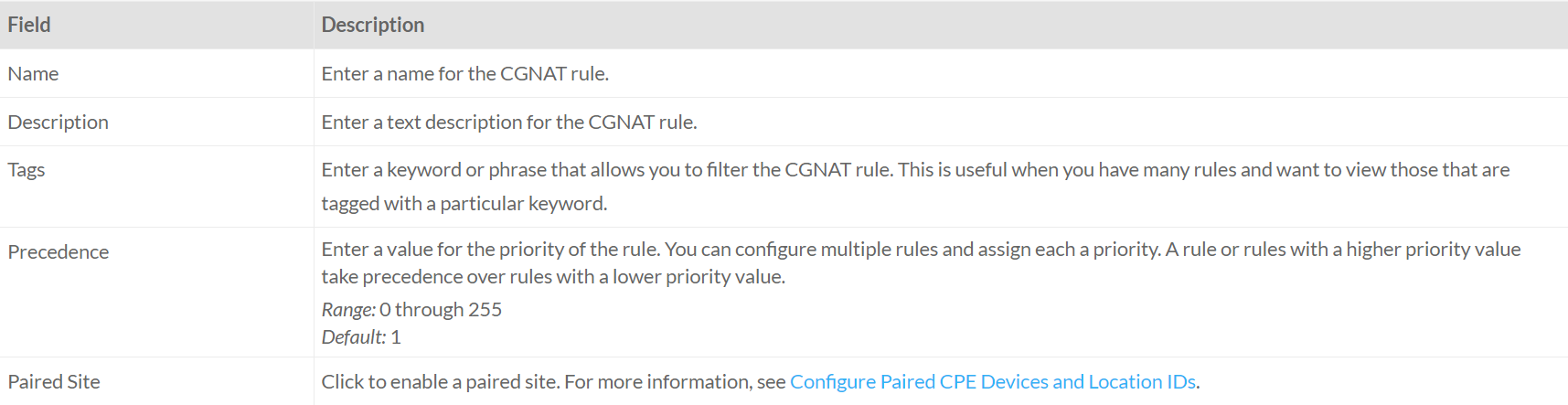
Configuring rules
- In the Appliance view, go to Services > CGNAT > Rules
- Click + to configure a rule.
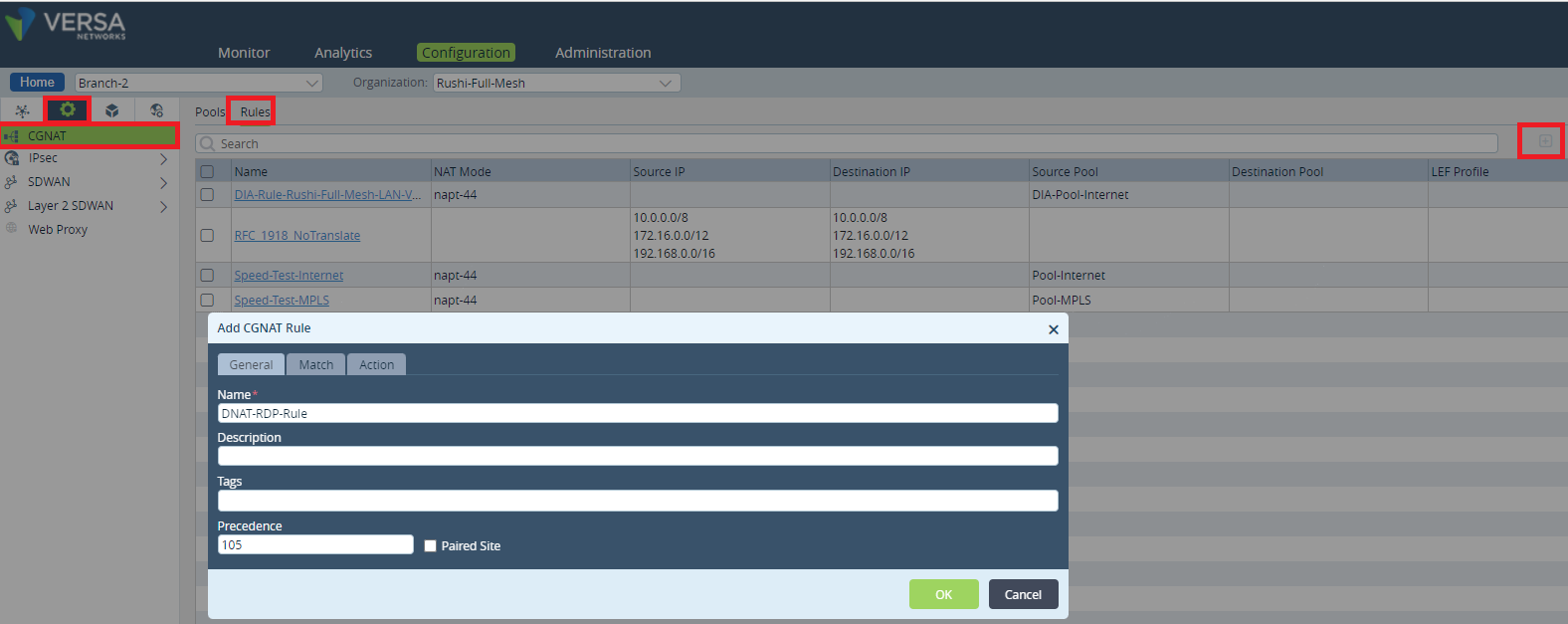
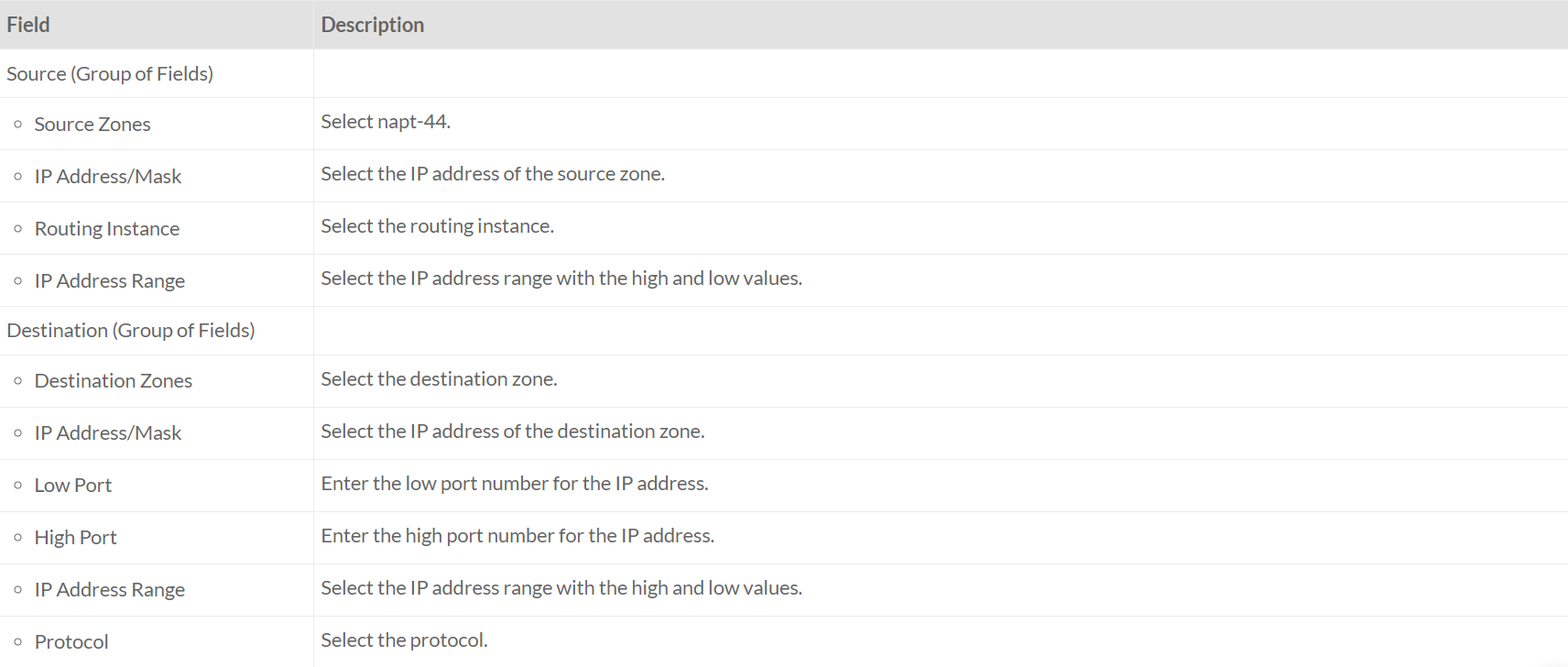
To configure the criteria, select traffic for translation, click the Match tab.
All the traffic matching this criterion will be ‘NAT’ed.
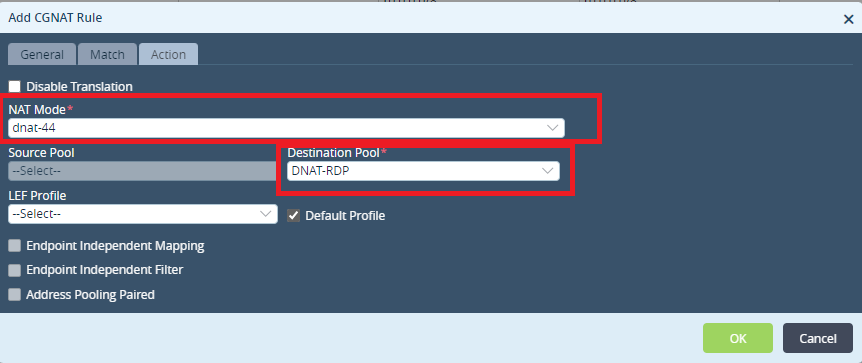
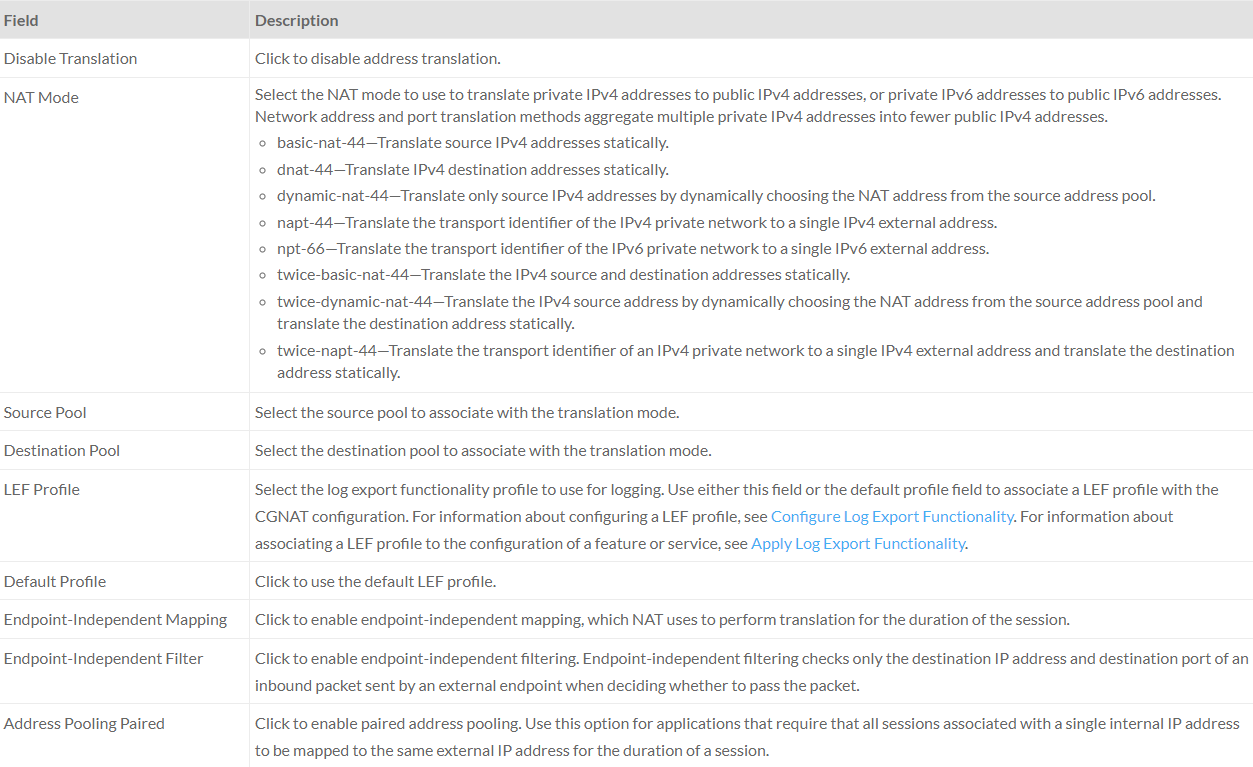
- Here we need to select the Pool that we created in previous step.
- Click OK.
Validation
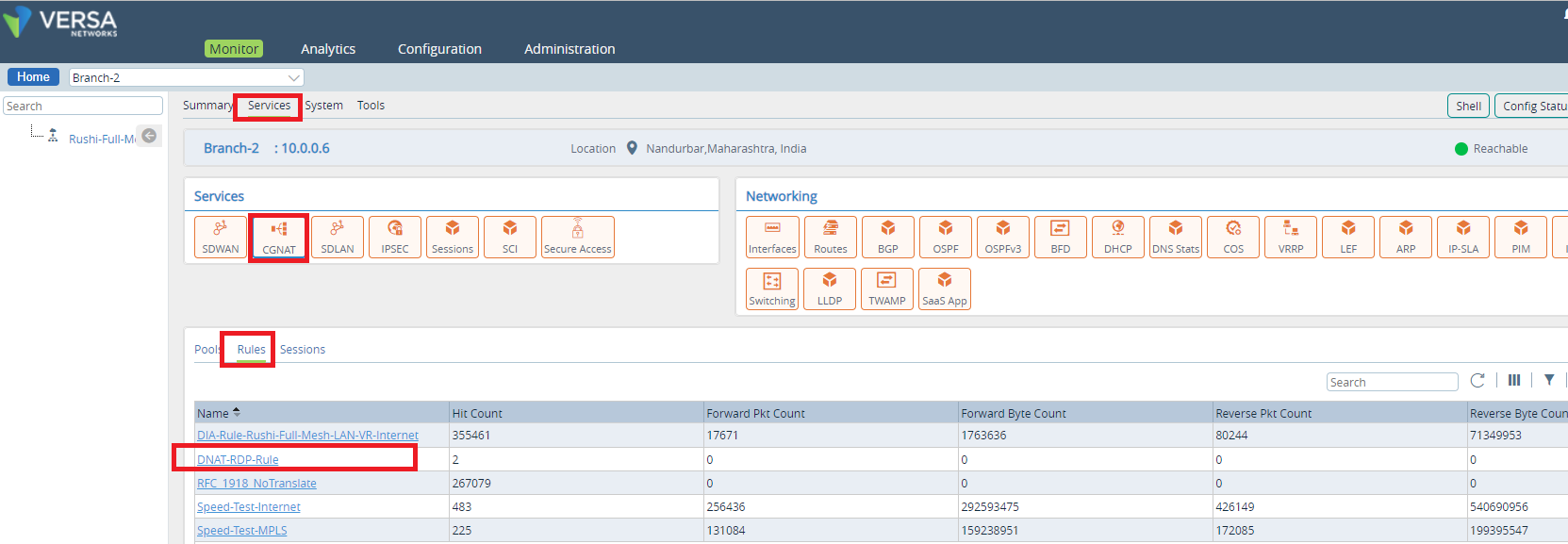
You can monitor the session details and NAT Pool/Rule/usage as below.
Below is the session extensive CLI output for a session. You can find the NAT-Rule, Interfaces, source and destination IP Address.
Troubleshooting Steps
Check the session is created on FlexVNF or not.

Check the CGNAT Rule hit count.

Check the sessions extensive and make sure the session is hitting the specific Rule/Interfaces/NAT.