This article describes how to configure Twice NAT on Versa FlexVNF CPE
# Introduction
Twice NAT lets you modify both, the source and destination address in a single rule.
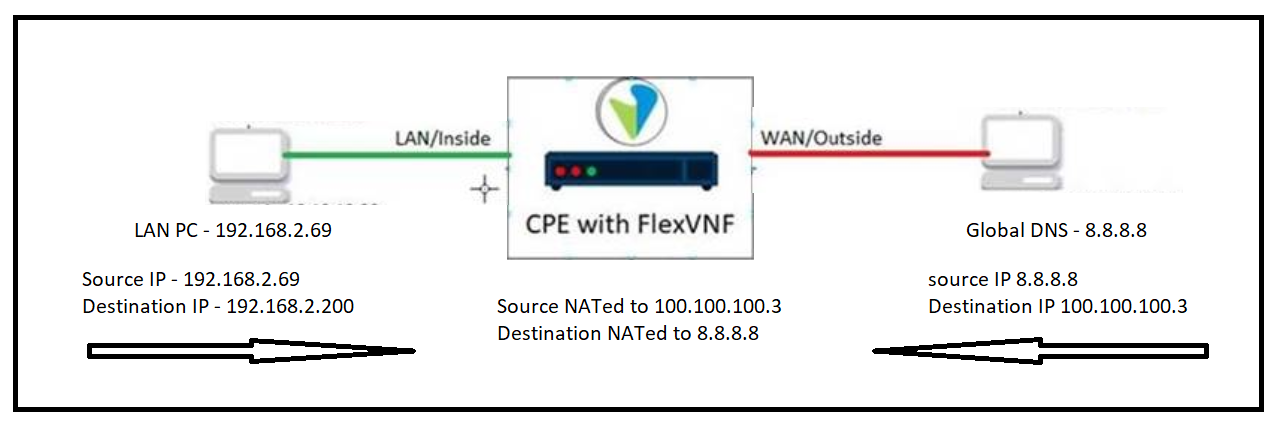
In this example, the source and destination IP address of the packet is translated.
If a packet sourced from 192.168.2.69 and destined to 192.168.2.200 arrives at the LAN interface, the Versa FlexVNF will translate the source address to the WAN interface IP(100.100.100.3) and it will also translate the destination address to 8.8.8.8 as shown in the following topology.
Please Note: All configurations are performed under appliance context.
Topology
# Prerequisites
- The reachability should be there from FlexVNF WAN interface to remote Host.
- CGNAT service should be enabled on Versa FlexVNF CPE
# Terms and Explanations
Configuring Destination Pool.
- A Destination-NAT pool is a user-defined set of IP addresses that are used for translation.
- Destination NAT is the translation of the destination IP address of a packet entering the Versa FlexVNF device. To achieve this, we need to create Destination Pool.
- Destination NAT is used to redirect traffic destined to a virtual host (identified by the original destination IP address) to the real host (identified by the translated destination IP address). Destination NAT allows connections to be initiated only for incoming network connections
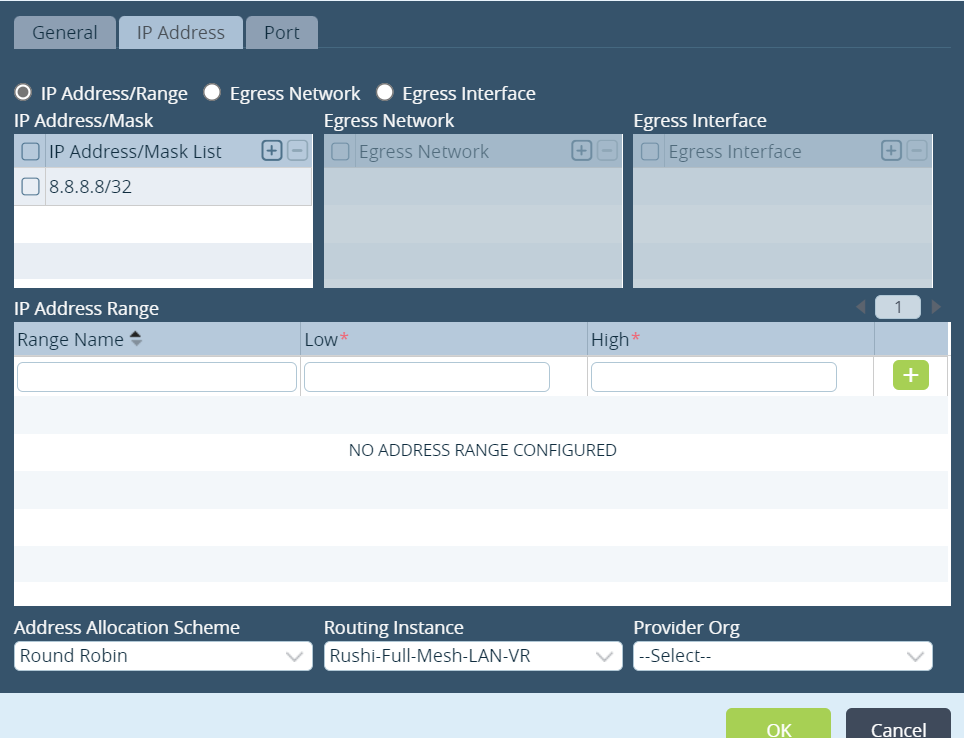
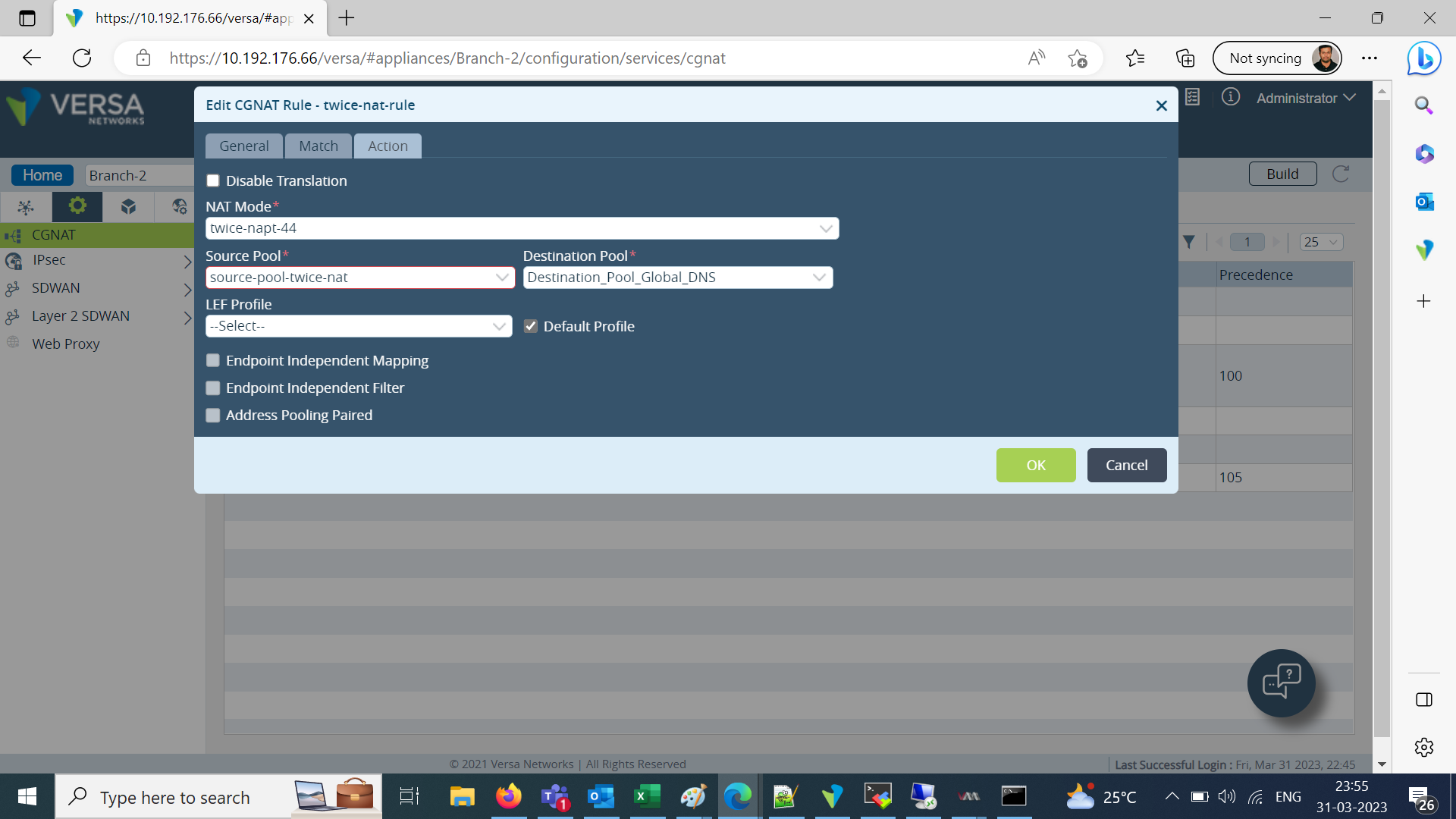
- In this example the Virtual Host is 192.168.2.200 and the real Host is 8.8.8.8.
Configuring Source pools
- A Source-NAT pool is a user-defined set of IP addresses that are used for translation. With source NAT, you translate the original source IP address to an IP address in the address pool.
- Source-NAT is the translation of the source IP address of a packet entering the Versa FlexVNF device. To achieve this we need to create source Pool.
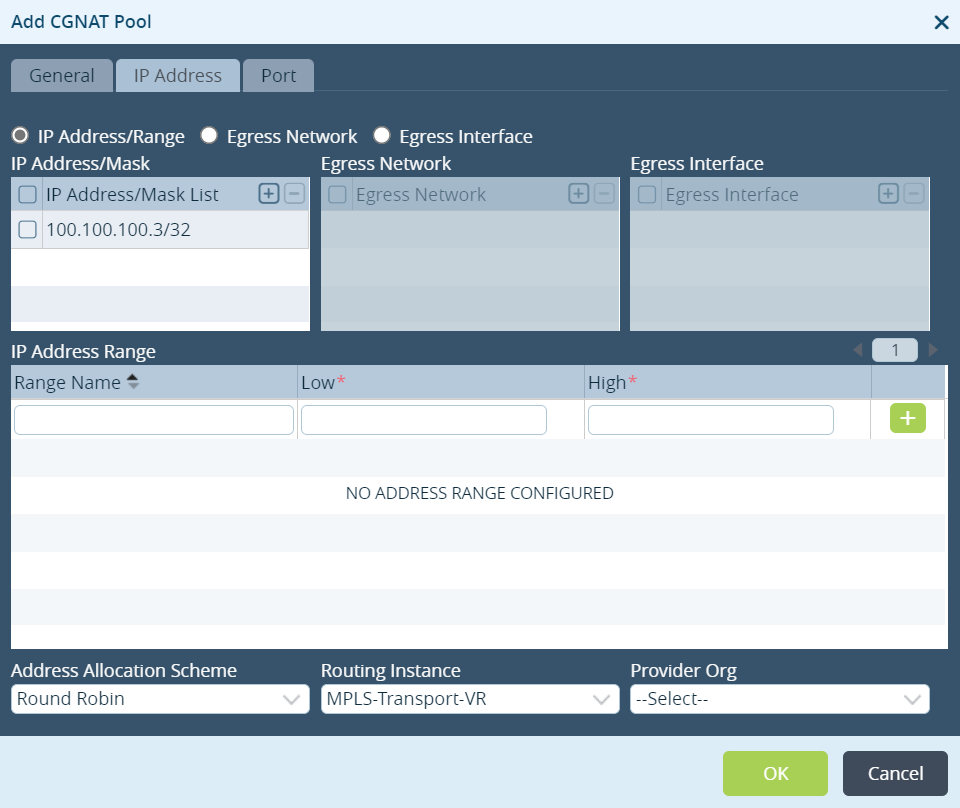
- In this example the original source IP Address is 192.168.2.69 and it is getting NAT to 100.100.100.3.
Configuring Rules
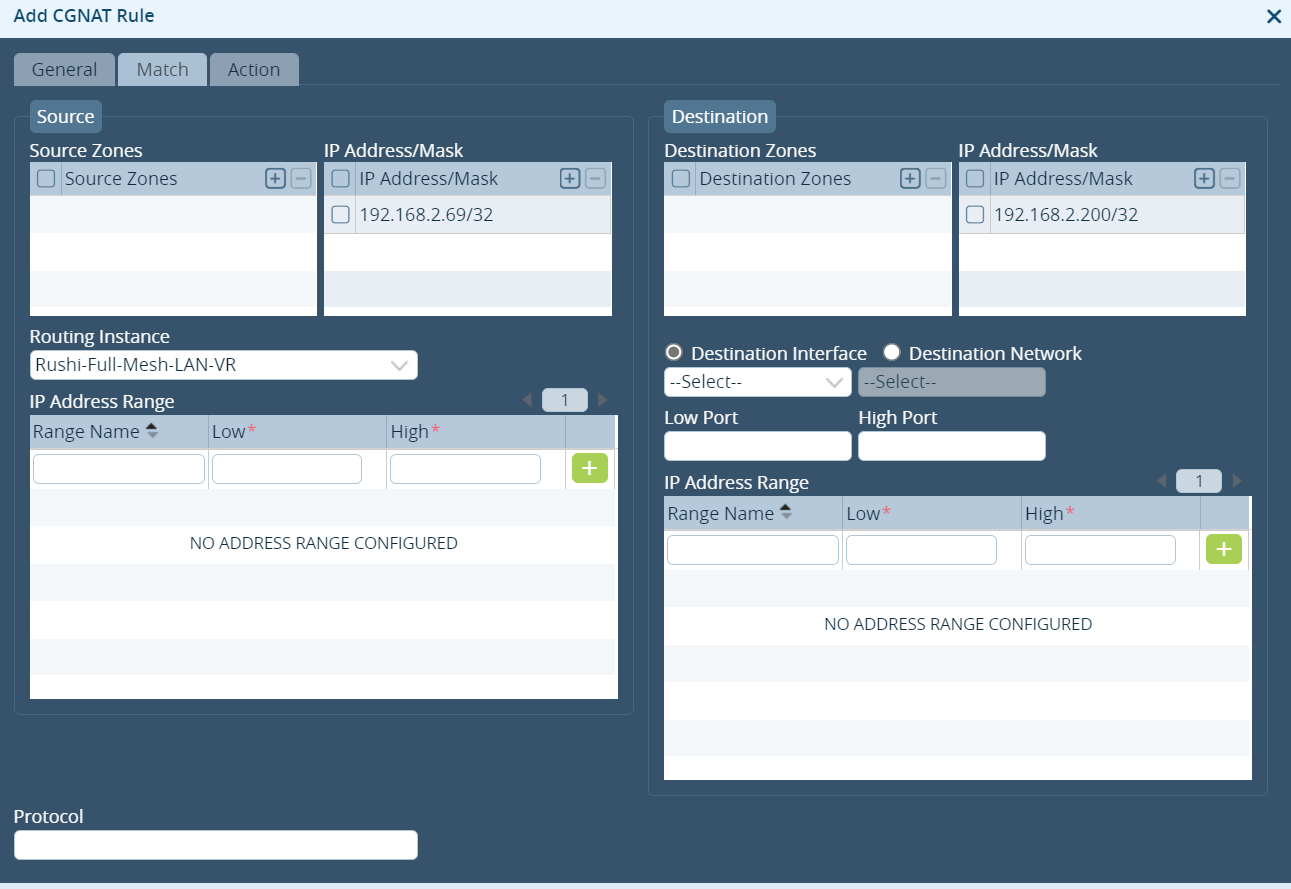
Each NAT rule consists of a set of terms/matches, after successful matching of the packet CGNAT Rule will take the action. The NAT Rule defines how to change the source/destination IP Address/Port. In the NAT Rule you can match the packet according - Zones/ IP Address/Mask/Routing Instance/Protocol/Port number for both source and destinations then you can apply the action to be performed.
# Configuration:
Configuring Destination pools
- In the Appliance context view, go to Configuration > Services > CGNAT.
- Click + to add a pool.
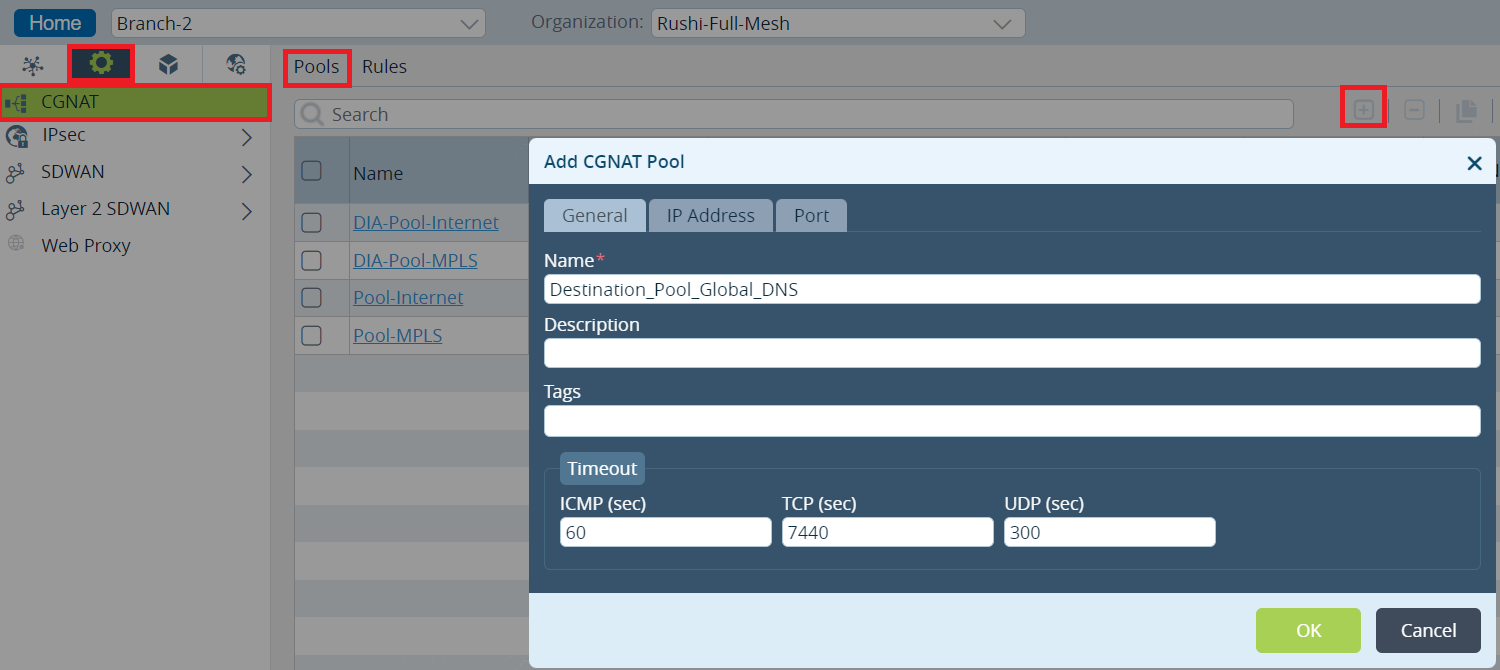
- To define the IP addresses for NAT, click the IP Address tab. Add the IP addresses or IP address range.
- Click the Port tab for Destination NAT.
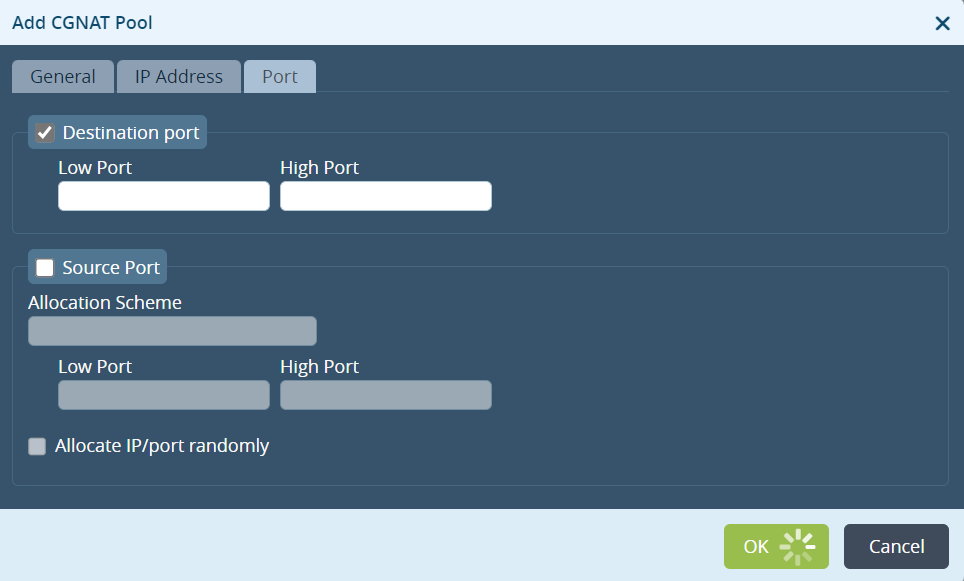
- Click OK to complete configuration for destination pools
Configuring Source pools:
- In the Director view, go to Configuration > Services > CGNAT.
- Click + to add a pool
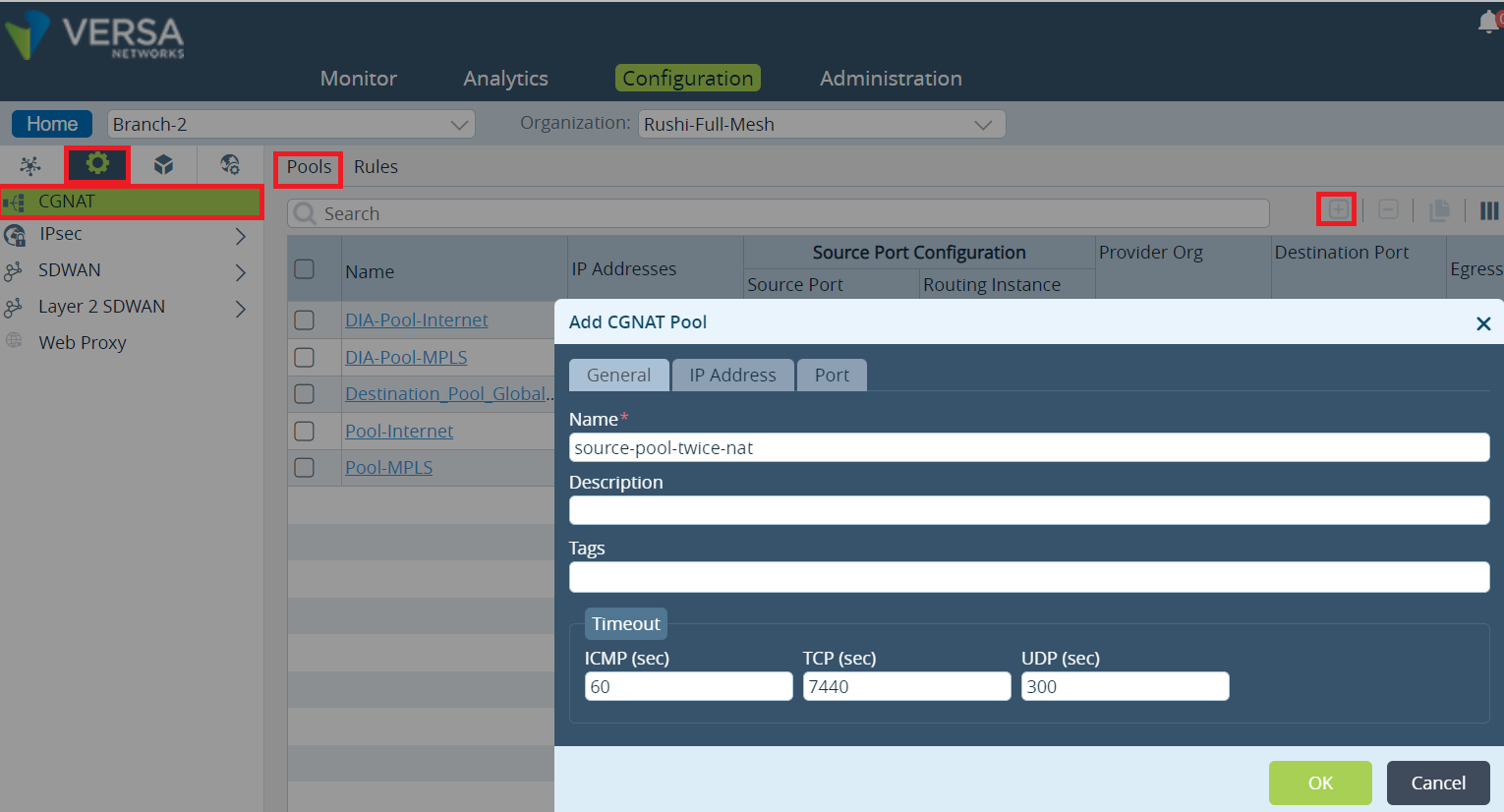
- To define the IP addresses for NAT, click the IP Address tab. Add the IP addresses or IP address range.
- Click the Port tab for Source NAT.
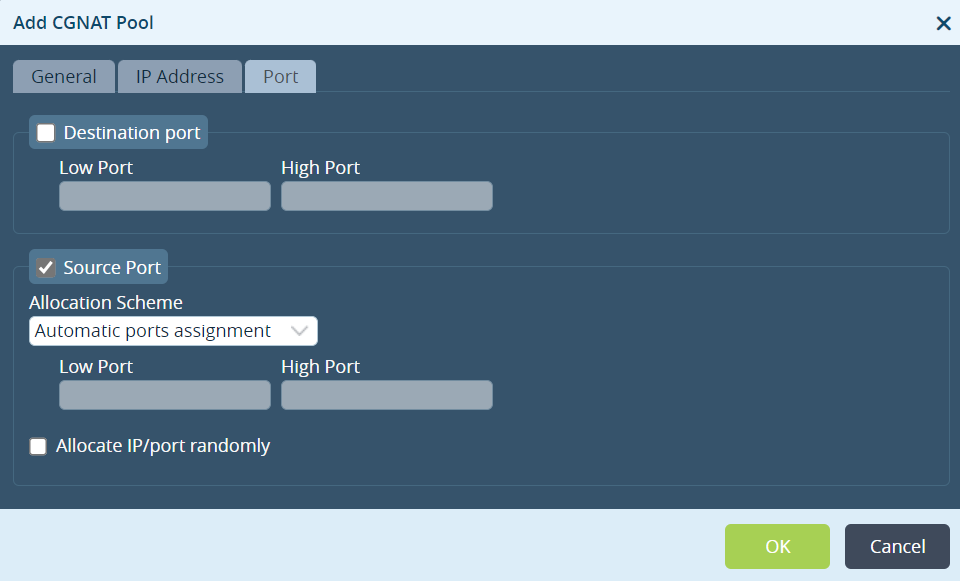
- Click OK to complete the source pool configuration.
The next step is to define the network address match criteria and the actions to be taken when the criteria is met.
Configuring Rules
- In the Director view, go to Configuration > Services > CGNAT > Rules.
- Click + to configure a rule.
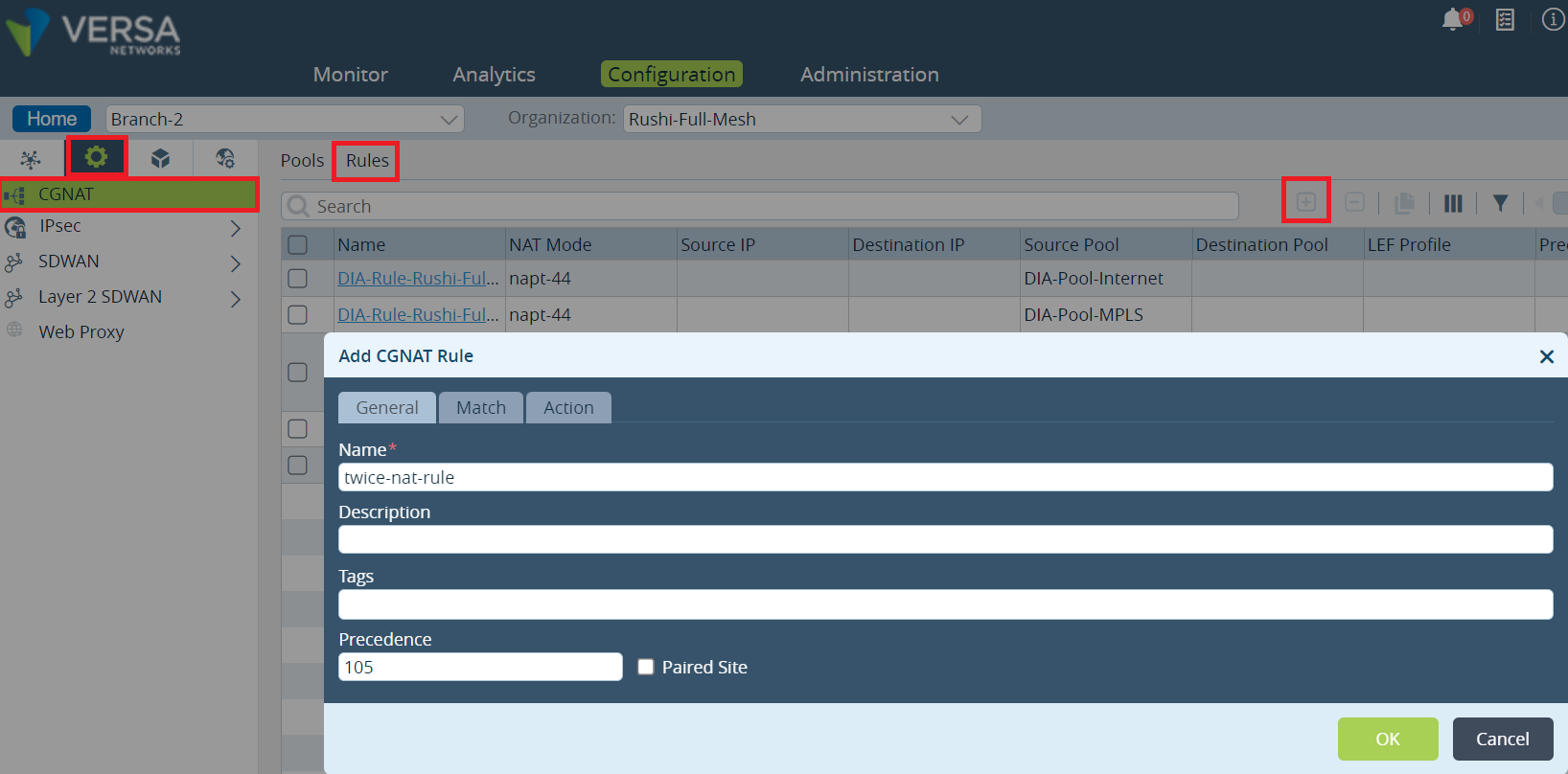
- To configure the criteria to select traffic for translation, click the Match tab.
- Click the Action tab. Define the action to be taken on the traffic that meets the matching criteria.
- Click OK to complete the Rules configuration
# Validation and Troubleshooting Steps:
Below is the session extensive CLI output for a session.
You can find the NAT-Rule, Interfaces, source and destination IP Address. Check the sessions extensive and make sure the session is hitting the specific Rule/Interfaces/NAT.
admin@Branch-2-cli> show orgs org Rushi-Full-Mesh sessions extensive | select destination-ip 192.168.2.200
sessions extensive 0 2 23813
 source-ip                  192.168.2.69  --- Real Source IP
 destination-ip             192.168.2.200 --- NATed destination IP
 source-port                160
 destination-port           160
 protocol                   1
 natted                     Yes  --- Indication of traffic subjected to NAT
 sdwan                      No
 application                icmp/(predef)
 forward-pkt-count          1
 forward-byte-count         60
 reverse-pkt-count          1
 reverse-byte-count         60
 dropped-forward-pkt-count  0
 dropped-forward-byte-count 0
 dropped-reverse-pkt-count  0
 dropped-reverse-byte-count 0
 session-age                00:00:00
 idle-for                   00:00:00
 idle-timeout               60
 pbf-enabled                true
 forward-egress-vrf         MPLS-Transport-VR    --- WAN
 reverse-egress-vrf         Rushi-Full-Mesh-LAN-VR  --- LAN
 session-provider-zone      0
 forward-offload            false
 reverse-offload            false
 forward-ingress-interface  vni-0/2.0
 forward-egress-interface   vni-0/0.0
 reverse-ingress-interface  vni-0/0.0
 reverse-egress-interface   vni-0/2.0
 forward-fc                 fc_be
 reverse-fc                 fc_be
 forward-plp                low
 reverse-plp                low
 external-service-chaining  false
 is-child                   No
 parent-sess-id             0
 device                     ""
 nat-source-ip              100.100.100.3  ---- NATed Source IP
 nat-destination-ip         8.8.8.8   ---- Real Destination IP
 nat-source-port            55861
 nat-destination-port       55861
 nat-rule-name              twice-nat-rule  --- Rule that got hit
 nat-direction              C2S
 rx-wan-ckt                 vni-0/2.0
 tx-wan-ckt                 vni-0/2.0
 tx-branch                  -
 forward-ingress-ckt        vni-0/2.0
 forward-egress-ckt         MPLS
 reverse-ingress-ckt        MPLS
 reverse-egress-ckt         vni-0/2.0
 symmetric-forwarding       layer-3
Check the CGNAT Rule hit count:
admin@Branch-2-cli> show orgs org-services Rushi-Full-Mesh cgnat rules twice-nat-rule statistics
       FORWARD  FORWARD  REVERSE  REVERSE
HIT    PKT      BYTE     PKT      BYTE
COUNT  COUNT    COUNT    COUNT    COUNT
-------------------------------------------
3      26       1560     0        0
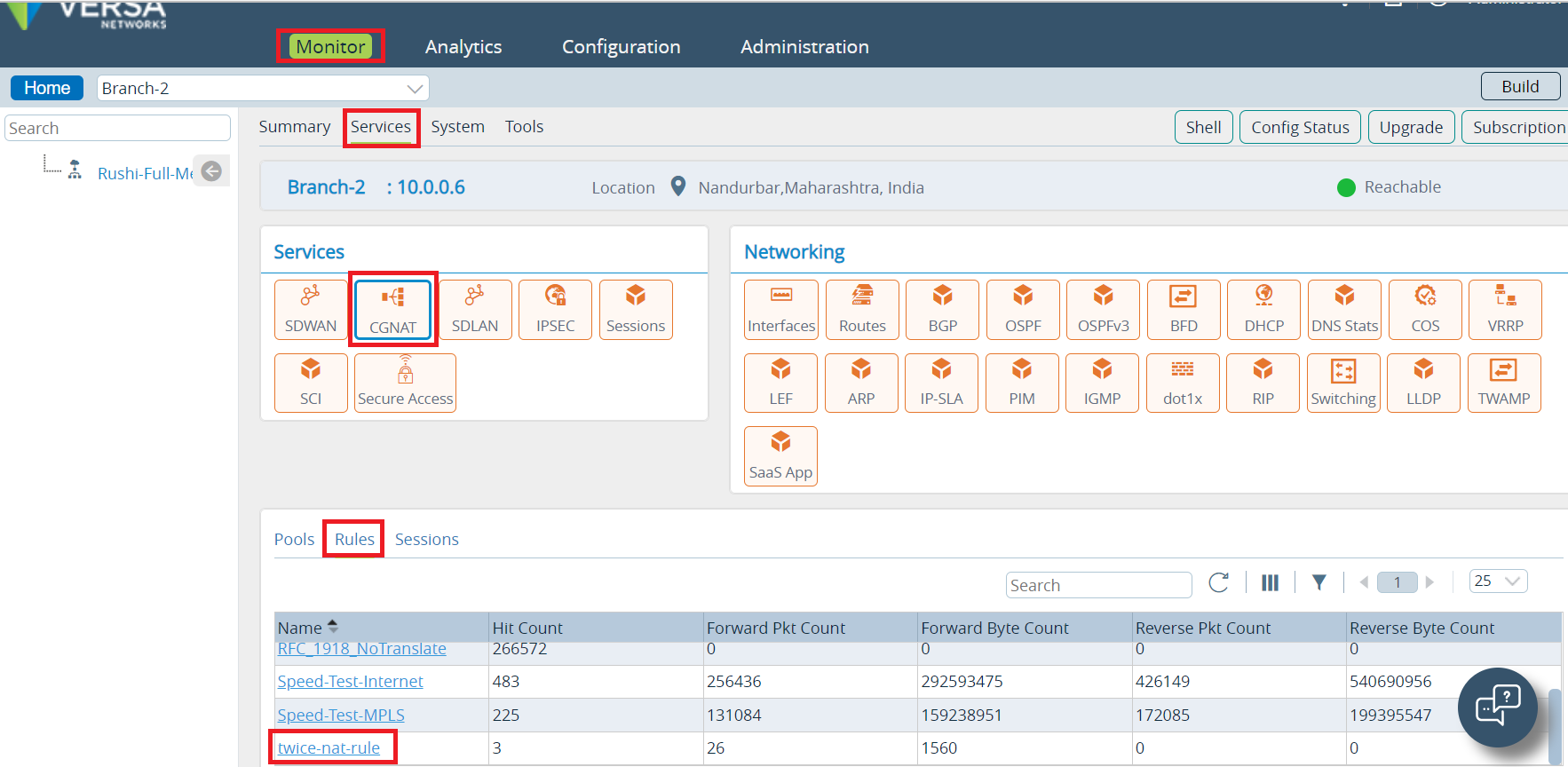
You can monitor the session details and NAT Pool/Rule/usage as below