Question: How to enable the BGP alarms on the branch devices?
Answer: Follow these steps to enable the BGP alarms on the branch device using GUI:
- In the Versa Director, select an Appliance > Configuration > Virtual Router and select a virtual router.
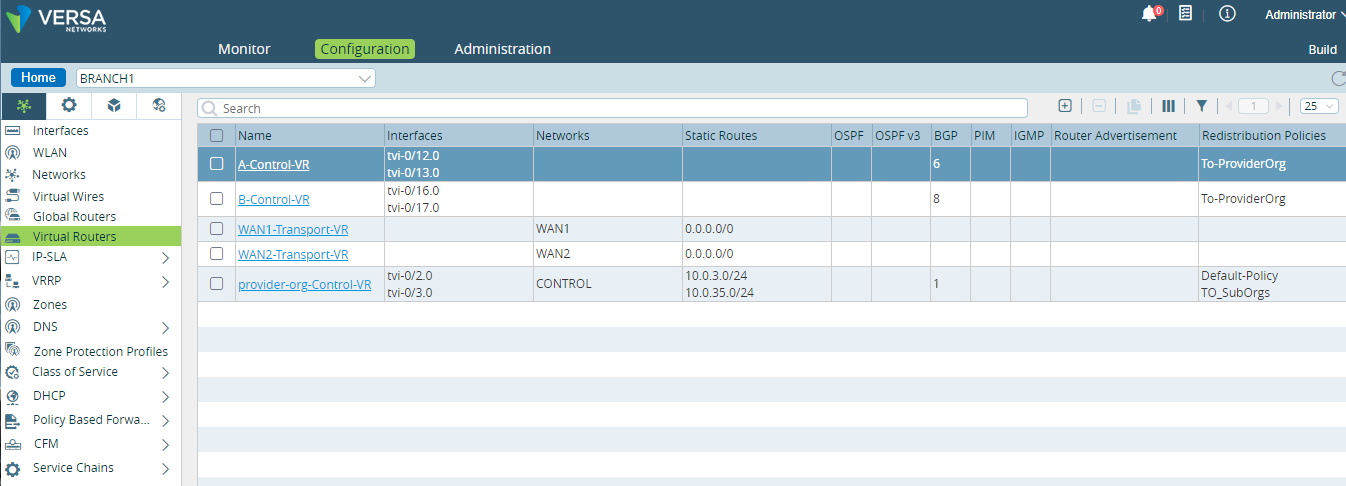
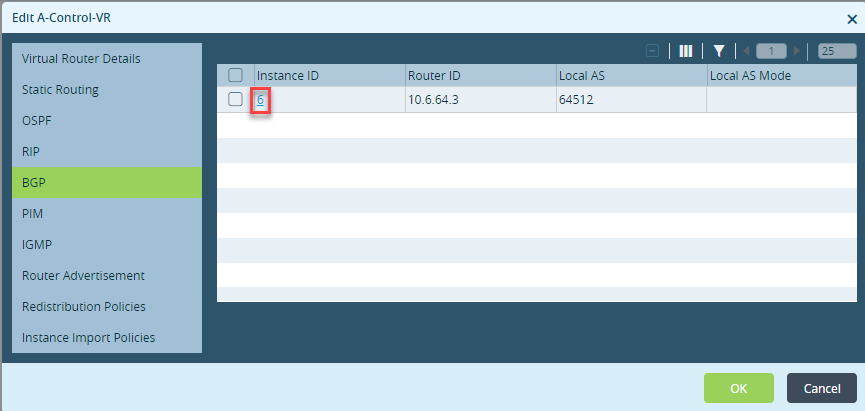
- Select BGP and click the Instance ID. This opens the Edit BGP Instance window.
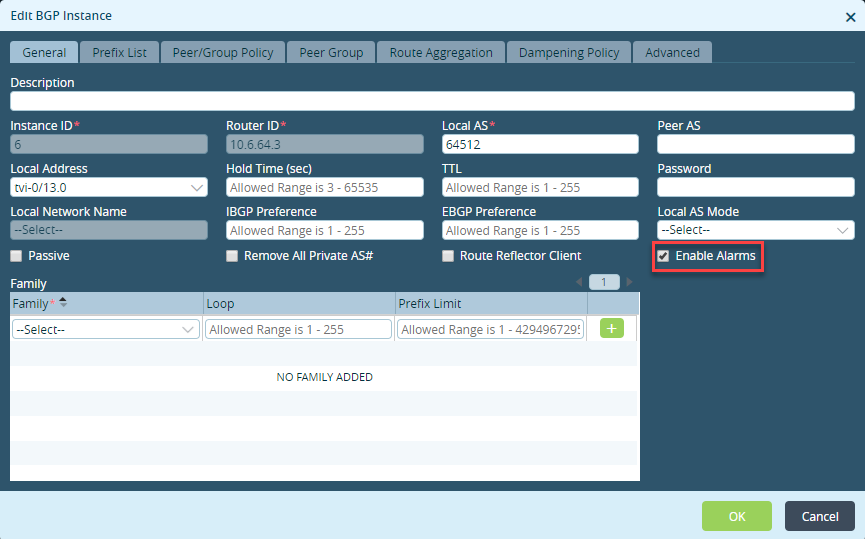
- Select the check box against the Enable Alarms and click OK.
On Versa FlexVNF
Follow these steps to enable the BGP alarms on the branch device using CLI:
- Run this set routing-instances Tenant-Control-VR protocols bgp 1 enable-alarms CLI command to enable the alarms on BGP.
admin@Controller1-cli(config)% set routing-instances Tenant-Control-VR protocols bgp 1 enable-alarms
- Run the show | compare CLI command to verify the configuration.
admin@Controller1-cli(config)% show | compare

routing-instances {

Tenant-Control-VR {

         protocols {

             bgp {

                 1 {

+                    enable-alarms;

                 }

             }

         }

     }

}