This article describes replacing faulty CPE hardware with new hardware without changing the existing configuration.
Steps to be followed:
1. Disconnect the Faulty Hardware CPE from the branch location.
2. Before onboarding the new appliance, please follow the below steps,
i. Configure the new serial number on the Versa director
- Login into the Versa Director
- Navigate to the Administration-> Inventory-> Hardware
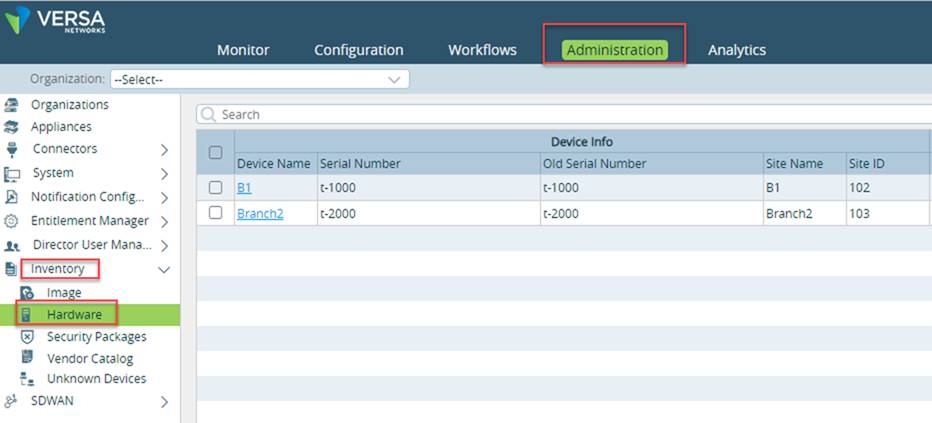
- Select the Device that we need to replace. In the example below, we will replace Appliance-Name "Branch2" hardware.
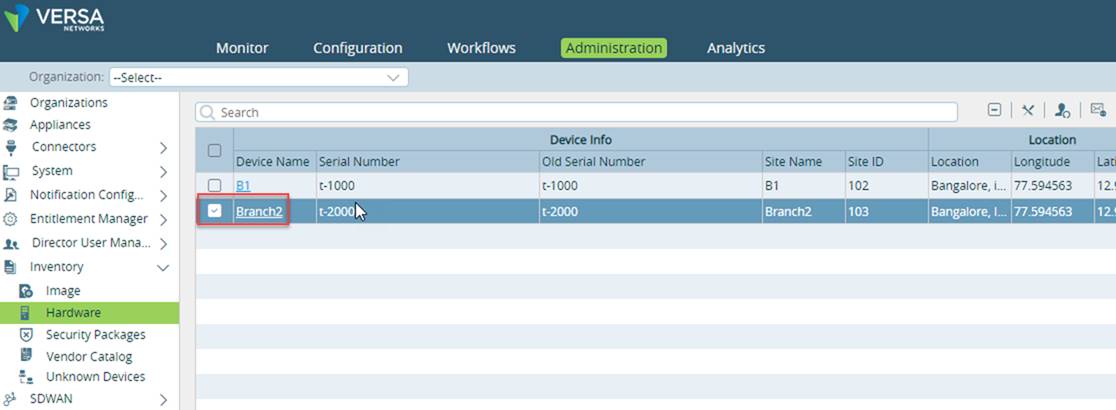
>
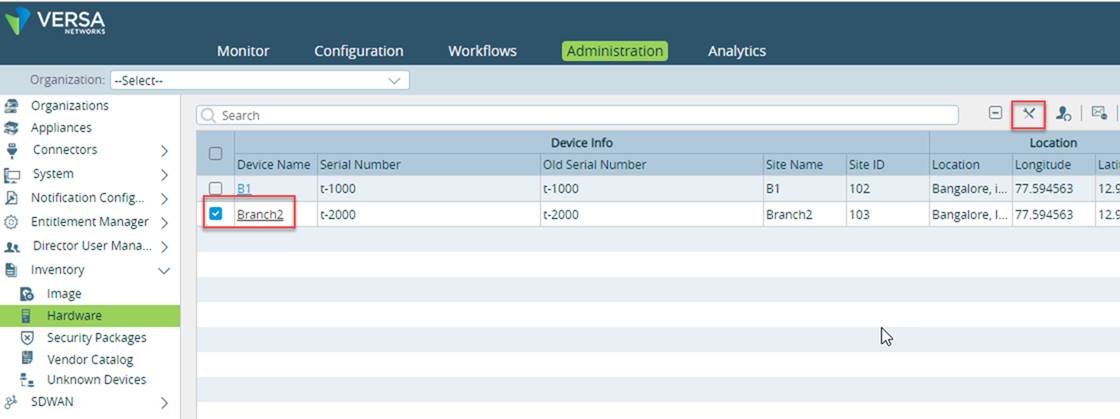
- Click on Replace Serial Number in the Right-Hand pane, as shown in the below screenshot.
- A pop-up window will open. This window will show the Serial Number of the current hardware and will require the user to input the new Serial Number.
- NOTE: In the case of Whitebox/hardware, enter the new serial number of the VOS device as the chassis ID
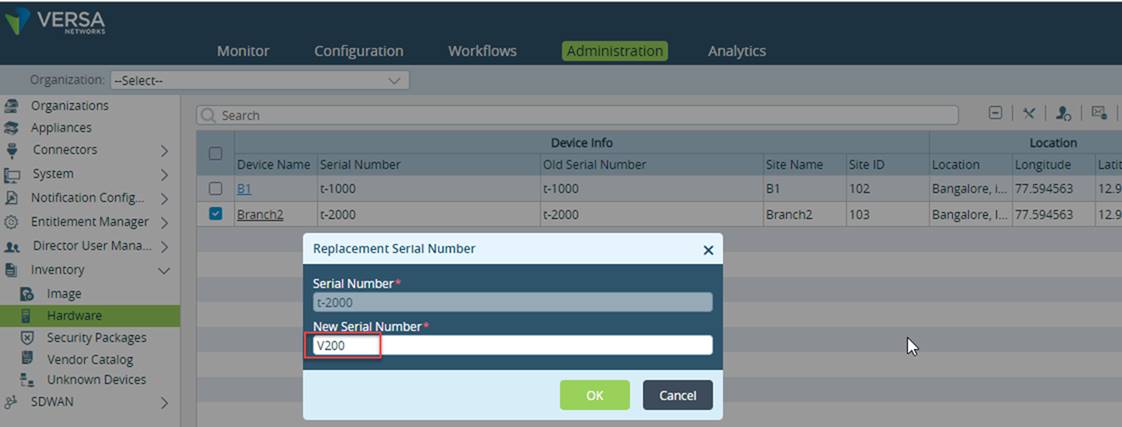
- Once you enter the Serial Number of the new hardware. Click OK
3. Power up and connect the WAN of the RMA Hardware CPE to the branch location where the Hardware needs to be replaced.
4. Perform the Zero Touch Provisioning (ZTP)/Onboarding of the new hardware appliance. This will fetch the configuration from the Versa-Director of the existing appliance.
Note: If the preferred software version is not selected in the Workflow-template, the New-appliance will try to match the FlexVNF/VOS version running on the older appliance, be it an upgrade or downgrade of the code from the current VOS version running on the new hardware. If the required version is not available in inventory the onboarding will fail and you will need to delete the old device from appliances and onboard new device as a new onboarding branch.
To learn how to perform Script-based ZTP, click here
To learn how to perform URL-based ZTP, click here