TABLE OF CONTENTS
What is Versa Concerto?
Concerto is a microservices architecture application which run multiple containerized applications to manage tens of thousands of VOS devices deployed via multiple DCA complex ( Versa Director, Versa Controller, and Versa Analytics).
As mentioned Concerto follows a microservices architecture, where different functionalities are split into separate services (containers). These services are deployed and managed using Docker Swarm, which handles scaling, networking, and high availability across multiple nodes in the cluster.
You can make use of a user guide to help a user get a complete understanding of a feature or a product. For example, this is how a user guide might look for using article template
Core Components of Docker Swarm
- Node
A node is a machine (VM or physical) in the cluster that participates in running and managing containers. In Docker Swarm, manager nodes handle orchestration and decisions, while worker nodes execute containers based on those instructions.
In Concerto all the nodes in the cluster are manager nodes.
#Command to check the node status
docker node ls
- Cluster (Swarm)
A swarm is a group of nodes working together as a single system to run containerized applications. It is initialized using docker swarm init, and other nodes join using secure tokens to form the cluster.
- Service
A service defines the desired state of the application, including the container image, ports, and number of instances to run. It supports replicated mode (running a specified number of replicas) and global mode (running one container on every node).
Command Description docker service ls List all the Docker services in the cluster docker service ps --no-trunc <service-name> Details of the specific service including the Node name in which the service is running docker service logs -f <service-name> To follow the logs of a service (similar to tail -f) 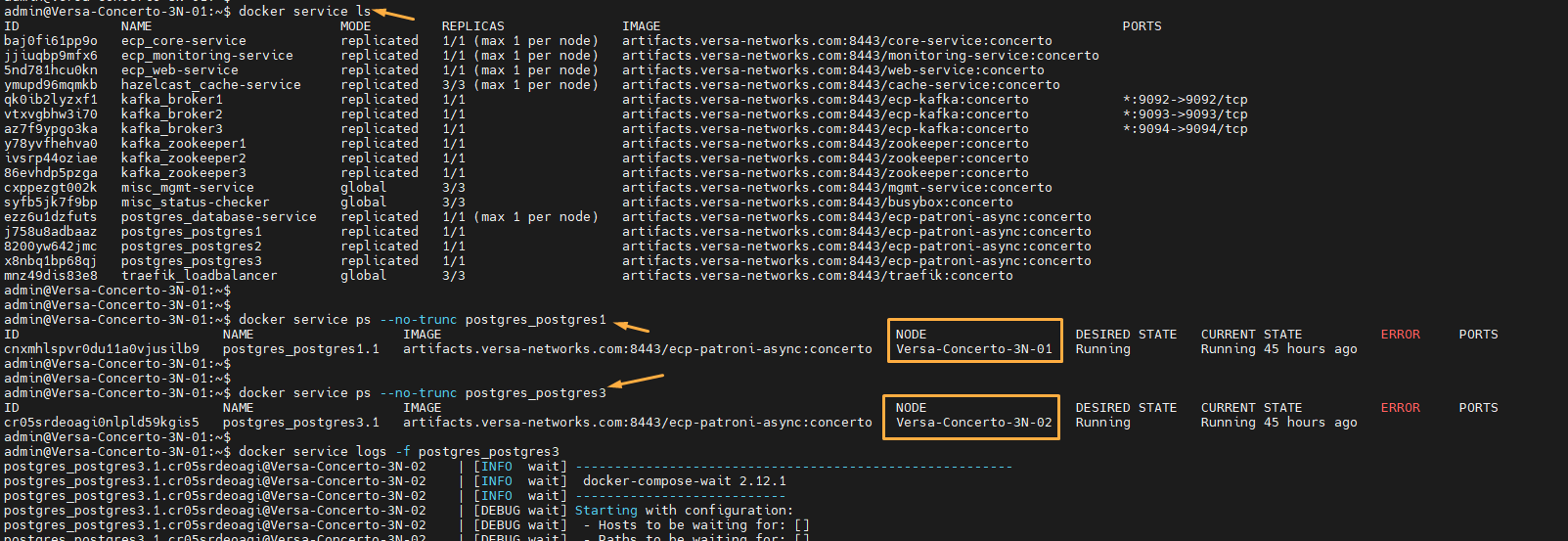
- Task
A task is a single running container created by a service and represents the actual execution unit in the cluster. Each replica in a service corresponds to one task, and failed tasks are automatically replaced to maintain the desired state.
- Stack
A stack is a group of multiple services defined together in a configuration file (YAML), similar to Docker Compose. It allows you to deploy and manage an entire application (frontend, backend, database) as a single unit.
Command Description docker stack ls List all the Docker stacks in the cluster docker stack ps <stack-name> Display information about a specific Docker stack. 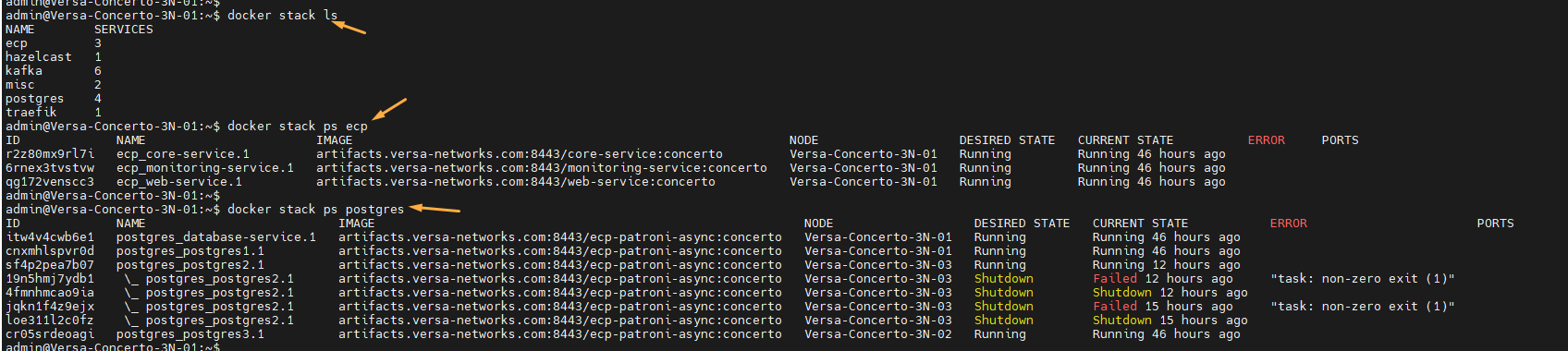
- Overlay Network
An overlay network connects containers across different nodes, enabling them to communicate securely over the swarm. It abstracts the underlying network so services can interact as if they are on the same host.
- Load Balancer (Routing Mesh)
Docker Swarm includes a built-in routing mesh that automatically distributes incoming traffic across all running service containers. You can send a request to any node, and it will be routed to an available replica.
- Raft Consensus
Raft consensus is used by manager nodes to maintain a consistent and synchronized cluster state. It requires a majority agreement among managers, ensuring high availability and preventing split-brain scenarios.
Other Docker Commands
| Command | Description |
| docker network ls | Lists all Docker networks |
| docker volume ls | Lists all Docker volumes |
| docker image ls | Lists all Docker images available locally |
| docker container ls | Lists all running containers |
| docker events --filter 'scope=swarm' | Displays real-time Docker events filtered for Swarm scope |
| docker ps | Lists running containers (same as docker container ls) |
| docker exec -ti -u 0 <container-id> bash | Executes a command inside a running container as the root user with interactive terminal. Get the container ID from docker container ls or docker ps output. |
Docker Compose files Location: /var/versa/ecp/share/config/manifest
Various Services of Concerto
Containerized Services
- Hazelcast
Hazelcast is an in-memory data grid used for caching and fast data access across distributed systems. It helps applications share data and scale performance without hitting the database every time.
- Apache Kafka
A distributed event-streaming platform used for real-time data exchange between services.
In Concerto, it enables communication between microservices and external systems like Director and Analytics. - Apache Solr
A scalable, distributed search and indexing engine for fast data retrieval.
Concerto uses it to efficiently index and query large volumes of data. - Apache ZooKeeper
A coordination service that manages configuration and synchronization in distributed systems.
It is used by Kafka, Patroni, and Concerto services to maintain cluster state and leader election. - PostgreSQL
PostgreSQL is the primary database storing all application data in Concerto.
Patroni
Patroni provides high availability by managing failover and leader election for the database.
- Traefik
A modern reverse proxy and load balancer that routes incoming client requests.
Concerto uses it to direct traffic to services and as a Layer 4 load balancer for ZooKeeper.
Native or host-based service
- glusterfs
GlusterFS is a scalable distributed file system that combines storage from multiple servers. It provides shared storage across nodes in a cluster environment.
In Concerto the GlusterFS mounted directory is "/var/versa/ecp/share" so all the files inside this directory is synced across all the nodes.Command Description sudo systemctl status glusterd Checks the status of the GlusterFS daemon (glusterd). Shows whether the service is running, stopped, or failed, along with logs and process info. sudo gluster pool list Displays all nodes in the Gluster trusted storage pool. Helps verify which servers are part of the cluster. sudo gluster peer status Shows the status of peer nodes in the cluster, including connection state (Connected / Disconnected) and peer UUIDs. sudo gluster volume info Provides detailed configuration of all Gluster volumes (bricks, replication type, transport, options, etc.). sudo gluster volume status Shows runtime status of volumes, including brick health, process status, and which nodes are actively serving data. 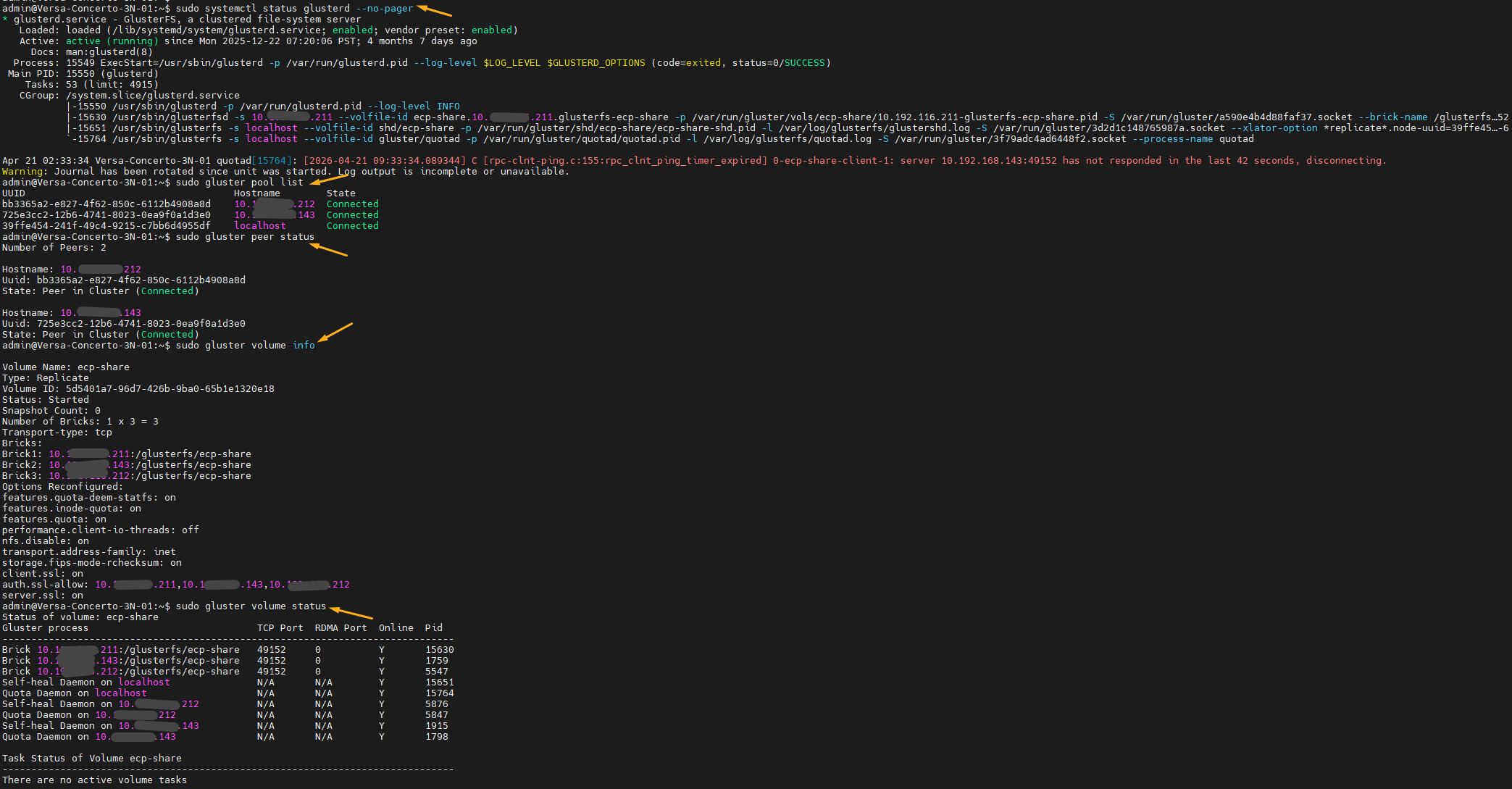
Directory Description /var/log/glusterfs Logs related to glusterFS are stored here
Logs directory: /var/log/ecpLog Description cache-service Hazelcast cache service logs cli_audit.log Audits all vsh command operations performed core-service Core service logs deploy.log Logs for Concerto cluster initialization flyway.log Database migration logs install.log Logs for Concerto bin installation kafka Kafka logs mgmt-service Management service logs monitoring-service Monitoring service logs pgbackup.log Logs corresponding to database backup andrestore operations postgresql Patroni and PostgreSQL logs setup.log Logs for Concerto service start and stop operations solr Solr logs traefik Traefik logs upgrade.log Logs for Concerto upgrade operation web-service Web service logs zookeeper Zookeeper logs