This article describes How to deploy the Versa CPE’s in Active Active configuration.
Prerequisite
1. Versa Headend should be deployed and functional
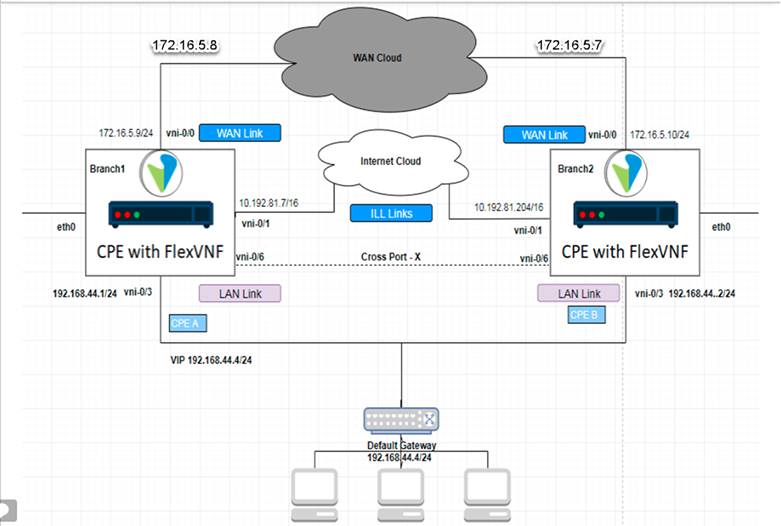
2. Versa Flexvnf CPE’s in the HA pair should be connected back-to-back using the interface on both the devices.
Configuration
- To Create Workflow Template
- In the Versa Director, navigate to Director > Workflows > Template.
- Click on + in the right-hand pane.
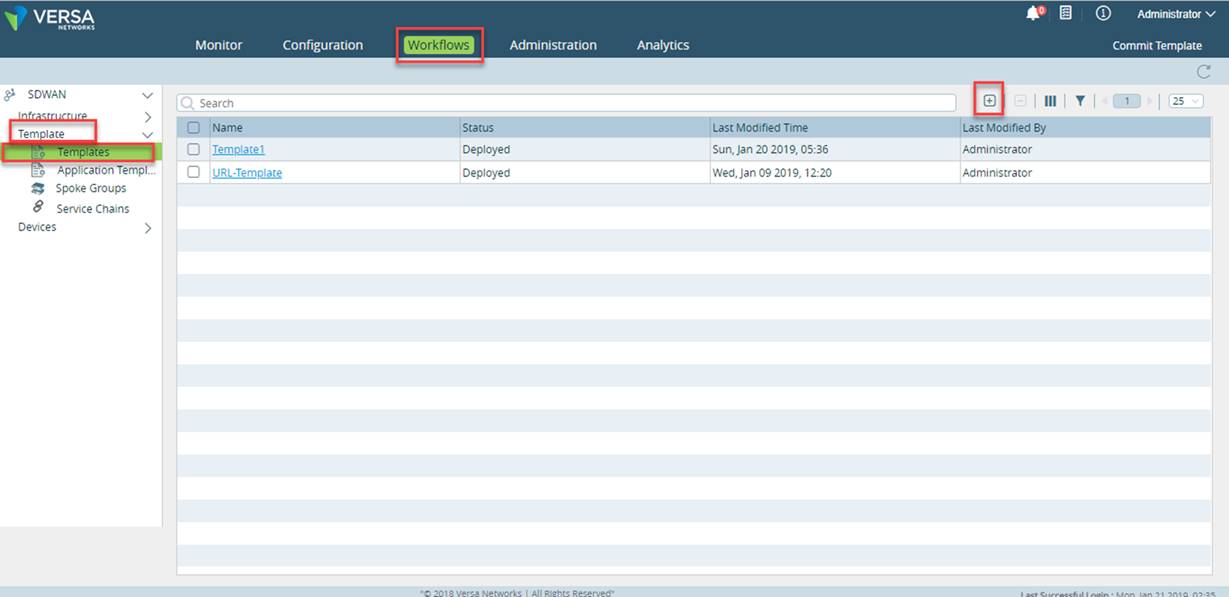
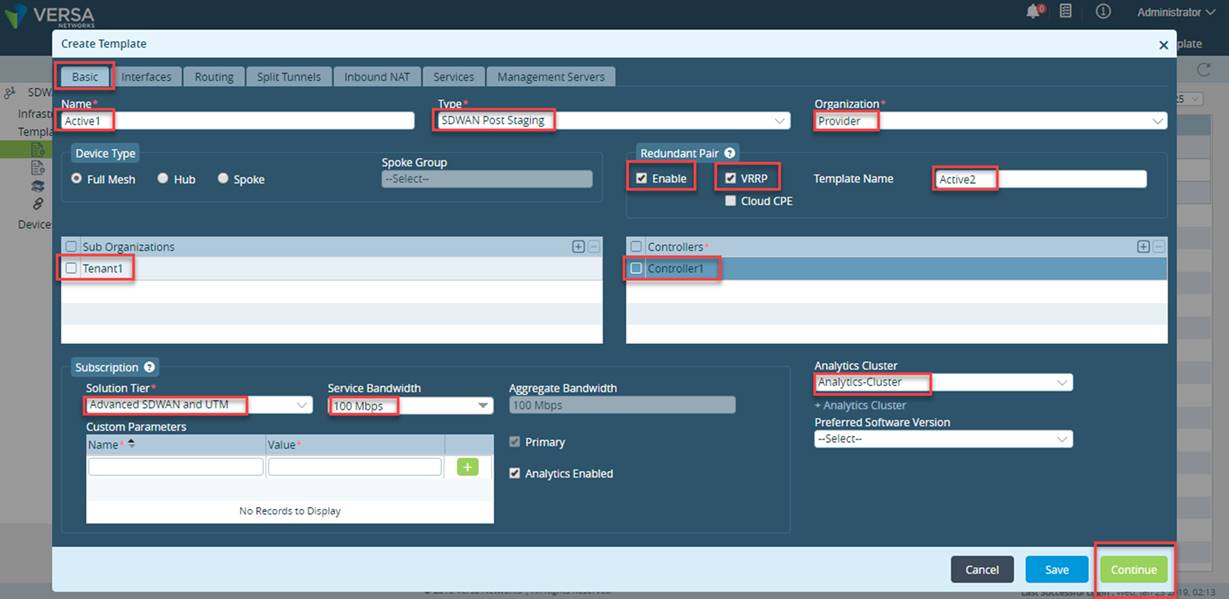
- Enter the Template Name >Select the Template Type>Select the Organization Name.
- Select the Redundant Pair Enable checkbox and VRRP checkbox.
- Select the Sub org ,Select the Controller.
- Select the solution Tier and Service Bandwidth.
- Select the Analytics-cluster.
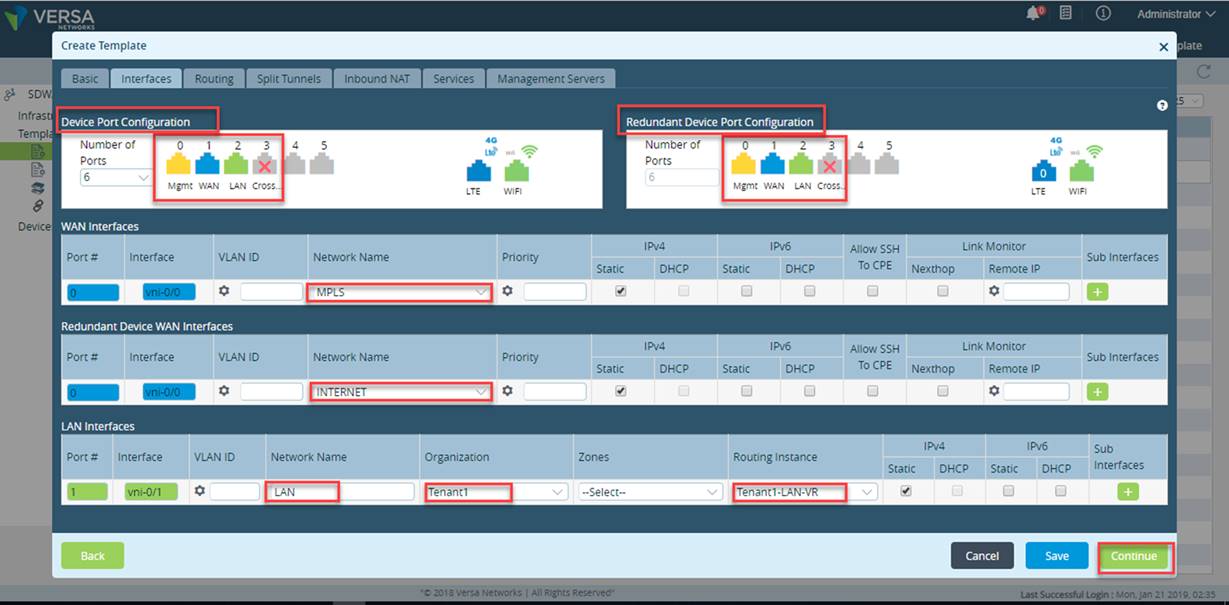
- Create the WAN interface>Enter the WAN Network Name>Click On +.
- Create the LAN interface>Enter the Network Name>Select the Organization.
- Please select one of the interface on each CPE for cross port, CPEs in the HA pair should be connected back-to-back using this interface on both the devices.
Please Note For WAN side Active-Active CPE config, please make sure that we are selecting distinct service provider for WAN interfaces for each CPE.
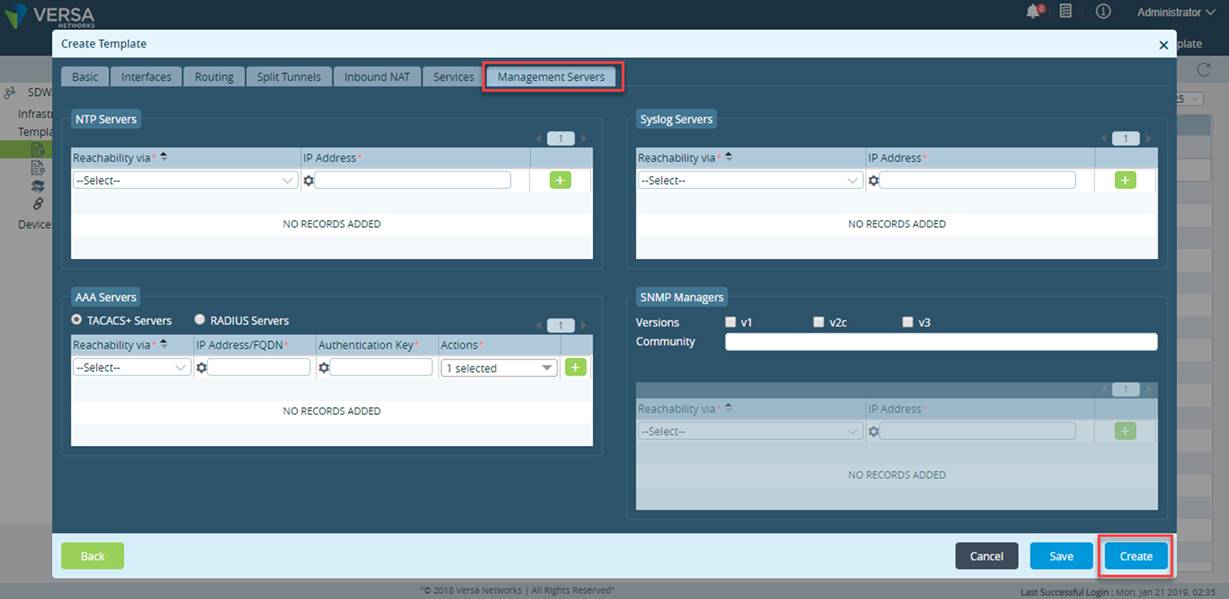
- Navigate to Management Server tab and click on the Create.
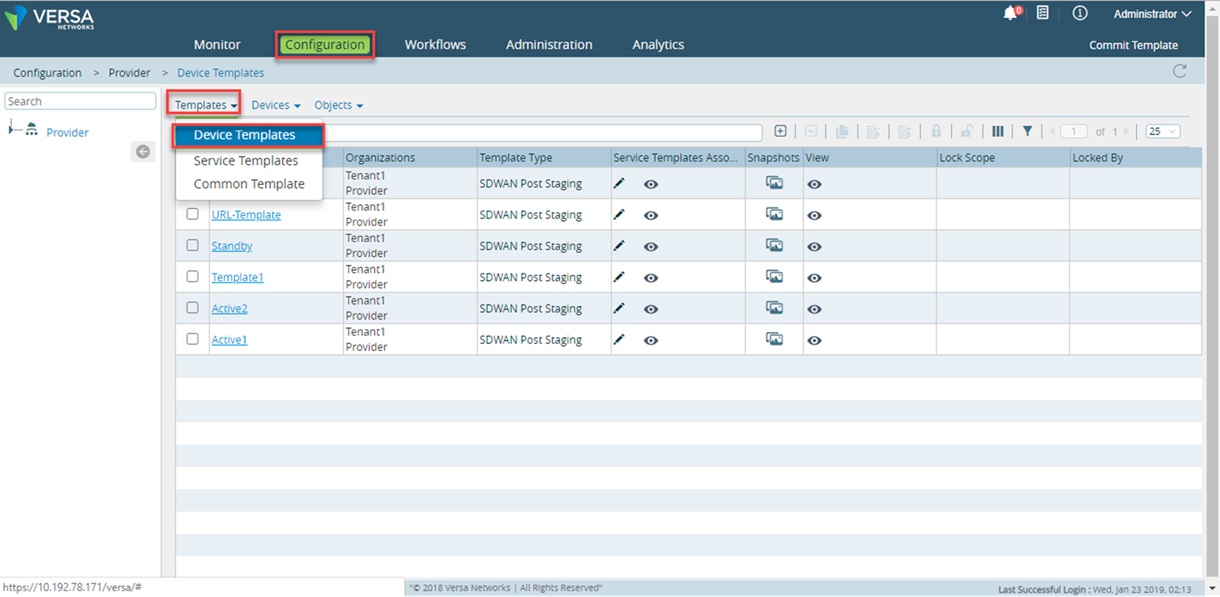
- In the Versa Director, Navigate to Configuration->Template.
- Select the Device Templates from the drop down.
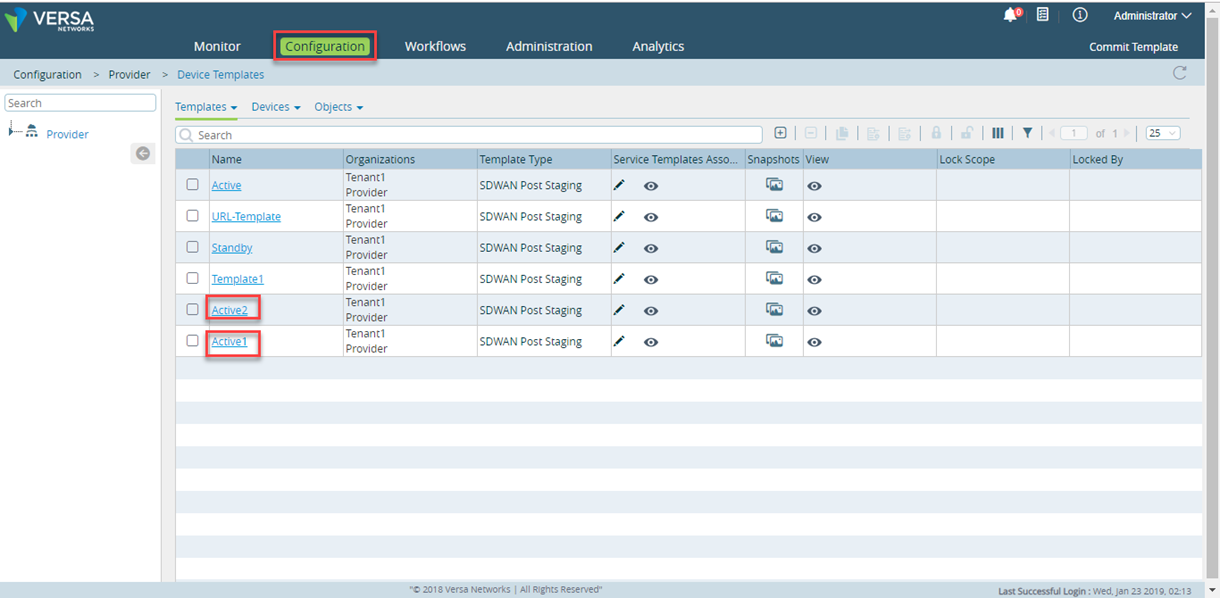
- Two different templates are created
- To Create Device group
- Create two different Device Group using above Templates and used it while onboarding the CPEs.
- Please refer to This article to create a device group.
- To Onboard the Branch
- In the Director, navigate to Configuration> Devices> Click on +.
- Director>Configuration> Devices> Click on +.
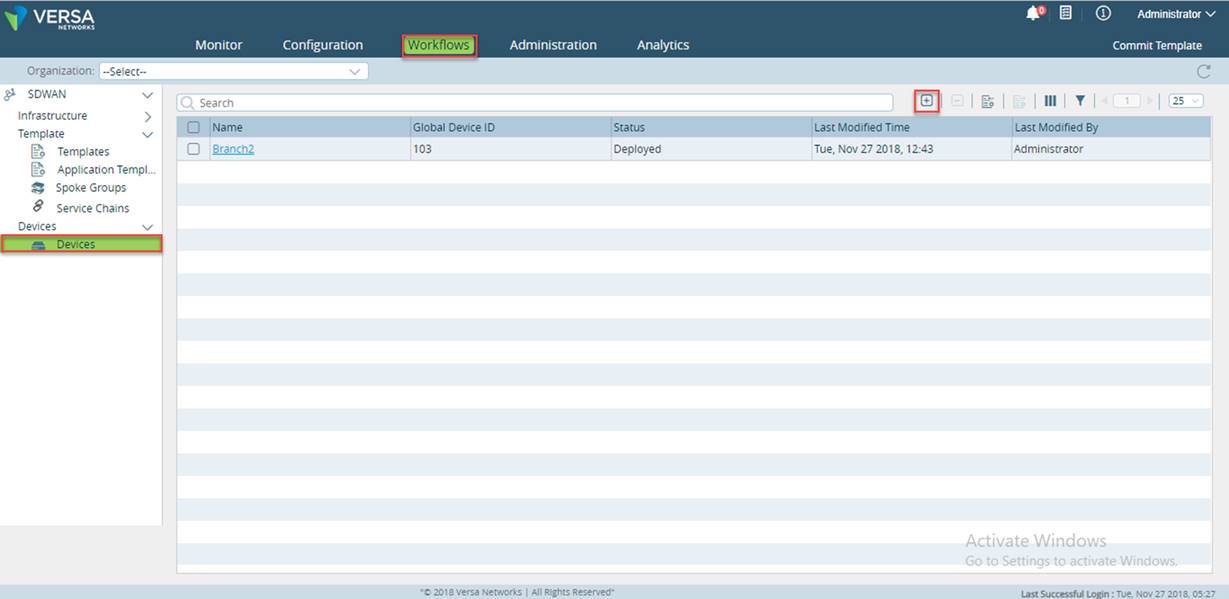
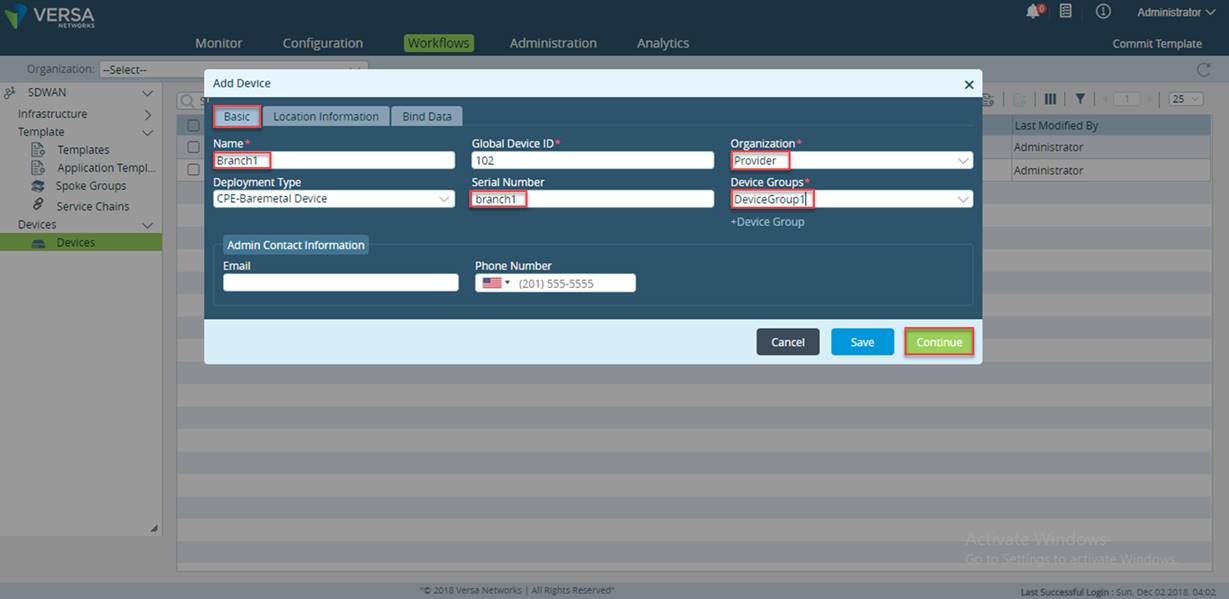
· Enter the Branch Name>Select the Organization Name.
· Enter the Serial Number>Select the Device Group Name.
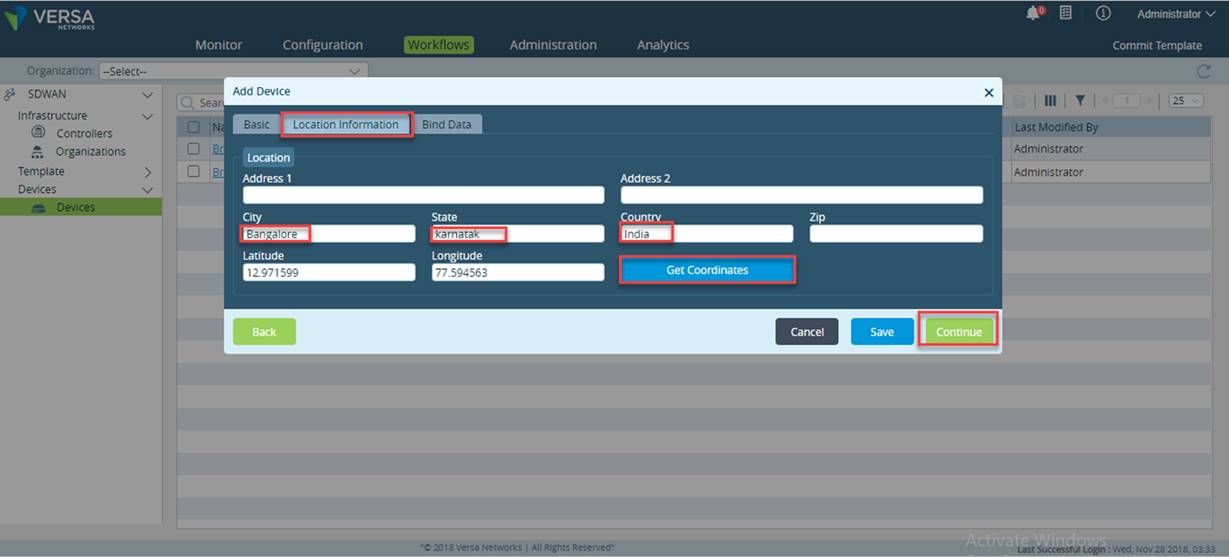
- Enter the Location details and click on Get Coordinates.
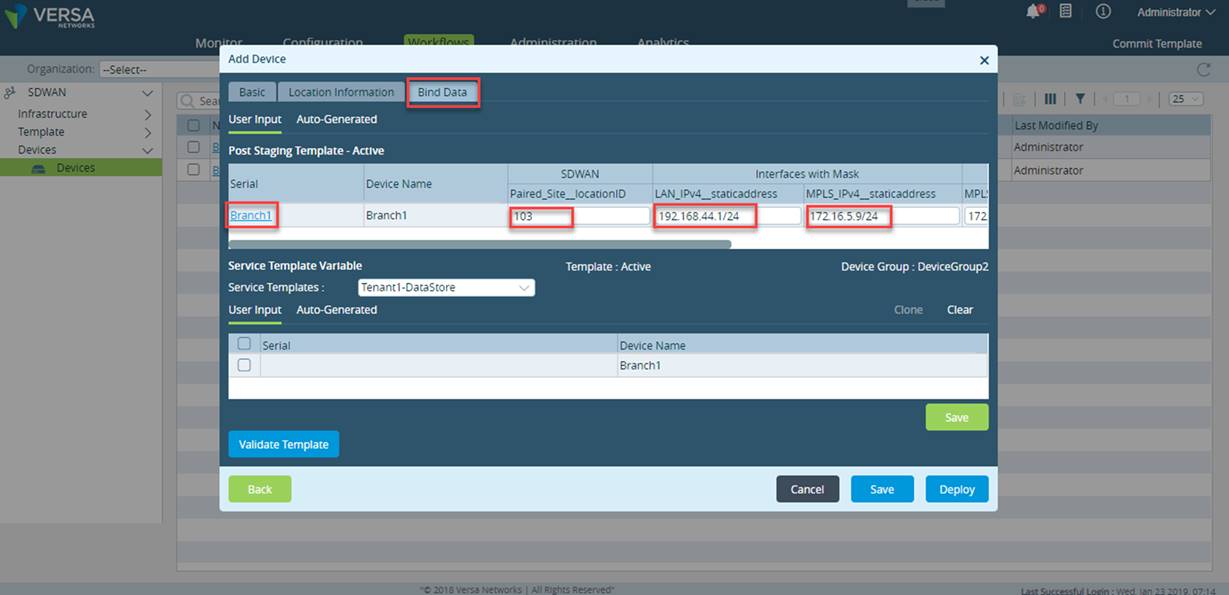
- IMP NOTE "paired_site_locationID" value can be any number or string. It should be same on both the CPE’s in HA and it should be unique for each location where HA pair of FlexVNF is deployed, same location id MUST NOT be configured on any other SDWAN appliance in the network. Here for reference we are using number 103 which is not configured on any other SD-WAN appliance.
- 172.16.5.9 : it is the Wan IP address of the Branch (Branch WAN interface towards the MPLS).
- 192.168.44.1/24: It is the Lan IP address of the Branch..( Branch LAN interface towards the Host).
- 172.16.5.8: It is the MPLS router interfaces IP’s (MPLS Router interfaces towards the Branch).
- 192.168.44.4 : it is vrrp virtual ip address.
- Click on Validate Template .
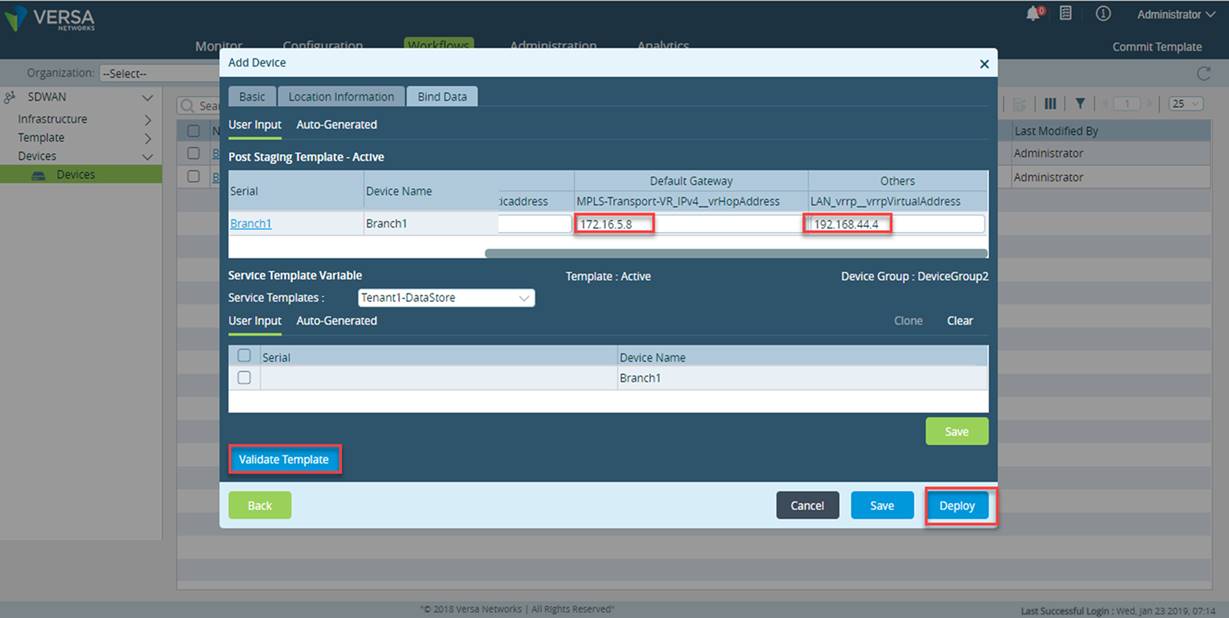
- And then click on Deploy
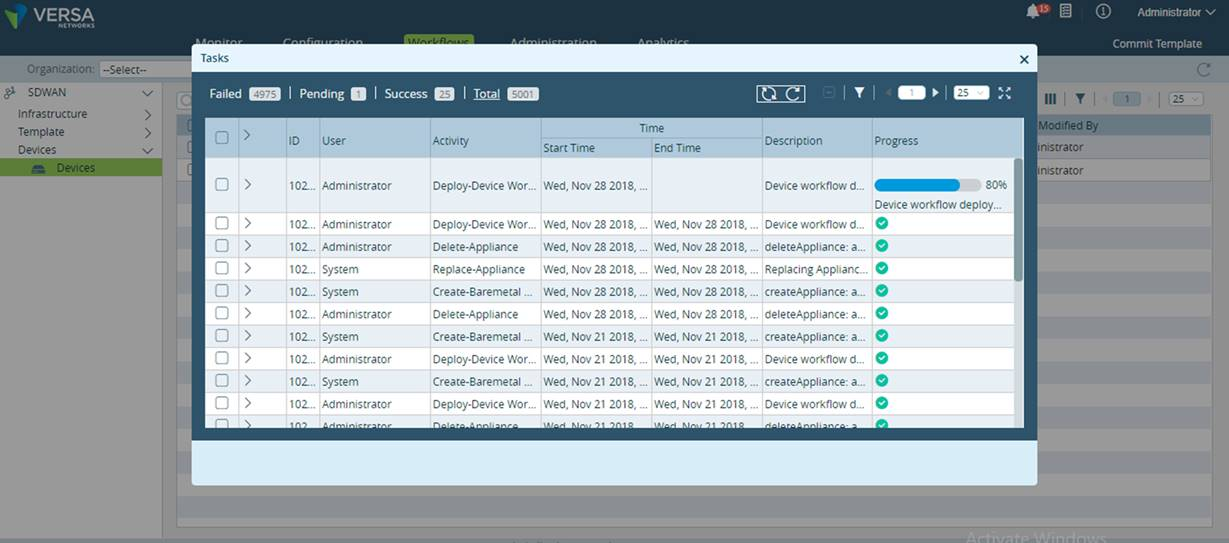
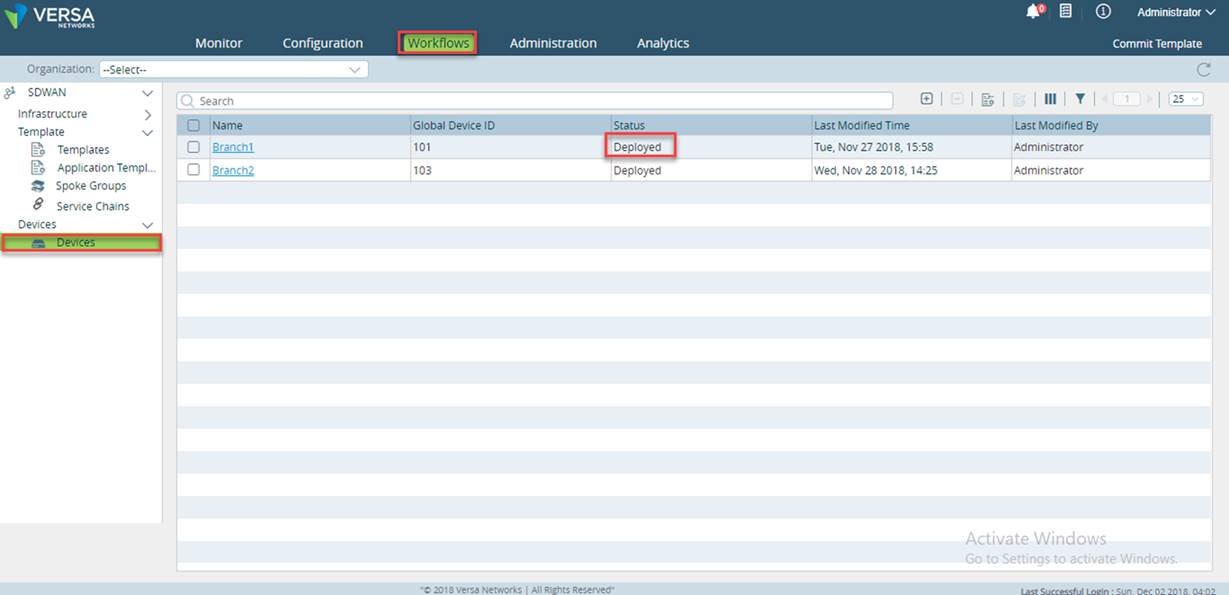
- Click on the Task button on the top right side of the Director GUI, to see the progress.
To perform Script Based ZTP please click here