Sometime, due to poor internet connection, it may be beneficial to use scp to upload images to the filesystem of the Versa Director.
Steps are following:
1. Upload images to any folder, where Administrator user has read/write privileges. For example: /var/tmp or /home/Administrator
2. Login to the GUI of the Versa Director and go to the Administration -> Inventory -> Images.
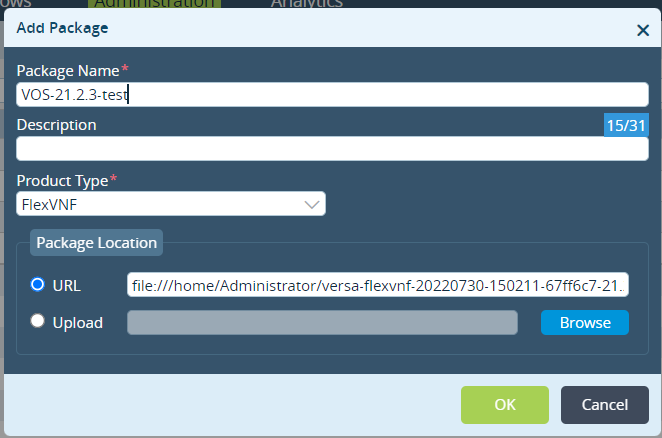
3. Click on "Add Package" icon.
4. Fill in the Package Name and Product type according to your preferences.
To upload a file from the local file system, you can use a format:
file:///filepath
Example: