Error:
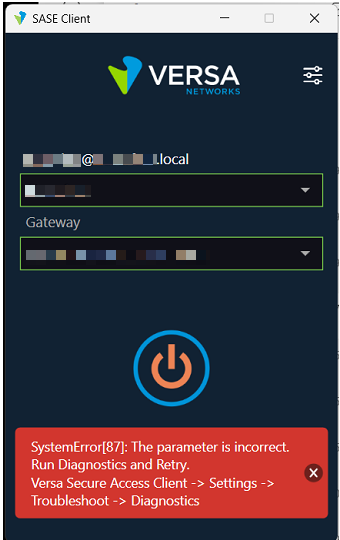
Mitigation steps:
Step1:
Clear the Networking caches.
Run windows cmd window (click windows start menu, type 'cmd', right click on 'Command Prompt' and select "Run as Administrator").
- Type command below
- netsh int ip reset
- netsh int ipv6 reset
- netsh winsock reset
- Restart your computer
Step2:
Reset Device Manager adaptors.
- Open Device Manager as admin > Find Network Adapters > Uninstall WAN Miniport drivers (IKEv2, IP, IPv6, etc)
- Click Action > Scan for hardware changes
- The adapters you just uninstalled should come back (Please wait for some time for the drivers to come up and display)
Please write us back on <support@versa-networks.com> if you have any questions/feedback w.r.t. this article.