Question: How to configure the Hub and Spoke DIA ?
Answer:
This article discusses Hub and Spoke DIA configuration. At first, default route configuration is installed in the Hub and the same is enabled on the Spoke as well. This is how Spoke learns its default route from Hub and makes the preferred path for the Spoke by default. Once the Hub and Spoke is all set up and Hub has the internet access, the Spoke group can be enabled with local DIA which is less preferred. The local DIA comes into picture only when the Hub DIA is interrupted.
Configuring Virtual Router
To configure the virtual router:
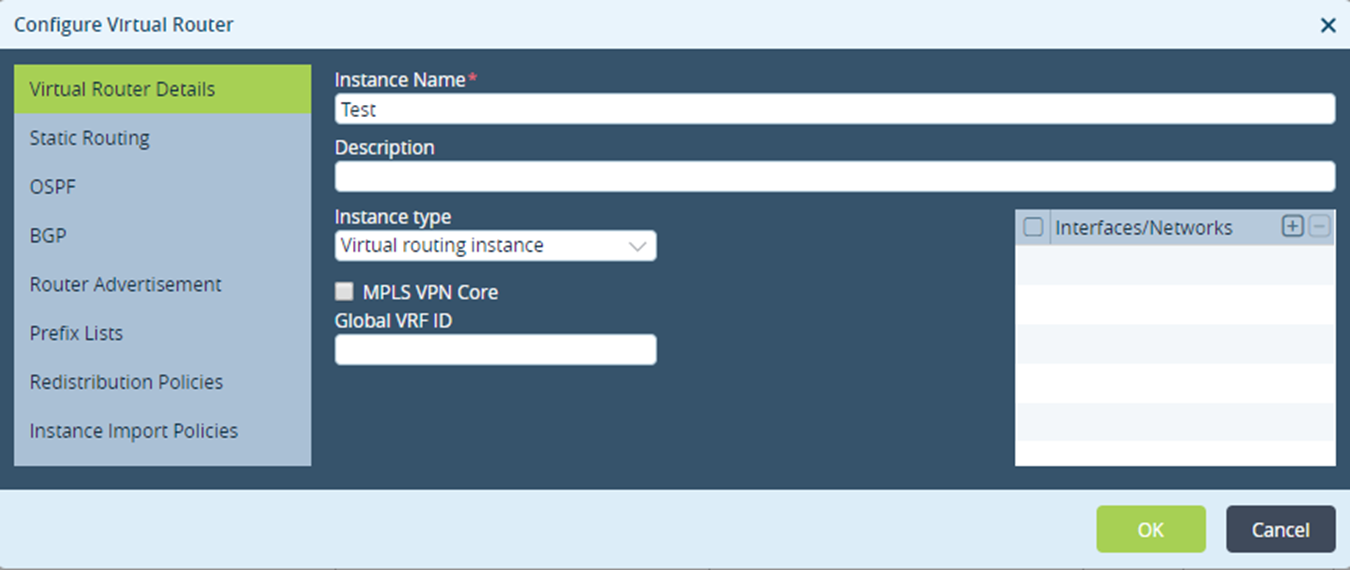
In the Versa Director, Select Configuration > Templates > Device Templates > Networking> Virtual Routers and click to configure the Virtual Router and click OK.
Configuring BGP For Default DIA
To configure the BGP for default DIA:
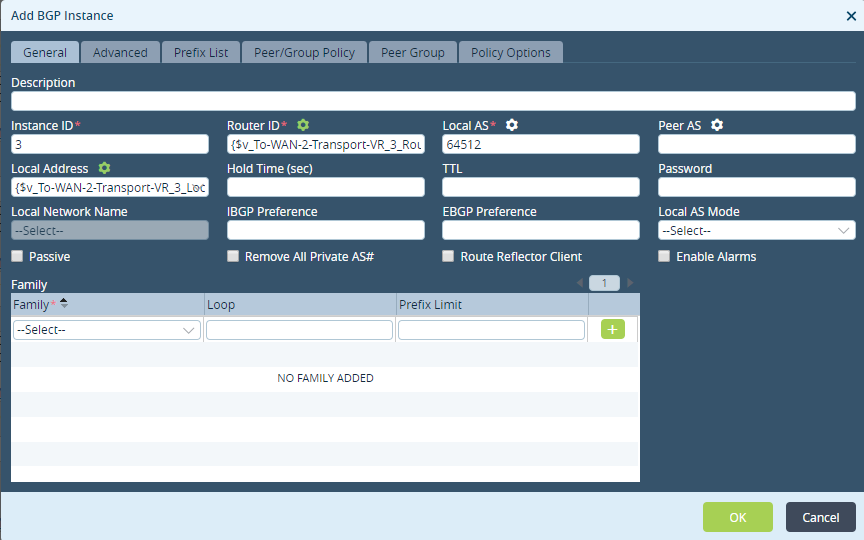
- Select the Test > Edit Test > BGP and click to Add BGP Instance and click OK.
Select Peer/Group Policy tab and click
to add Peer/Group Policy.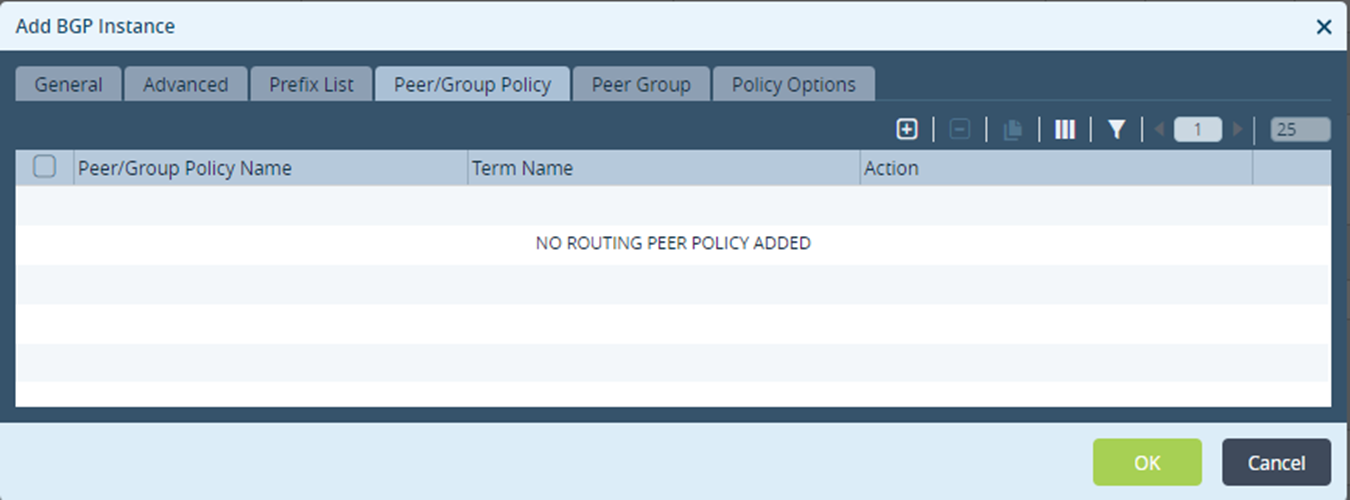
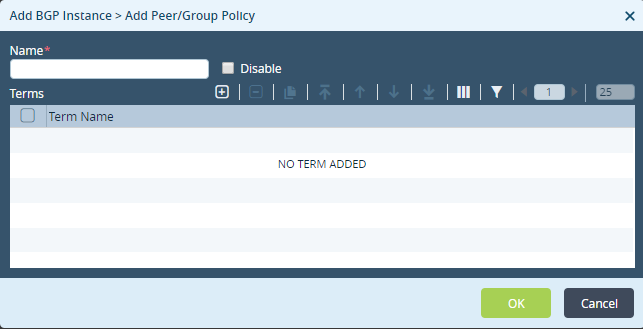
Select Add BGP Instance > Add Peer/Group Policy then enter Name and click
.
- Select Add BGP Instance > Add Peer/Group Policy > Add Term and enter Term Name.
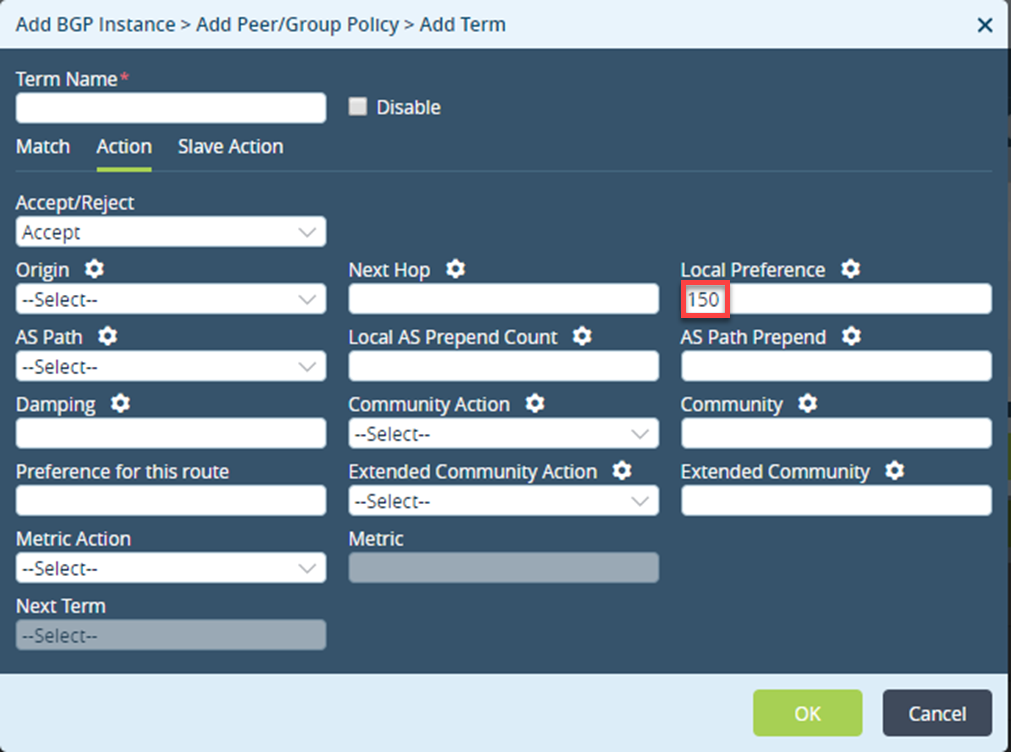
Enter these details and click OK.
Field Description Action Accept/Reject Indicates whether the route is to be accepted or rejected: - Accept
- Reject
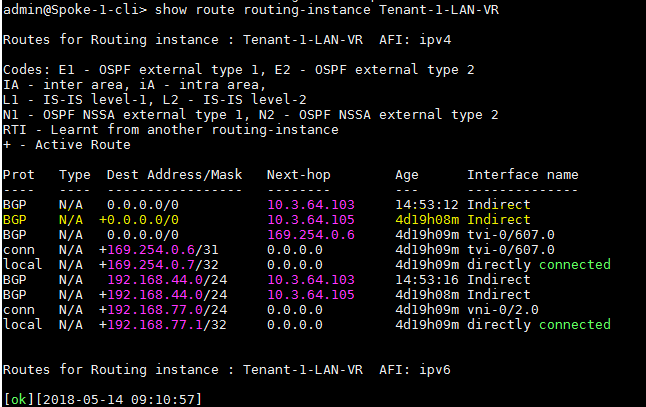
Local Preference A BGP attribute used to choose the outbound external BGP path. Run the show route routing-instance <Test> CLI command to see the default configuration learnt from the hub.
Configuring BGP For Low Preference DIA
To configure the BGP for low preference DIA:
- Refer Configuring Virtual Router and Configuring BGP For Default DIA (mentioned in this article) and enter the Preference for this route value.
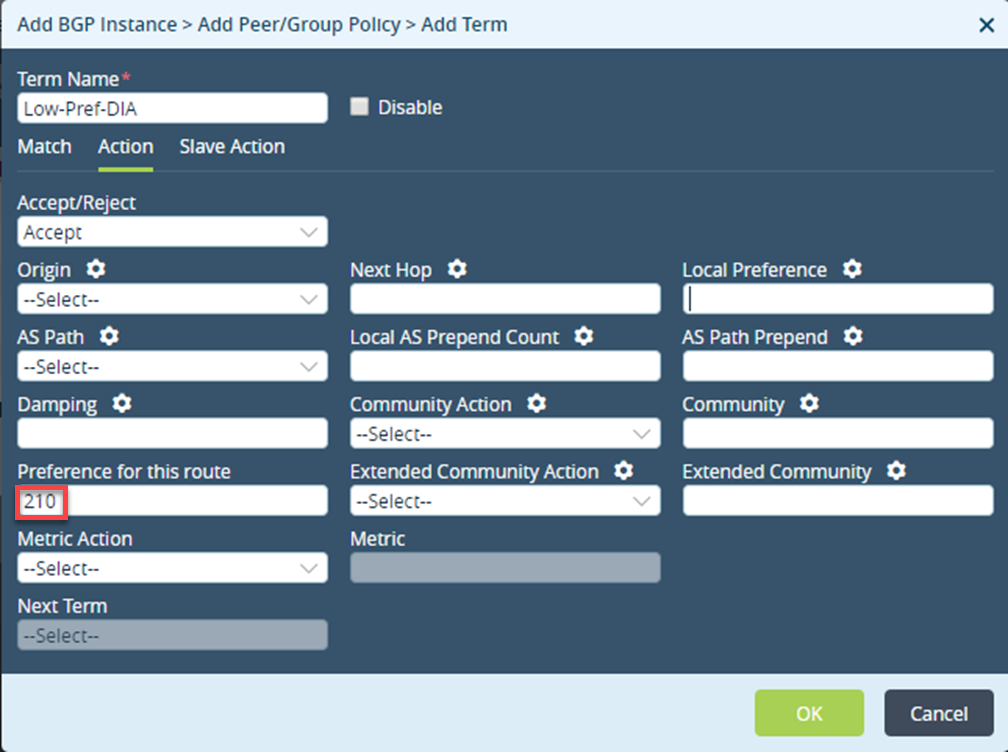
- Select Add BGP Instance > Peer Group and click.
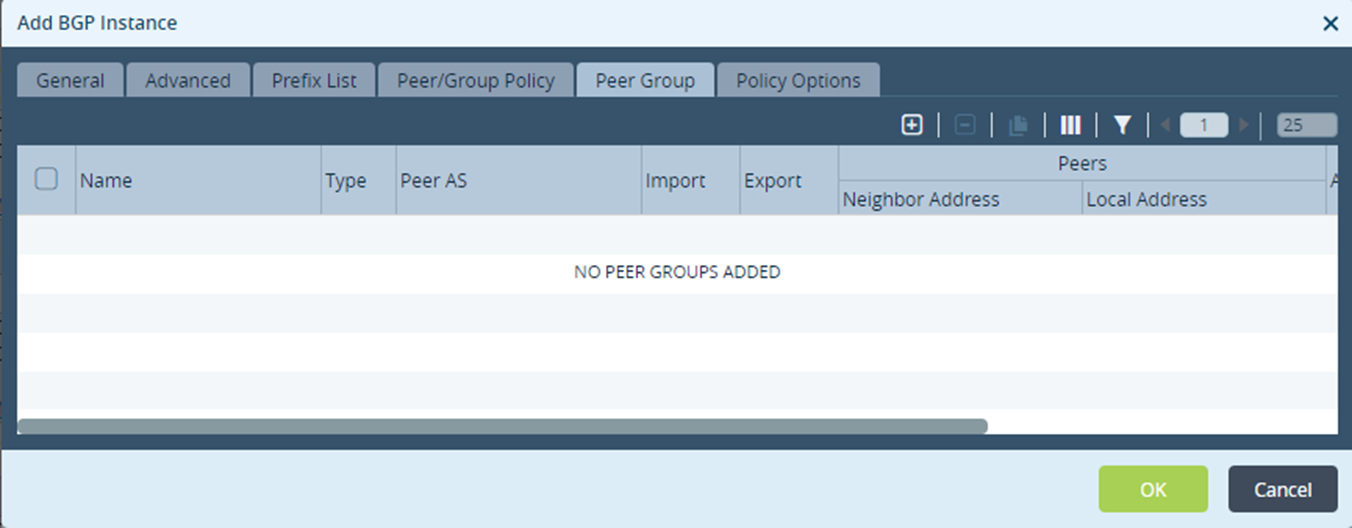
- Select Add BGP Instance > Add Peer Group and click OK.
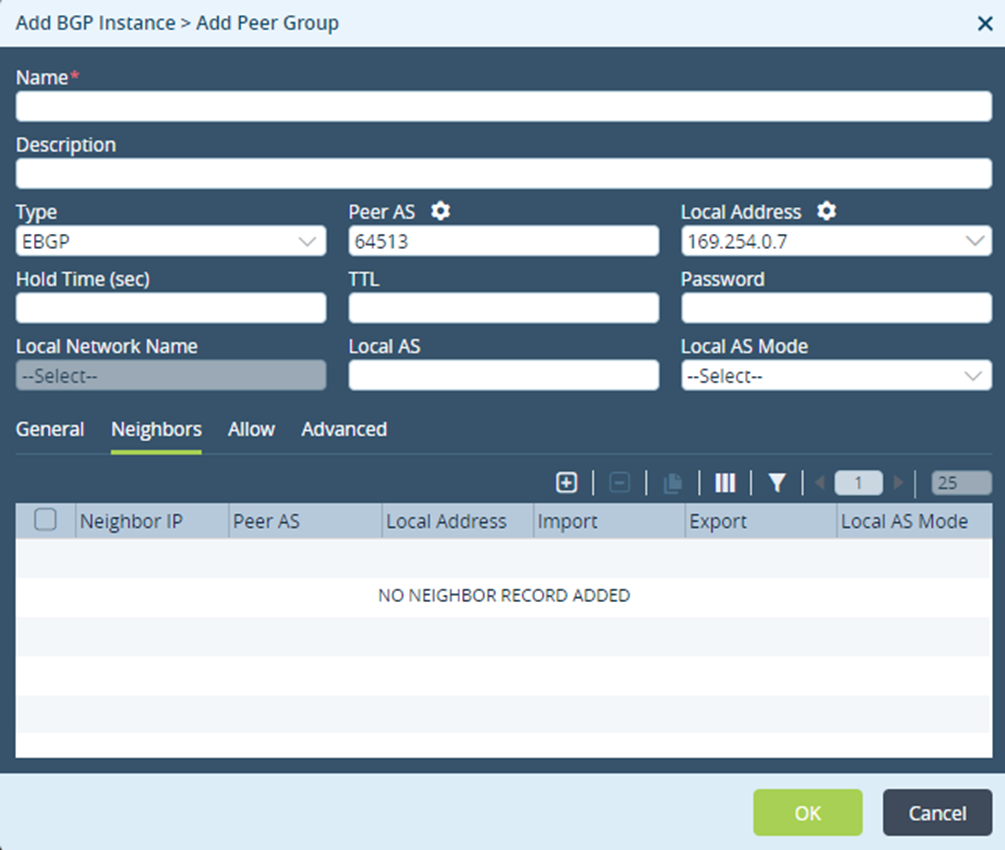
- Select Neighbors tab and click to define the neighbor peer group and click OK.
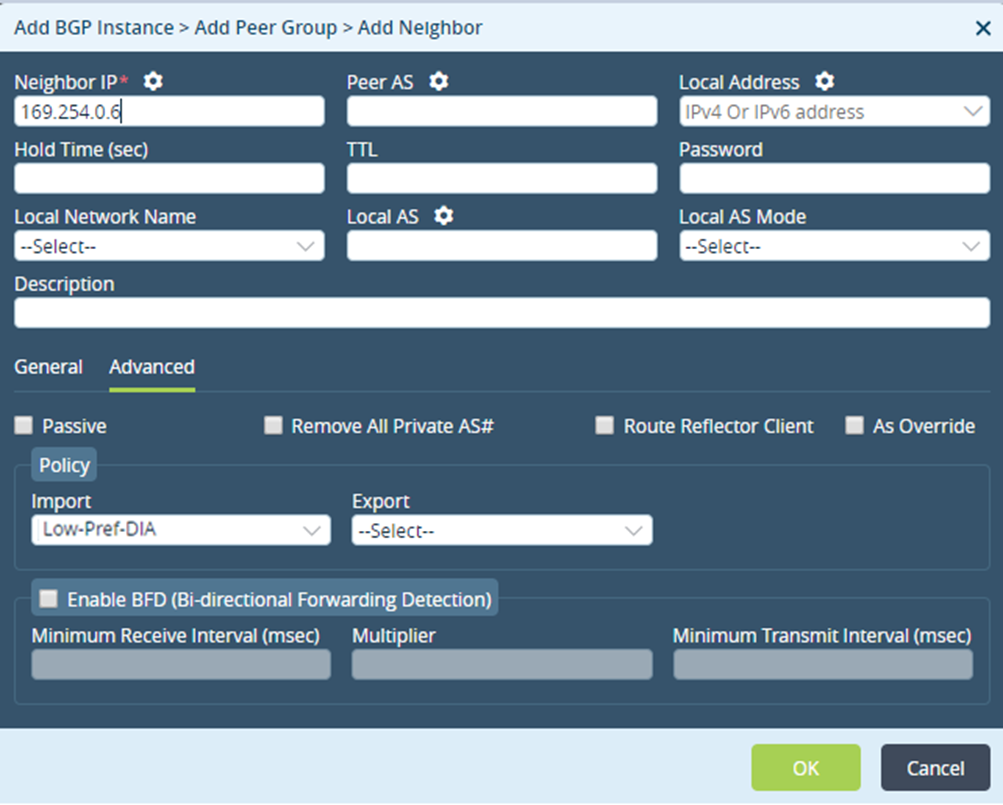
- Run the show route routing-instance CLI command to check the default preference. The default preference is associated with Hub, in case of connection failure it will flip to local DIA.