Note: AE interface cannot be configured via Workflow Template as of now (version 21.2.3). It can however be configured via Device Template or directly in the Appliance Context.
To configure an AE interface with LACP, please follow the steps in KB: Helpdesk: Versa Networks Support (versa-networks.com)
Further to that, to add the AE interface to a VR please follow the steps below:
- Go to the Device Templates under Configuration and select the respective workflow template for the Branch.
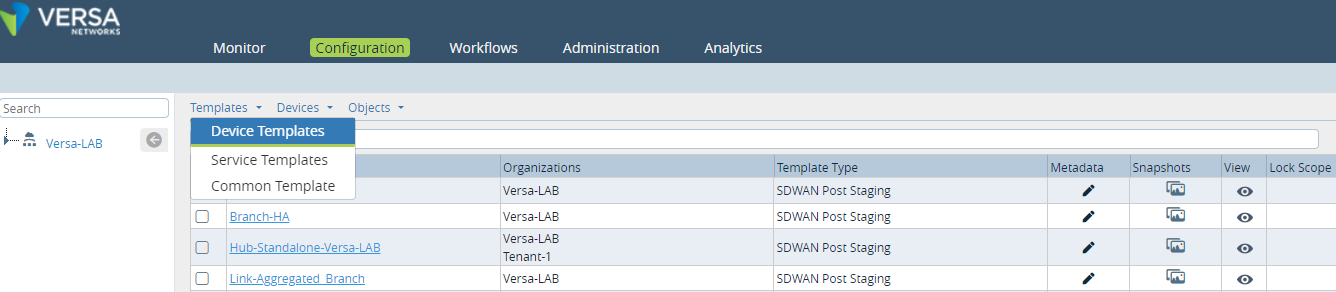
- Verify the required interfaces are added as Aggregate Members (Defined in KB mentioned above)

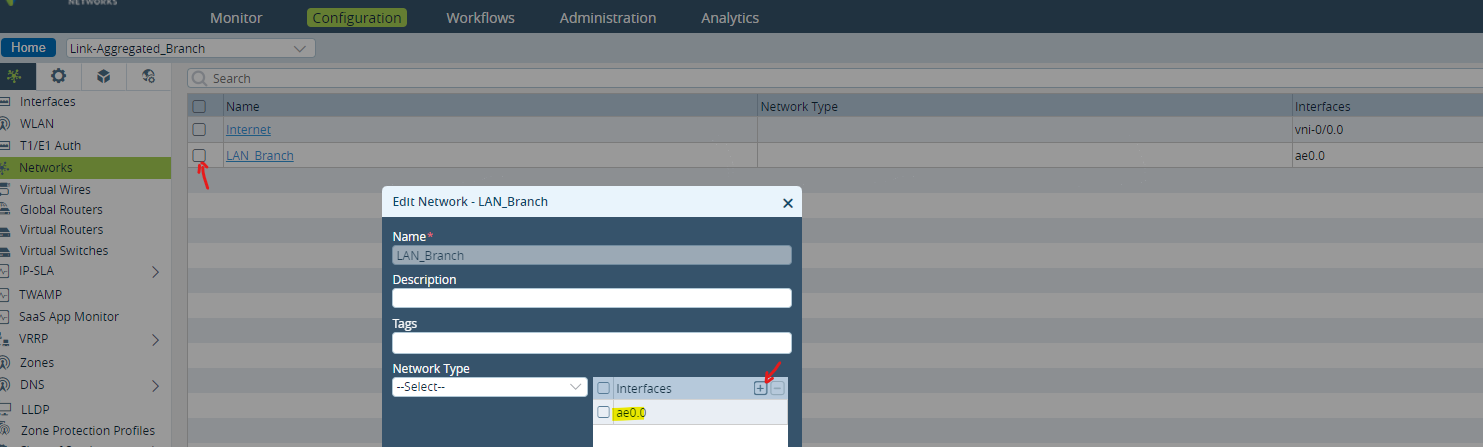
- Select Networks Tab and add the ae interface to desired Network. For instance, LAN Network below
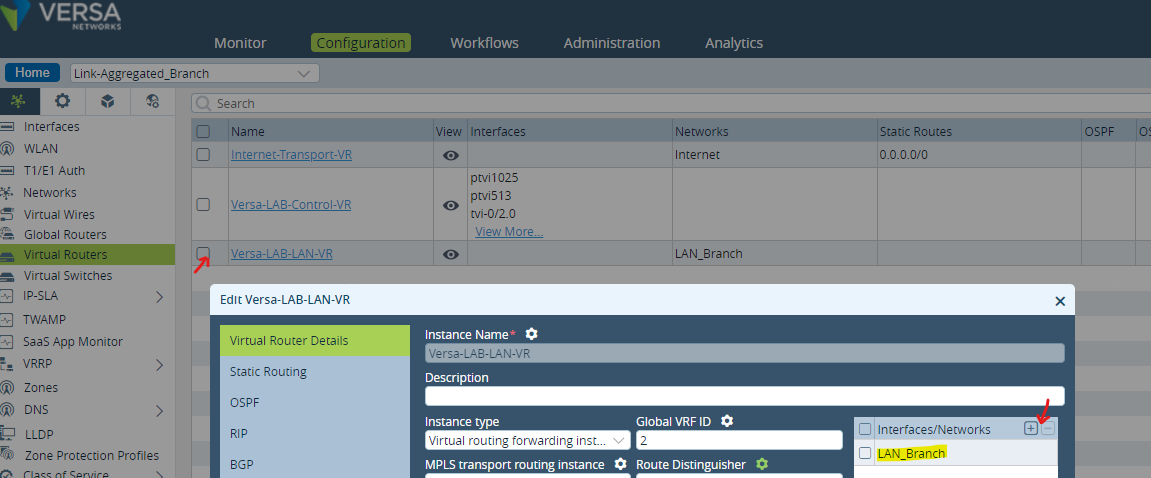
- Select Virtual Routers tab and add the Network selected above to the Interfaces/Networks section.
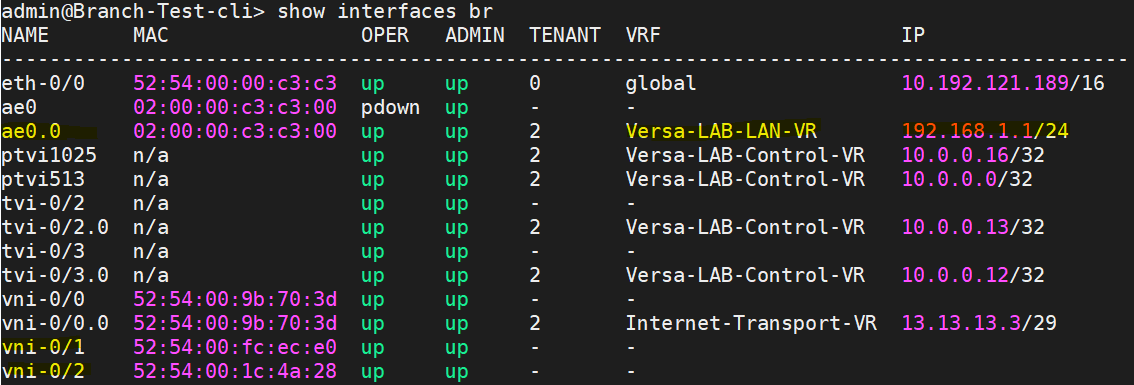
- Commit the template to respective Branch and verify the VR for AE interface on Branch as below:

#############################################################################################
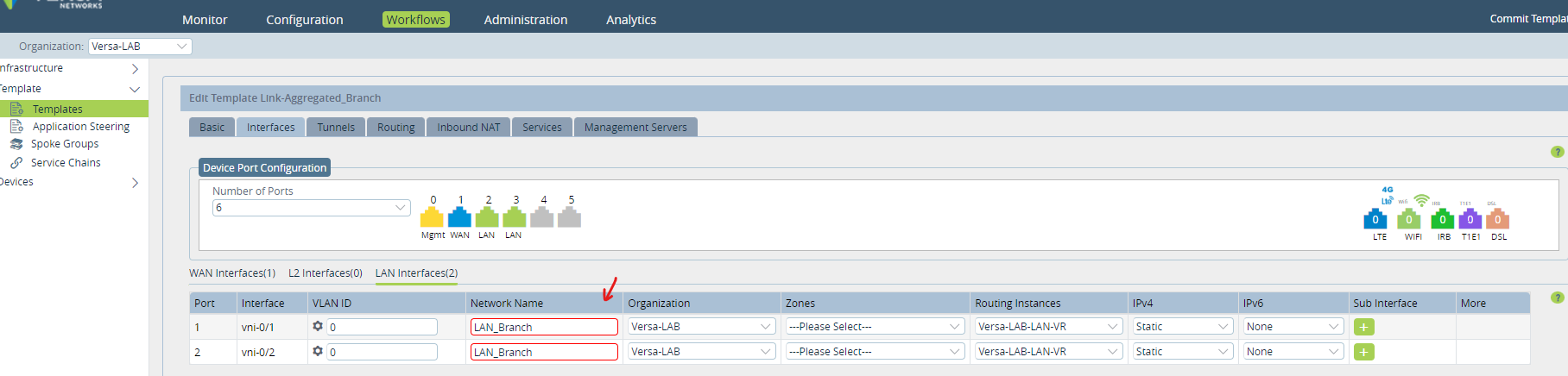
Additionally, note that adding 2 interfaces on Workflow Template with same network is not allowed (screenshot below).
The workaround is to add the second interface of AE via Configuration > Device Templates or directly in Appliance Context.
#############################################################################################