Table of Content
1. How to collect tech support on Versa Director | FlexVNF | Analytics
2. How to collect logs files under specific path.
3. How to get log/support files from branches with no direct SSH/SFTP access.
1. How to collect tech support on Versa Director|FlexVNF| Analytics
Versa Director:
To collect support run "request system tech-support” in cli and will be saved under dir /tmp.
Note all file /tmp dir are clear on reboot

Versa FlexVNF
On FlexVNF we can "request system tech-support” or "request system tech-support minimal" in cli. It will be saved under dir /tmp.


Difference between regular and minimal tech-support logs.
- Regular tech-support consist of support dumps, core dumps, snapshots.
- Minimal tech-support consist of support dumps only.
Versa Analytics
To collect support run "request system tech-support” in cli and will be saved under dir /tmp.

2. How to collect specific logs files on Versa
e.g /var/log/* or /var/log/versa/* or /
sudo tar -cvzf /home/admin/<filename>.tar.gz /var/log/*
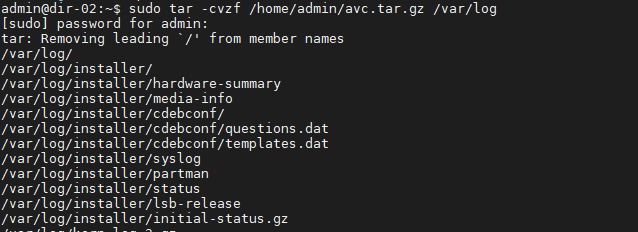
File will be saved under the path /home/admin/.

3. How to get log/support file from Branches with no direct SSH/SFTP access.
Log/ tech-support from branches can be uploaded to VD and collected from there to upload to Versa portal/File Server.
Run below command on VD shell. We need the branch mgmt(overlay) ip address, which we can get from VD GUI
sudo scp admin@<Branch-mgmt IP>:/file-Path/<filename> /home/admin/

