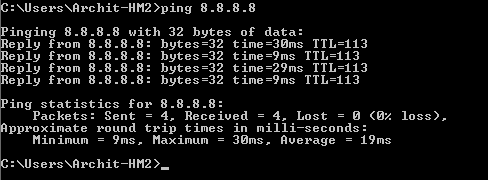
This Article describes you how to Create Windows Host Machine on KVM and check the reachability.
Follow the below steps for creating Windows Host Machine:
STEP:1 Create a Virtual Machine.
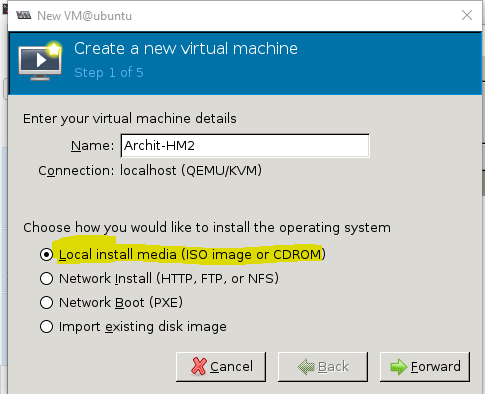
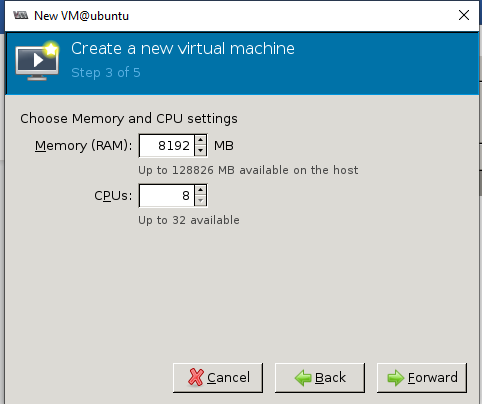
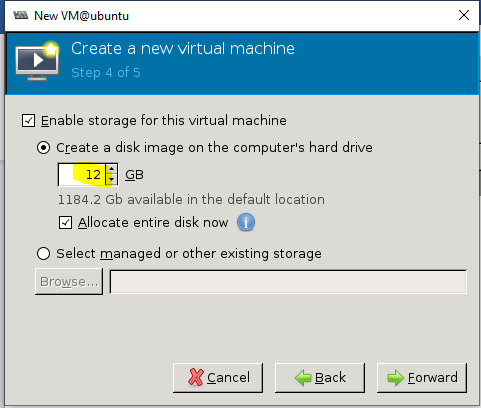
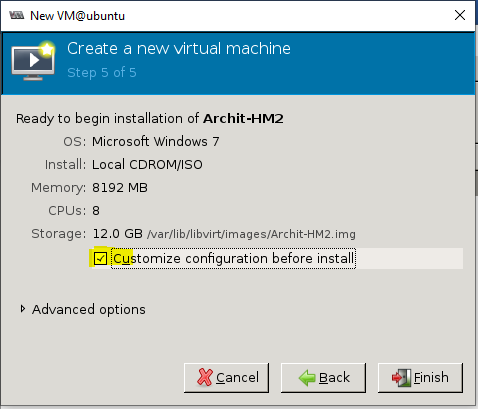
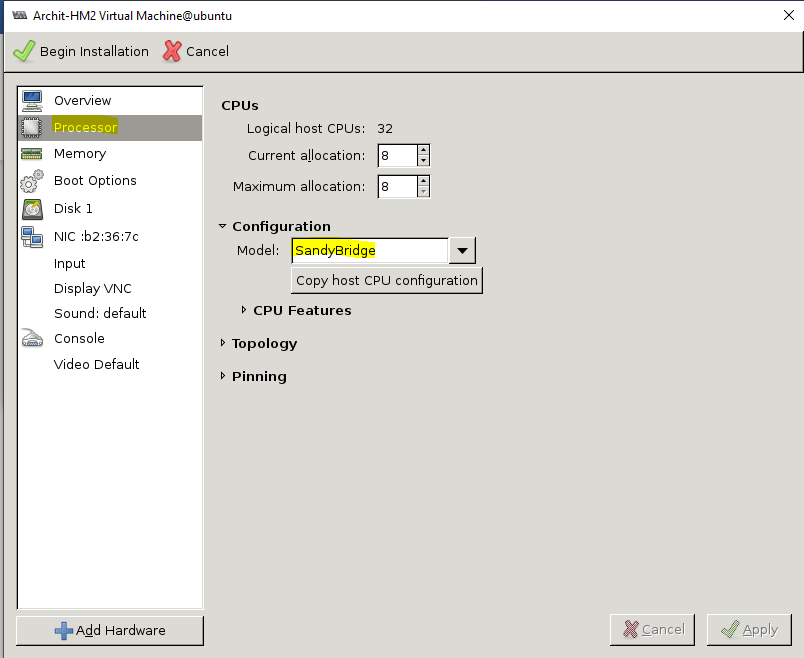
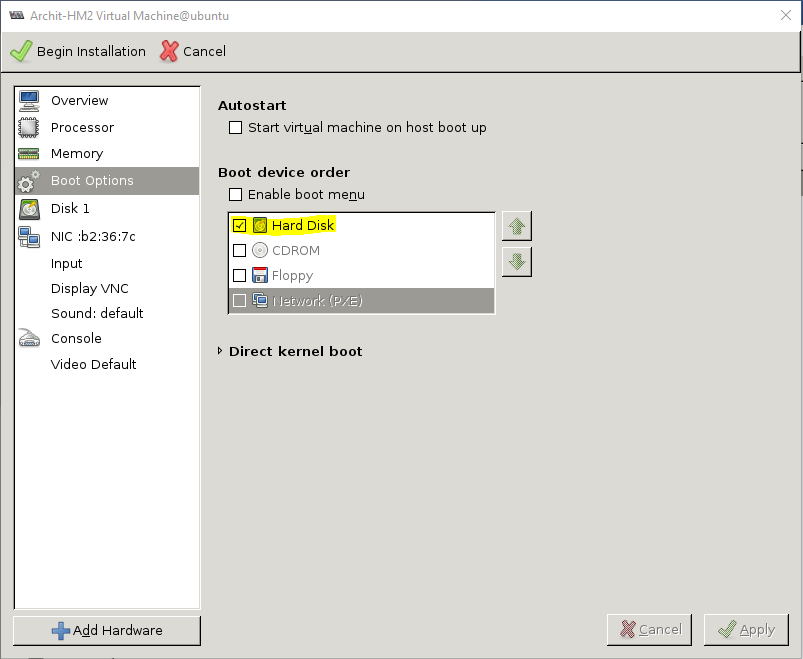
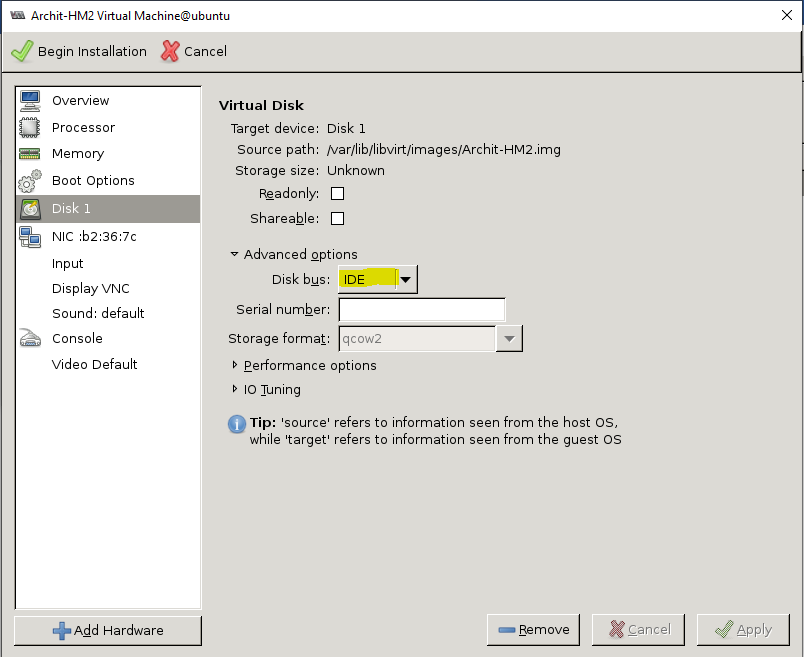
STEP:2 Create a Network with LAN Switch (Switch between CPE & PC)
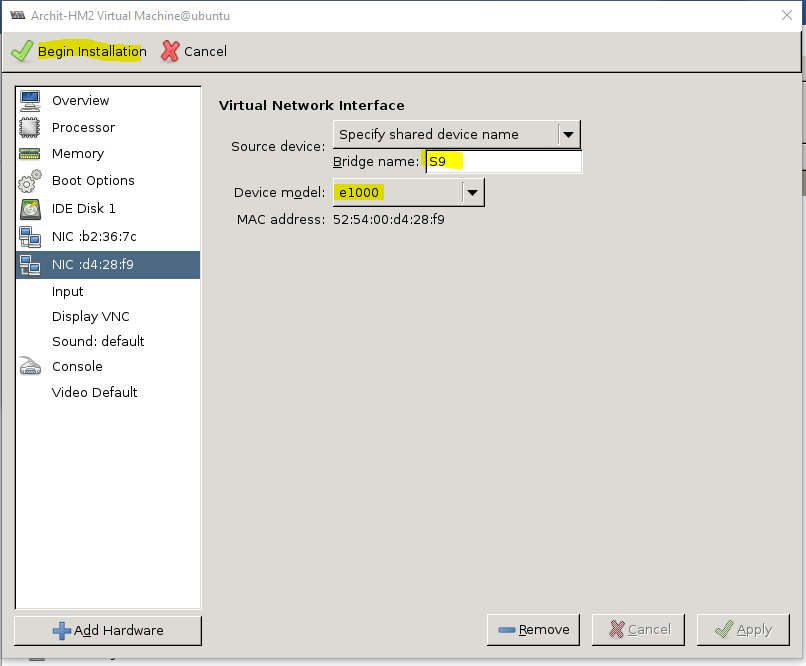
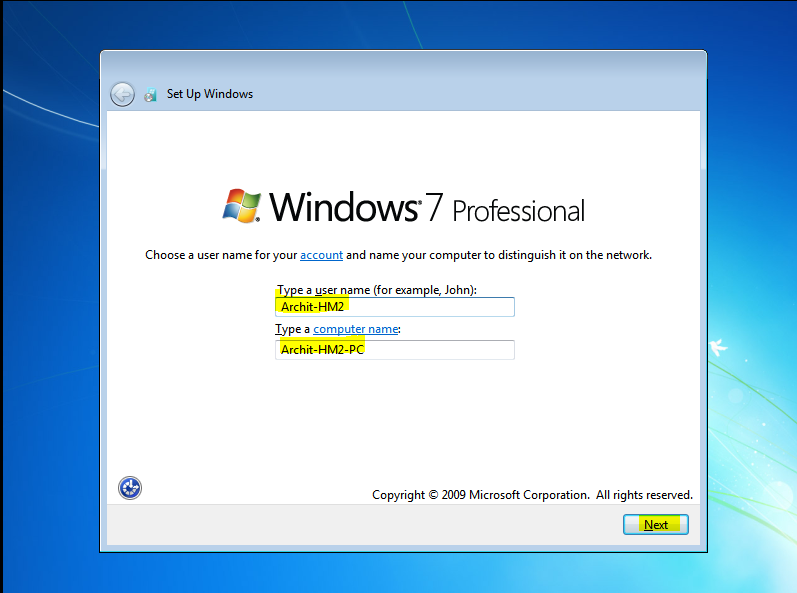
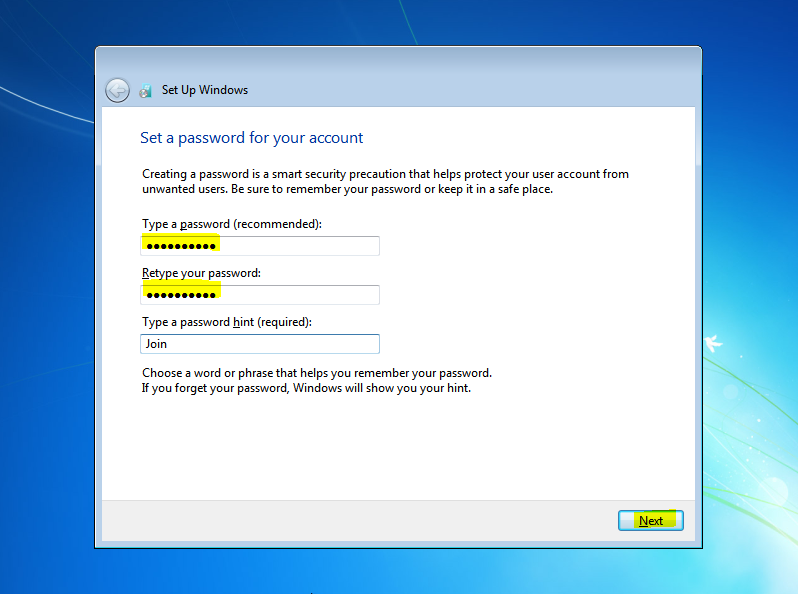
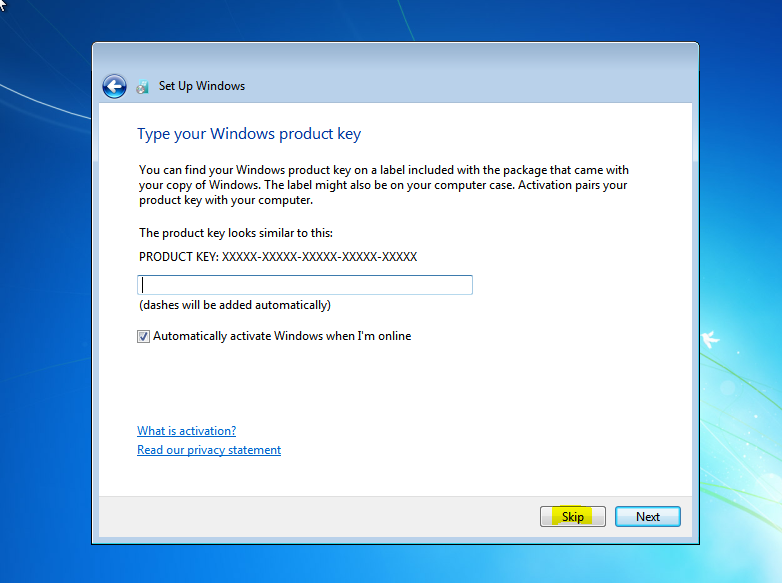
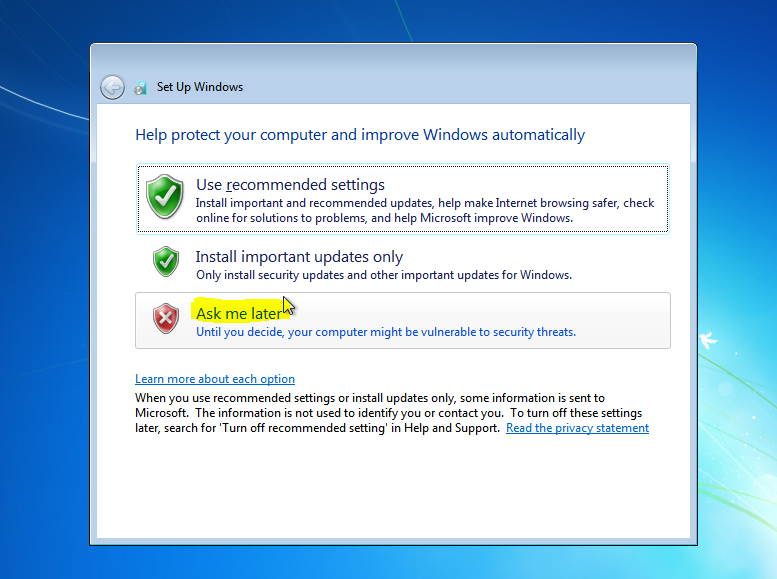
STEP:3 Install Windows
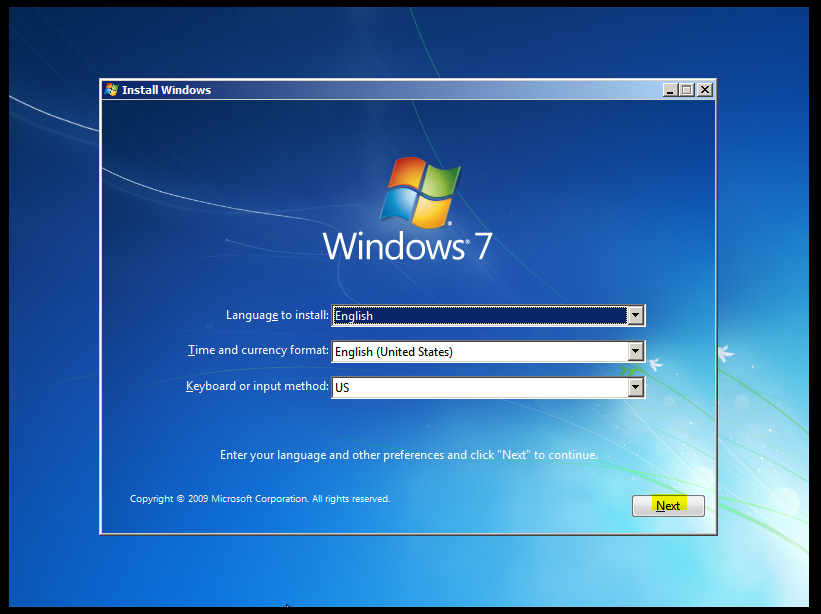
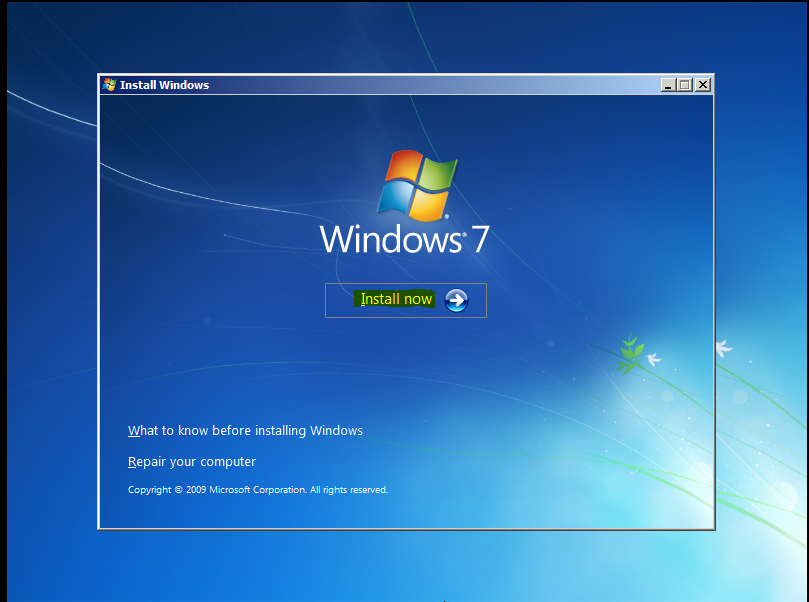
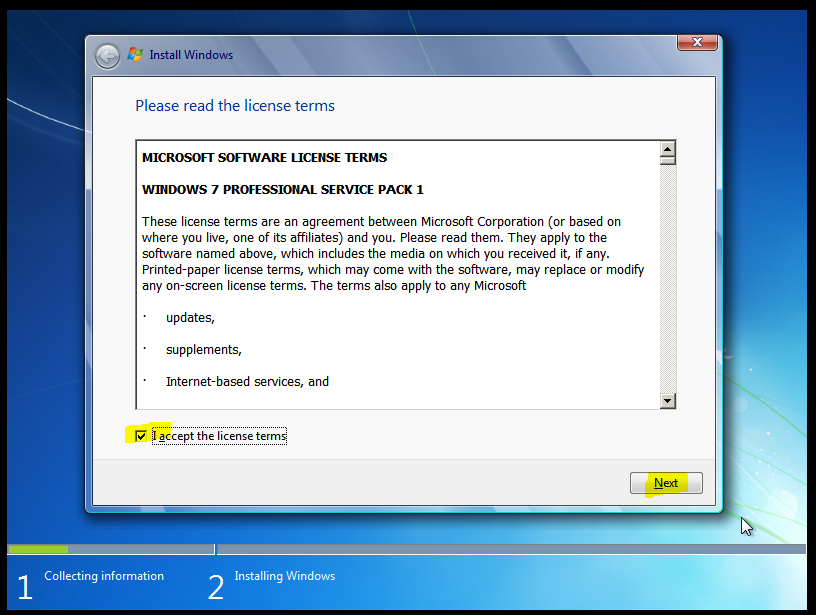
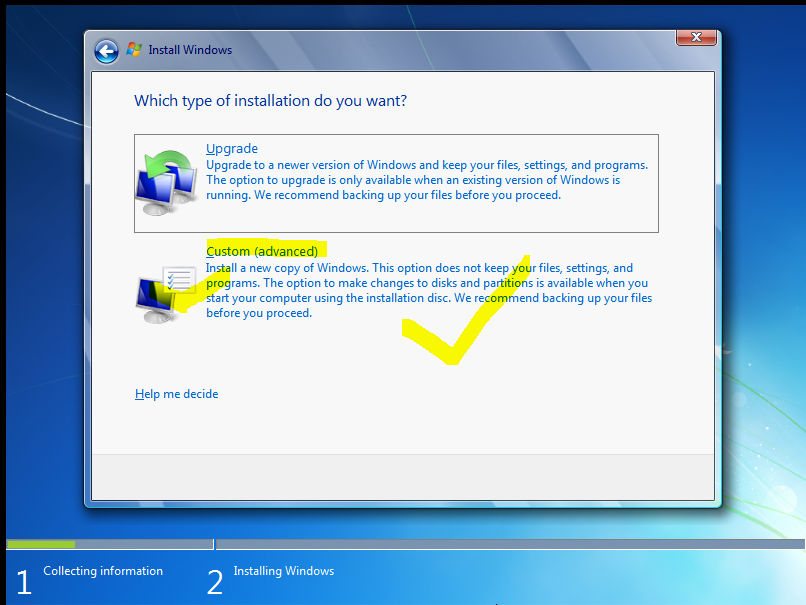
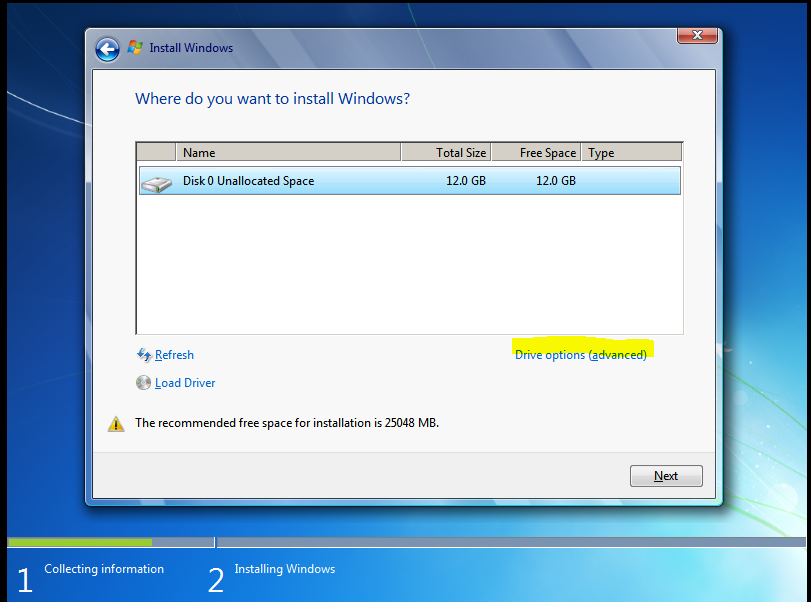
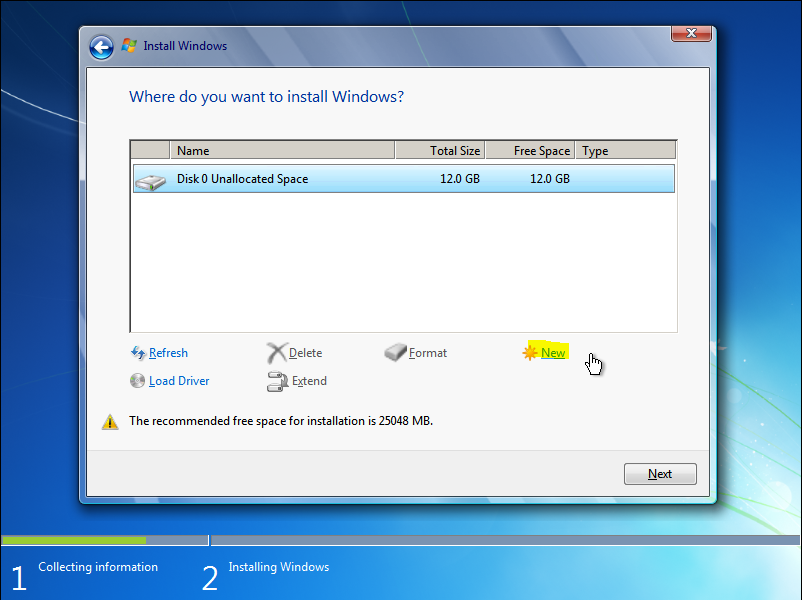
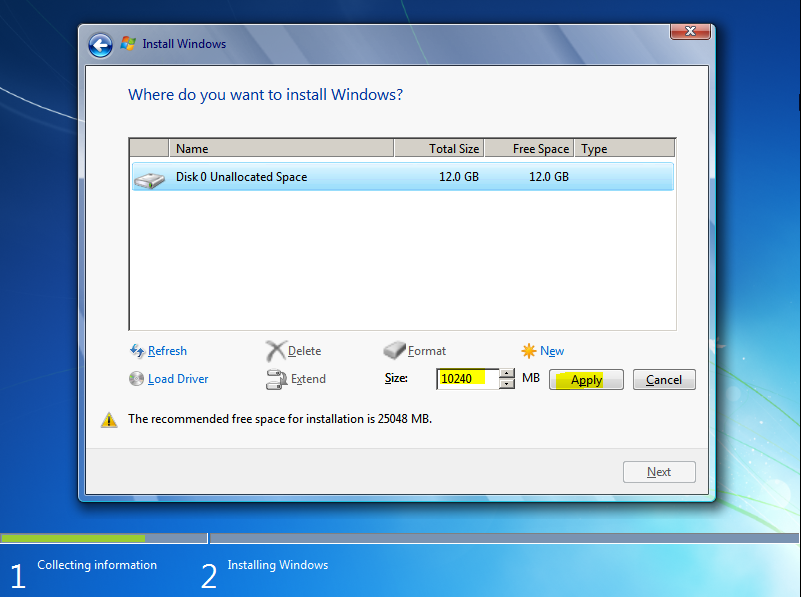
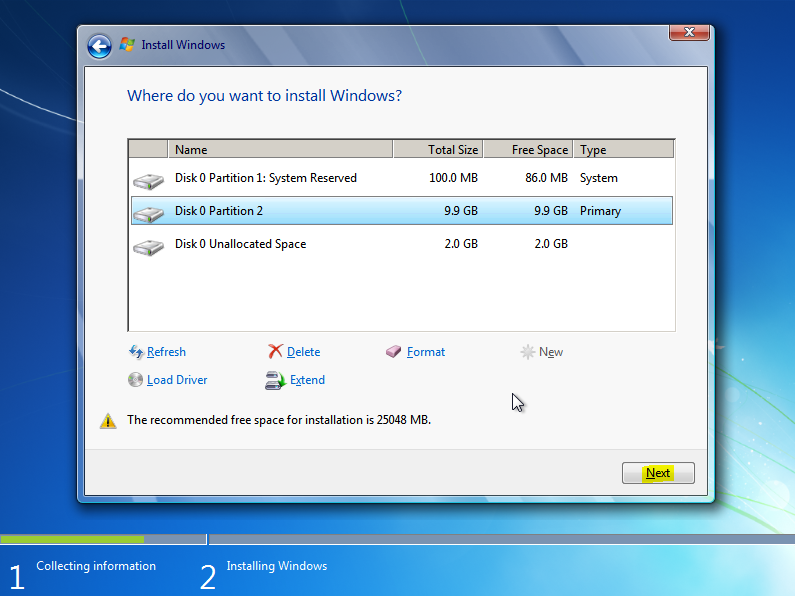
Expanding Windows files will take 30-45 mins
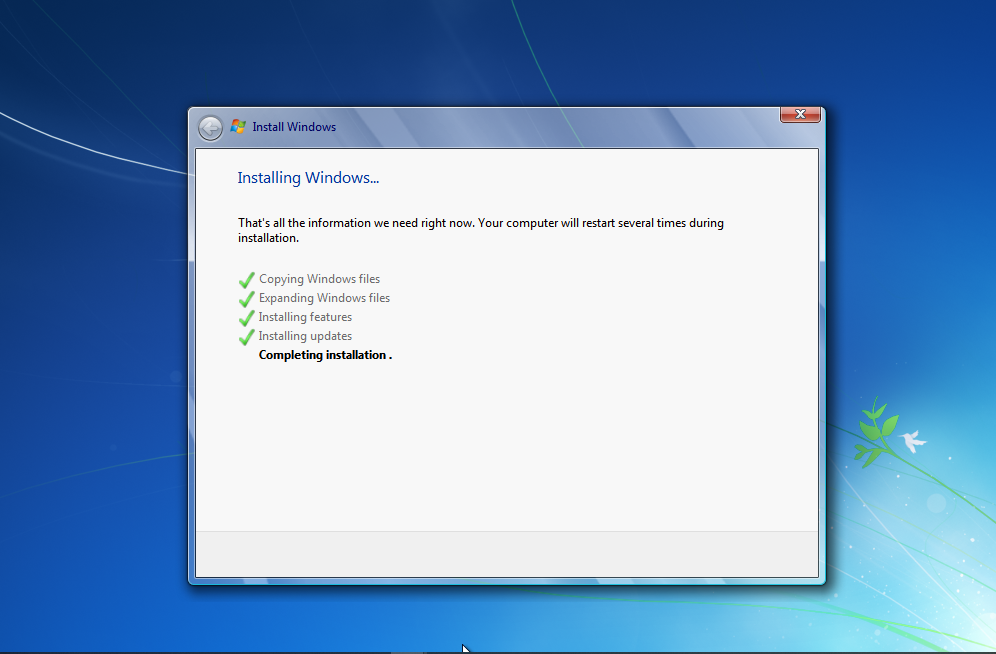
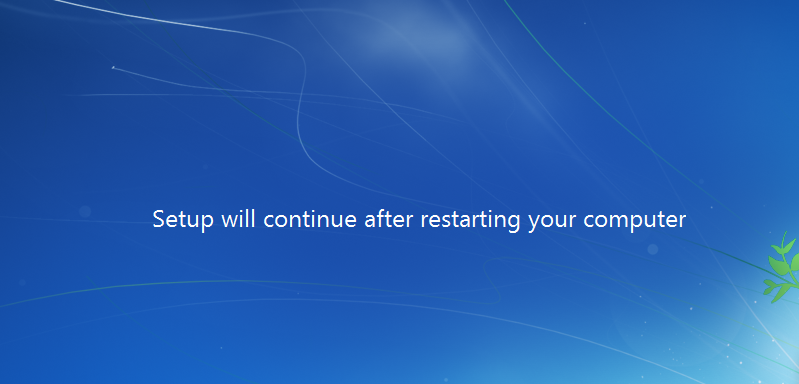
Windows will restart several (2-3) times during the installation.
STEP:4 Configure the IP on the PC.
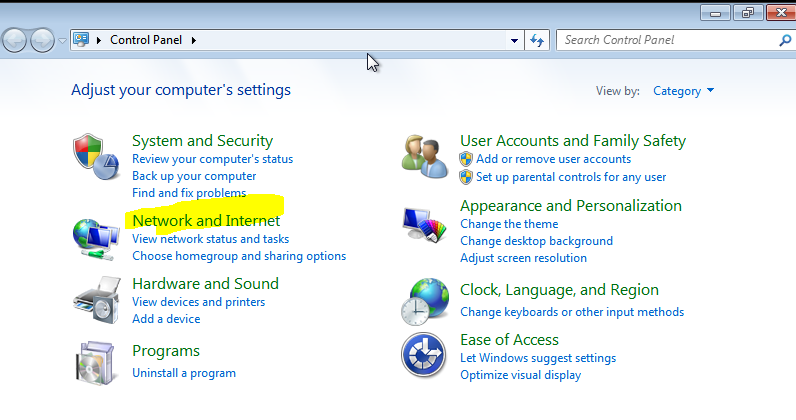
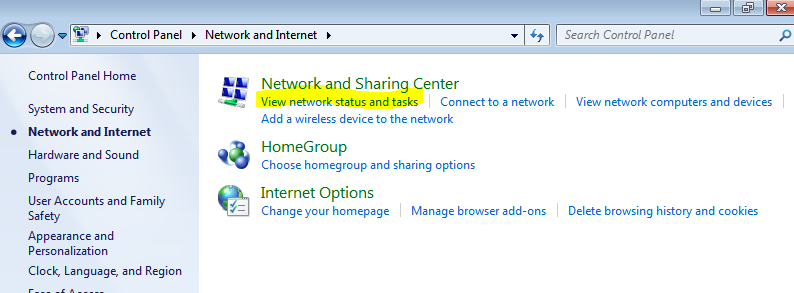
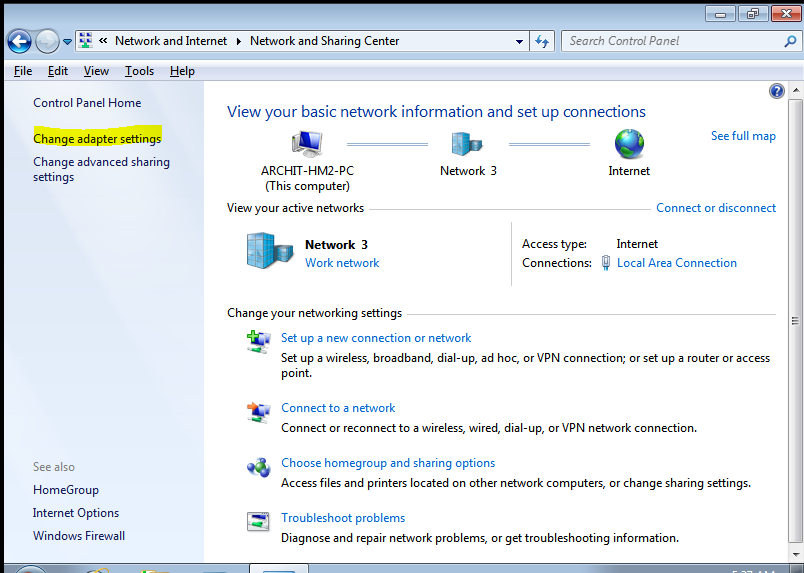
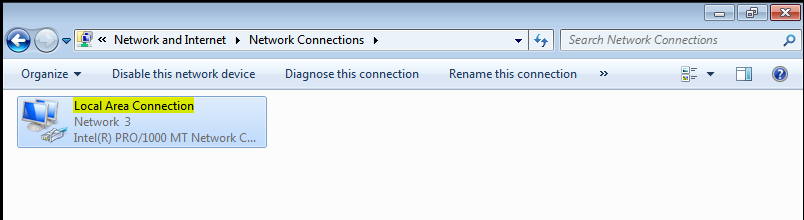
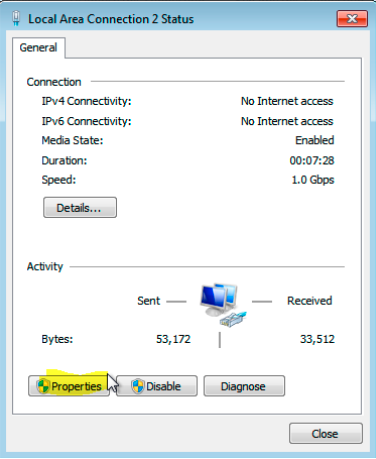
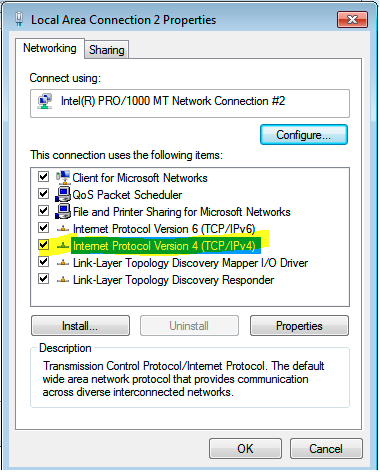
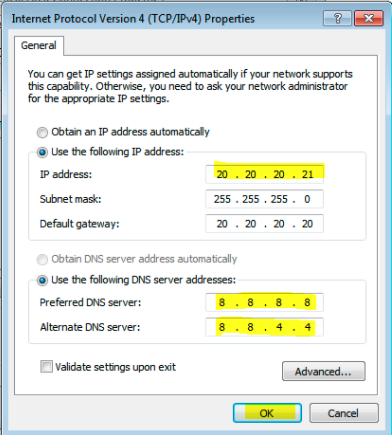
20.20.20.21: IP of Windows Host Machine Interface.
20.20.20.20: IP of CPE LAN Interface.
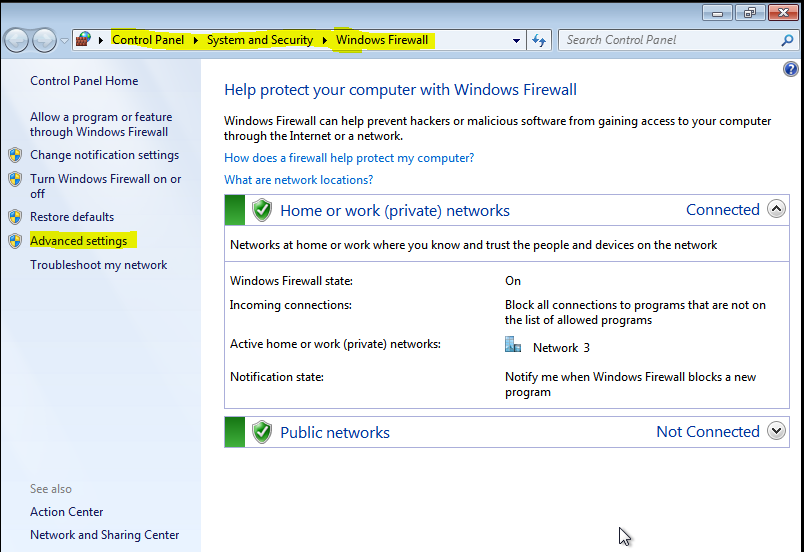
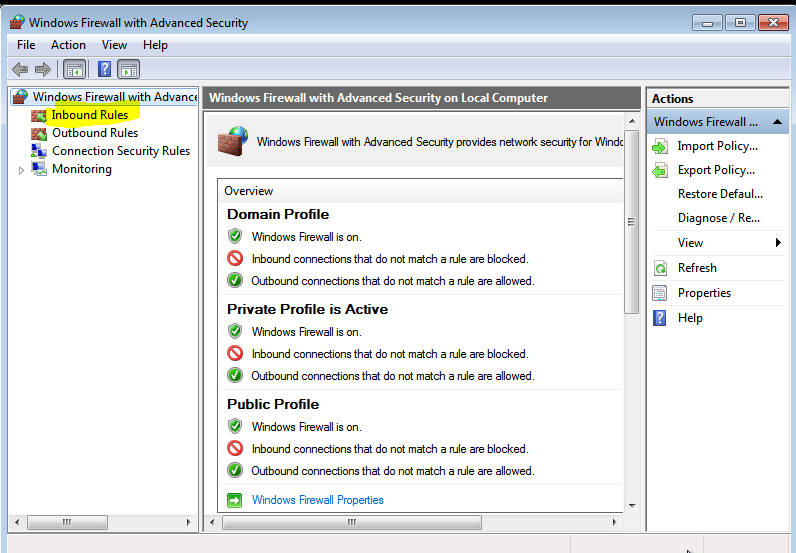
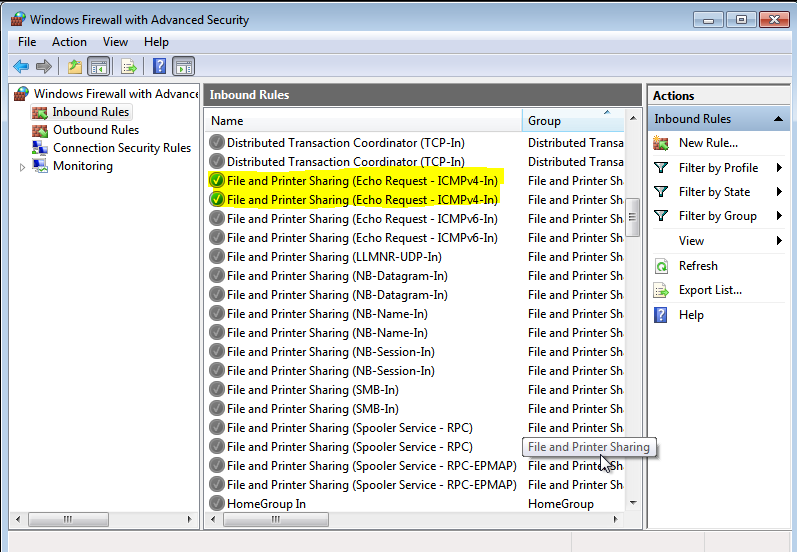
STEP: 5 Allow the ICMP request on PC for Internet Reachability to the PC.
Right click on File and Printer Sharing (Echo Request-ICMPv4-In)
STEP: 6 Check the ping on PC (command prompt) to 8.8.8.8 .