Purpose
The document below describes the VOS native integration between regions (Inter-Hub) in Azure vWAN.
Introduction
In this document, we will mainly focus on inter region (inter-hub) communication.
Follow the link below for single region configuration before proceeding through this article.
Versa Azure vWAN native integration
I have only included steps needed to integrate another region (West-US).
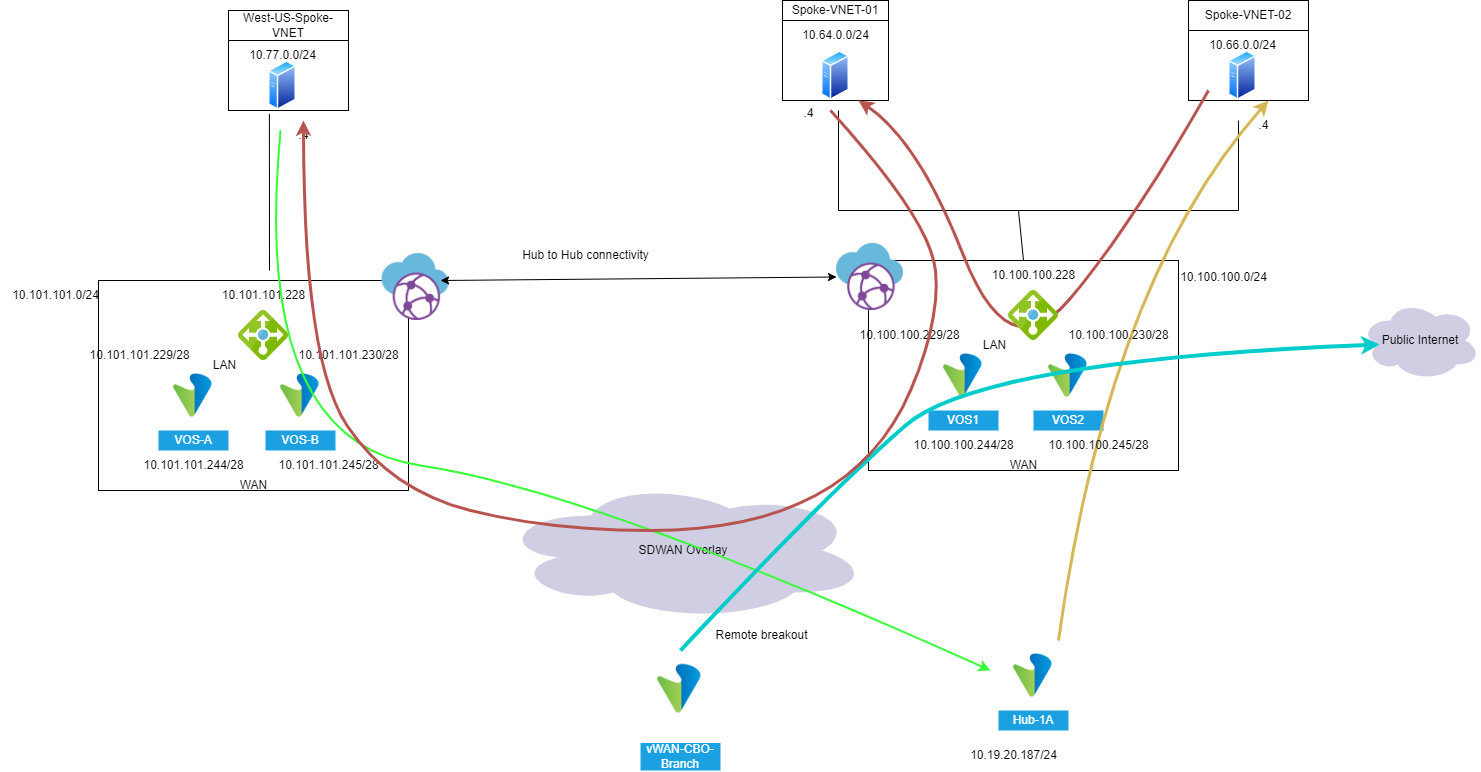
Topology
Configuration
Resource Group | Region | VNET | VNET CIDR | subnet | Subnet CIDR |
| RK-vWAN-NVA-RG | East-US | SPOKE-VNET-01 | 10.64.0.0/16 | MGMT | 10.64.0.0/24 |
| RK-vWAN-NVA-RG | East-US | SPOKE-VNET-02 | 10.66.0.0/16 | MGMT | 10.66.0.0/24 |
| RK-vWAN-NVA-RG | East-US | Managed VNET -vWAN | 10.100.100.0/24 | LAN | 10.100.100.224/28 |
| RK-vWAN-NVA-RG | East-US | Managed VNET-vWAN | 10.100.100.0/24 | WAN | 10.100.100.240/28 |
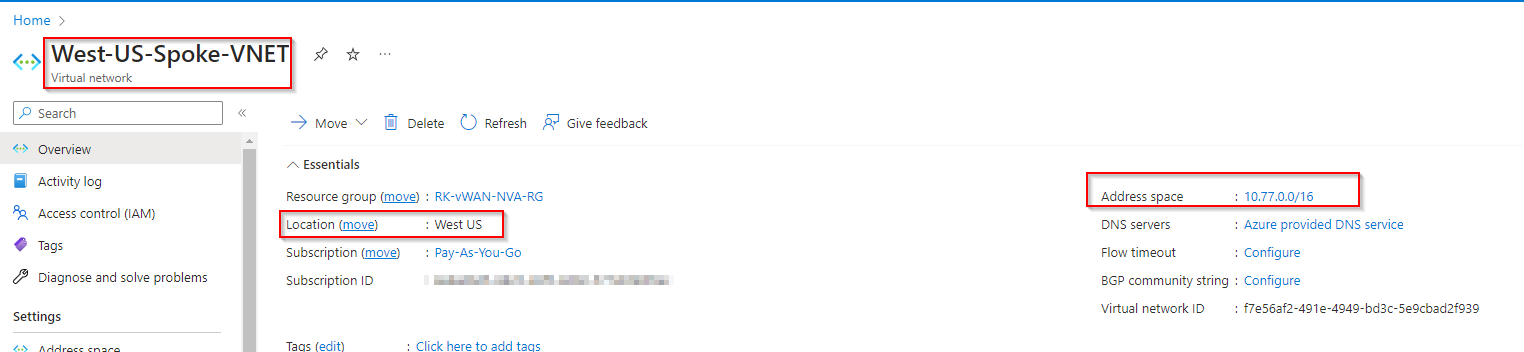
| RK-vWAN-NVA-RG | West-US | West-US-Spoke-VNET | 10.77.0.0/16 | MGMT | 10.77.0.0/24 |
| RK-vWAN-NVA-RG | West-US | Managed VNET -vWAN | 10.101.101.0/24 | LAN | 10.101.101.224/28 |
| RK-vWAN-NVA-RG | West-US | Managed VNET -vWAN | 10.101.101.0/24 | WAN | 10.101.101.240/28 |
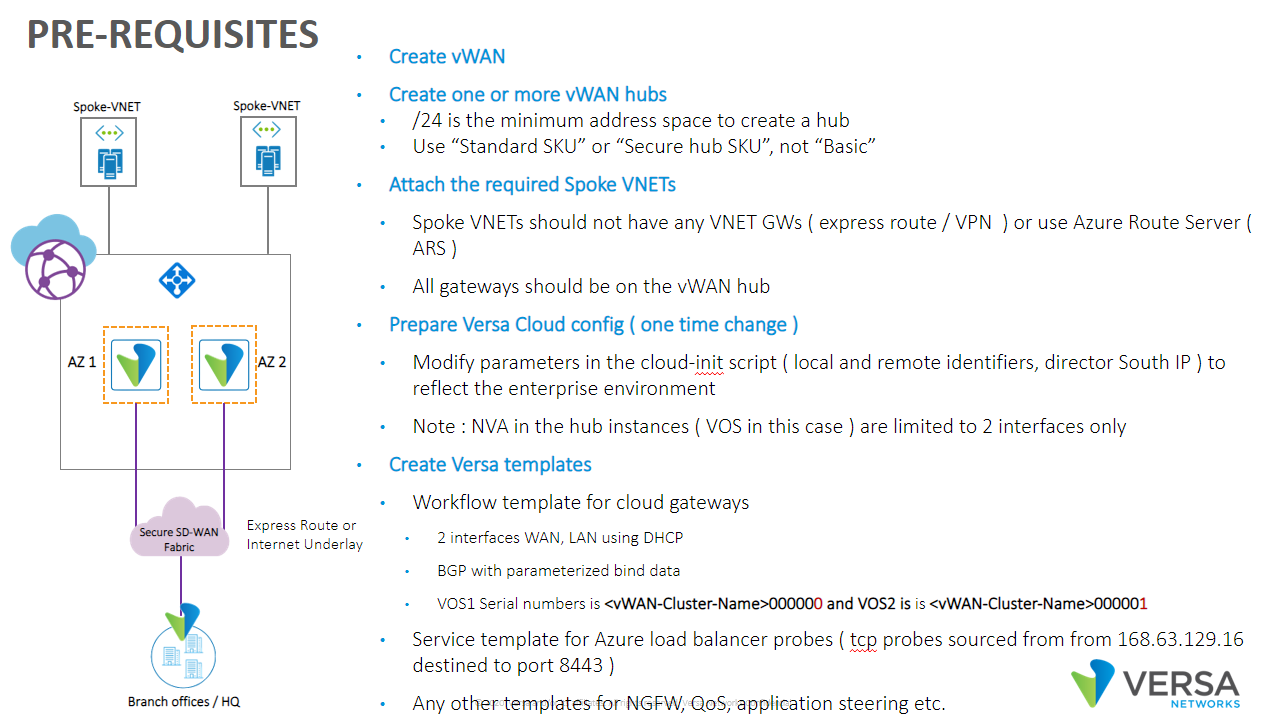
Azure Configuration
Create Spoke-VNET in West-US region
Create Virtual hub
A virtual hub is a Microsoft-managed virtual network. Creating a Hub Can take approx 30 minutes.
Create an another virtual Hub in existing vWAN for West-US region.
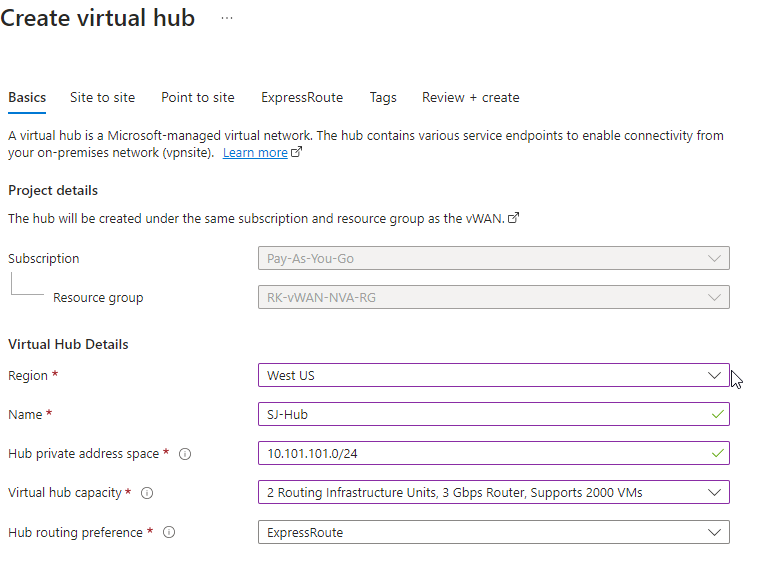
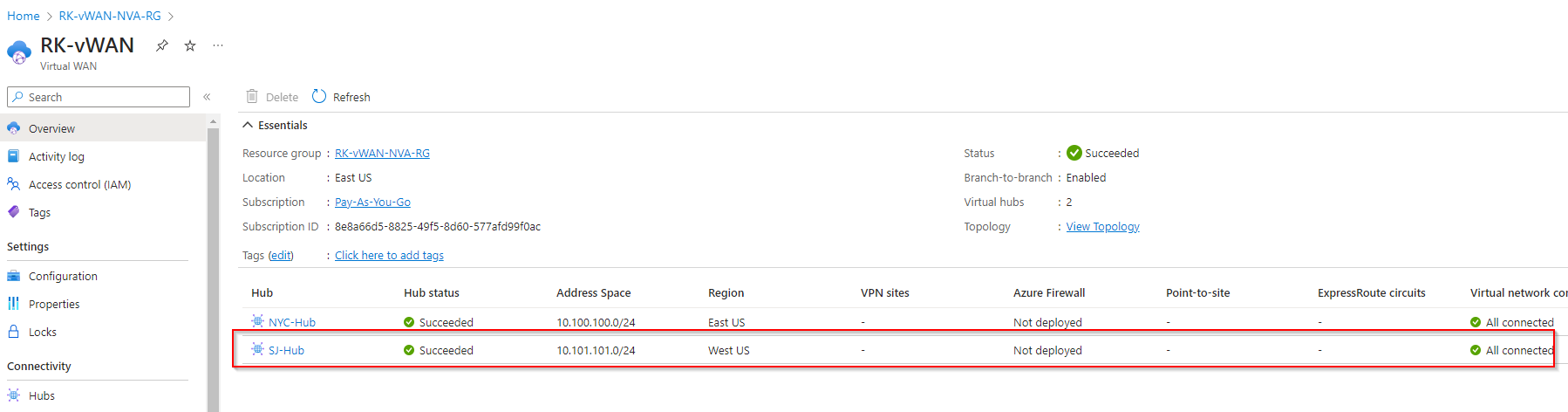
Attach VNET's to hub
Attach West-US-Spoke-VNET-01 to SJ-Hub.

VOS configuration
Follow the same steps as defined in single region Versa NVA.
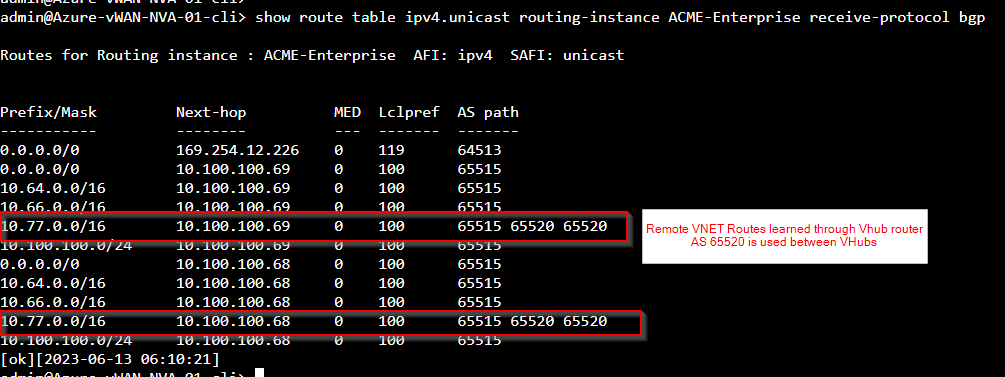
NOTE: Versa NVA will prefer remote region VNET routes through local VHub router because EBGP has higher preference compared to iBGP (SDWAN overlay). So, by default inter region traffic will flow through VHUb routers instead of Versa NVA. So, we should either lower the preference or reject remote VNET routes based on AS path from local Vhub router.
For ex. Routes before changing preference

Routes after changing preference
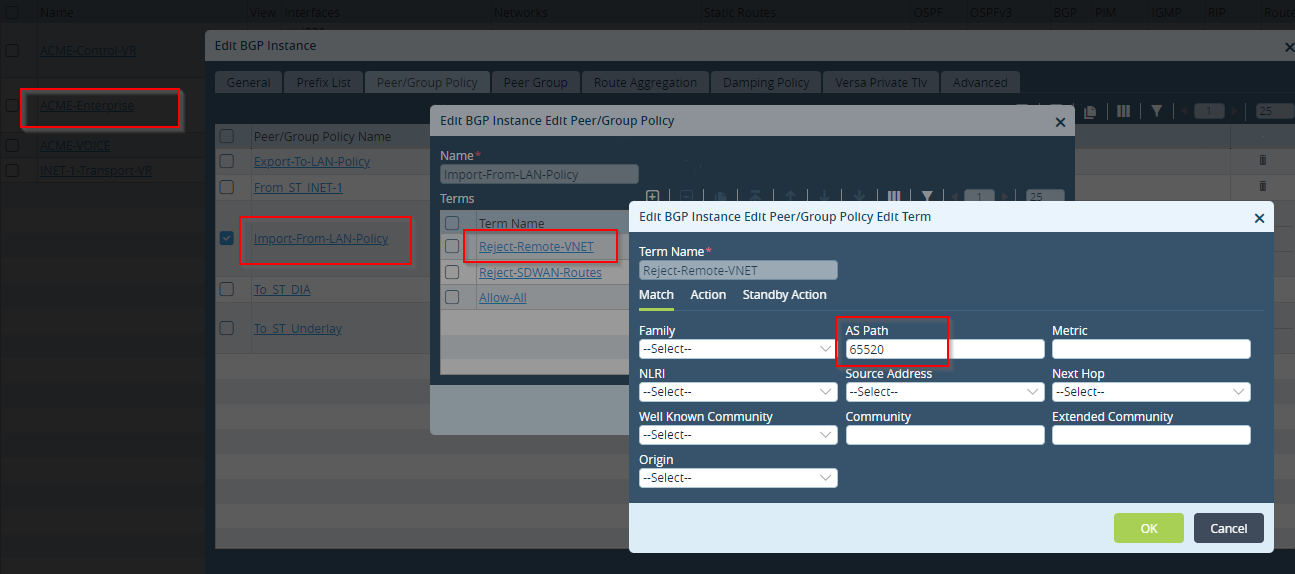
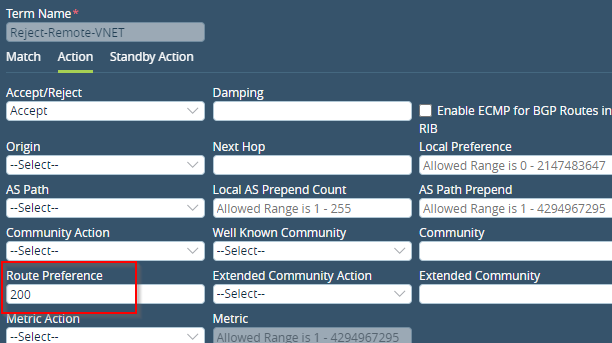

For local region VNET subnets, we still preferred routes through local Hub router.

Versa NVA Deployment Steps
Follow the Single region vWAN native integration document. Deploy Versa integrated NVA in West-US region.
Versa Azure vWAN native integration
Routing Intent
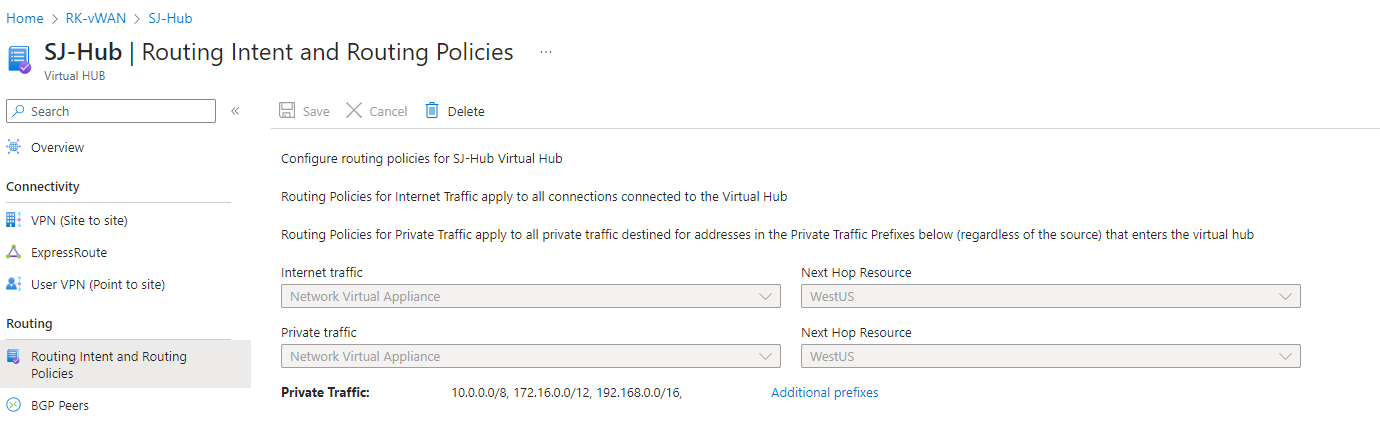
Verification: East-West Traffic flow
Let's ping from Workstation-01 in East-US to West-US workstation.




Let's test TCP traffic flow:
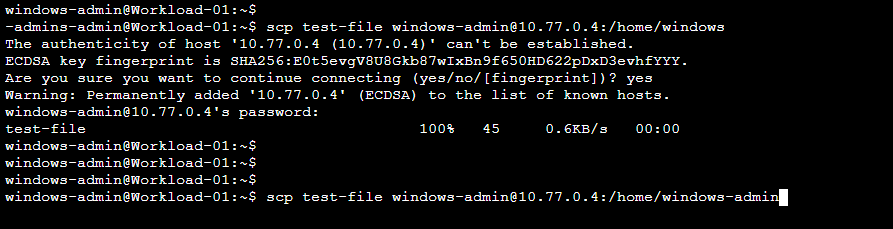



North-South Traffic flow
Ping from West-US workstation to Hub-1A.


There is asymmetric routing here but you can easily resolve it by enabling symmetric forwarding.


Internet Traffic from VNET via NVA


Internet Traffic from on-premises via NVA in vWAN (Remote breakout)
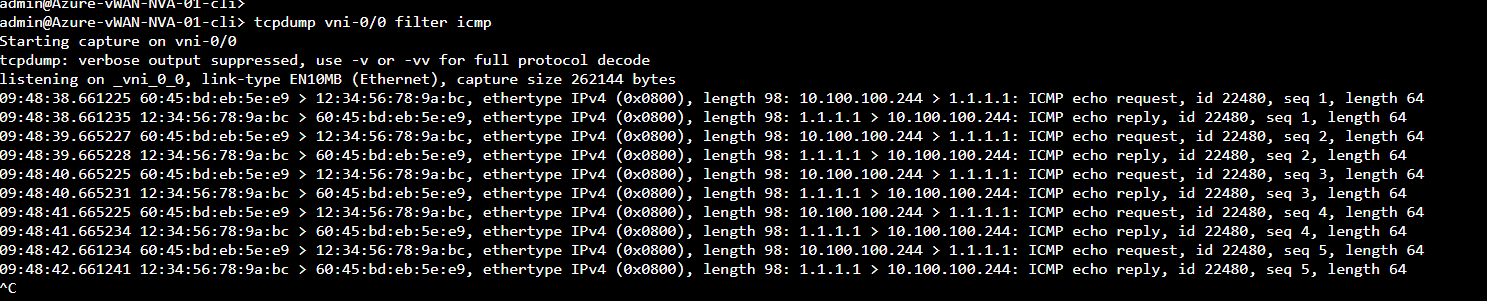
Ping 1.1.1.1 from branch "vWAN-CBO". Traffic will remotely breakout through VOS-NVA in vWAN in East-US region.

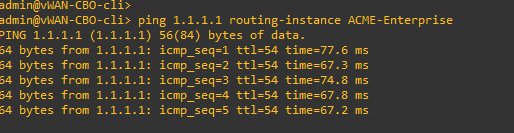
As you can see, traffic is leaving through VOS-NVA INET interface.
VOS failover testing
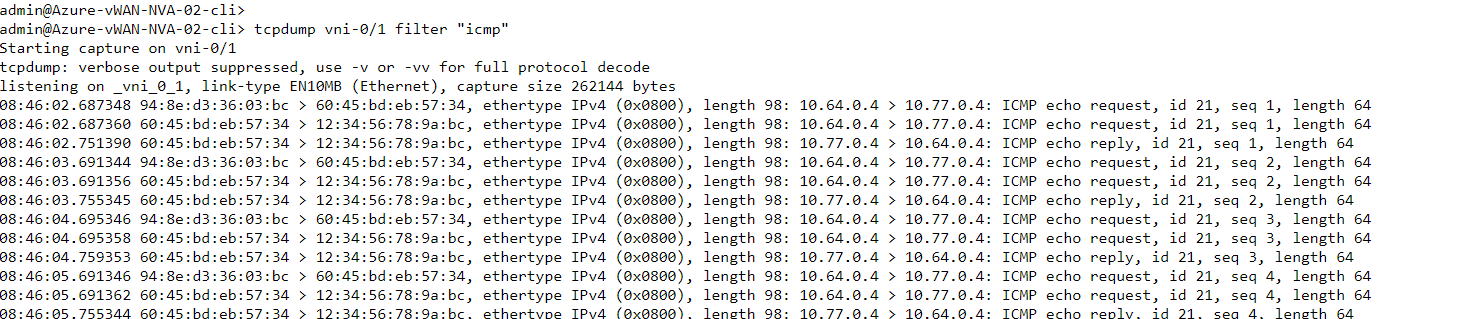
Before failover
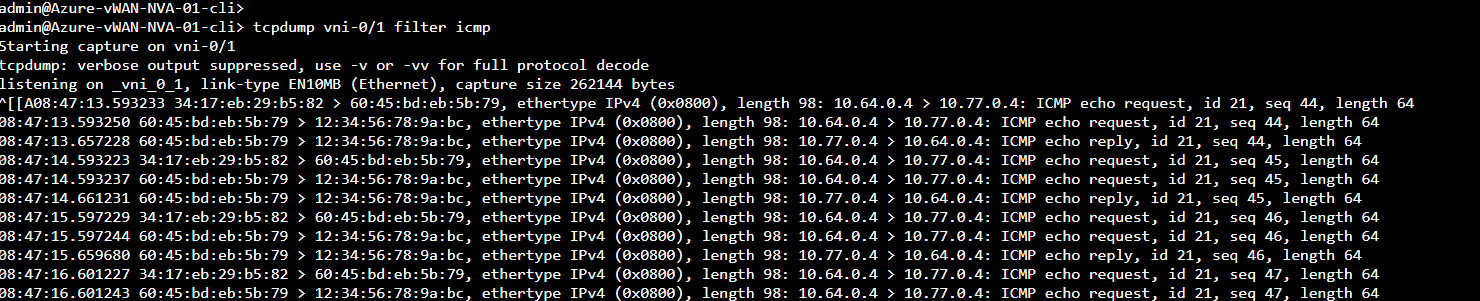
Let's ping 10.77.0.4 from Spoke-VNET-01 workstation (10.64.0.4) Ping packets passing through VOS-02 before failover
After failover
Let's bring down Vni-0/1 interface on VOS-02. We dropped 10 ping packets during failover. It takes approx 10 seconds to perform failover between VOS device.
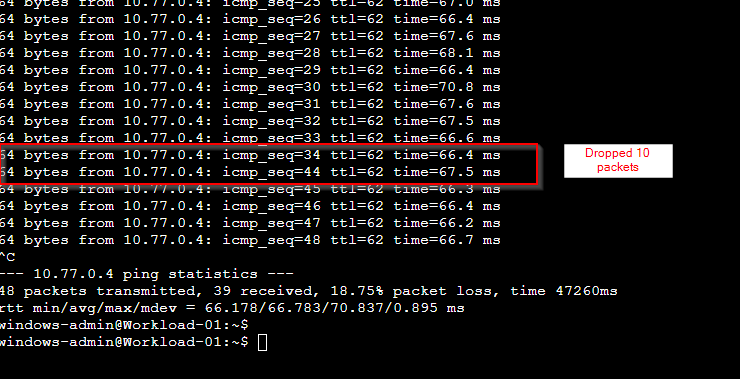
VOS-02 capture - There are no more packets after sequence 34

VOS-01 capture - We can see packets from sequence 44. We dropped 10 packets.