We are using three vendors' switches
1. Arista Switch
2. CISCO ASR
3. HP Switches
Note: All switches are reachable from backup server please take a backup from the backup server only.
Please use the following steps to take switch backups
Step 1: Identify the switch based on vendors type ARISTA/CISCO/HP
Step 2: Login to switch. Once you logged in run the below command one by one on a particular vendor switch.

ARISTA/T-Mobile
show running-config | no-more
show ip inter brief | no-more
show vlan brief | no-more
show ip arp vrf all | no-more
show mac address-table | no-more
show ip bgp summary vrf all | no-more
show ip route summary | no-more
CISCO
terminal length 0
show running-config
show ip inter brief
show ip arp
show ip bgp vpnv4 all summary
show ip route summary
HP
terminal length 1000
show config structured
show ip
show vlan
show mac-address
show ip route
show interfaces status
Note: Use the same ARISTA switch commands for T-Mobile switches
Step 3: Once you run the above backup commands copy all the backup commands output in Notepad and save them as a text file.
Note: A sample backup text file has been attached
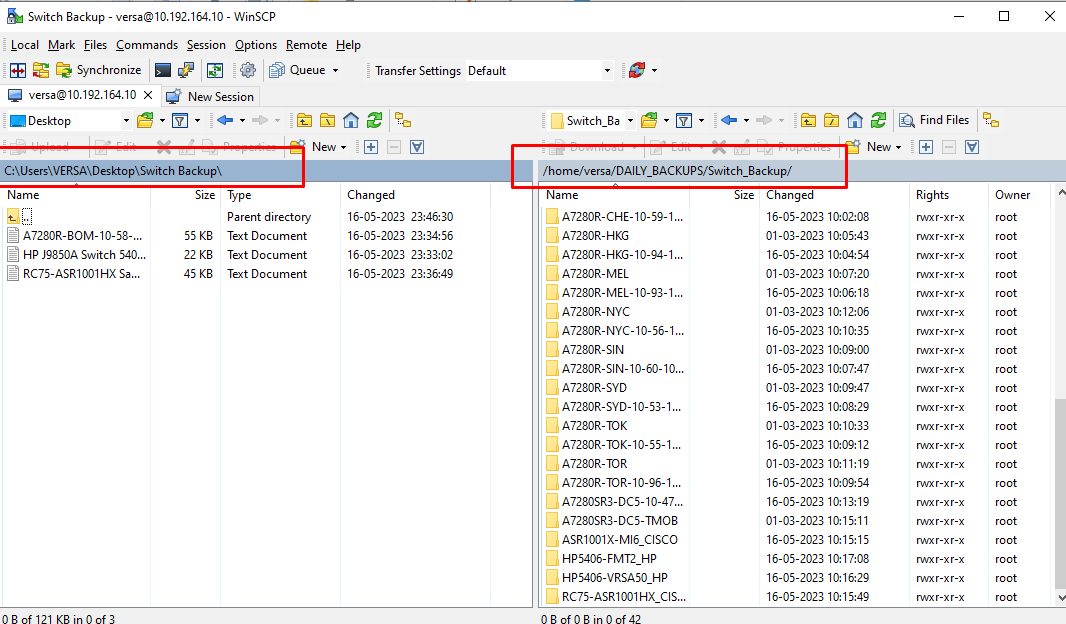
Step 4: Use WinSCP to copy and save the text file in the respective switch folder