This article describes how to configure NTP server on Versa Director.
Prerequisite
- Versa Director is installed and configured
- We need to configure the DNS before configuring the NTP on the Director if you want to use FQDN instead of IP address. You can view this article for DNS configuration.
- In this example, we are using publicly available NTP server and Versa Director is having Internet access using eth0
Configuration
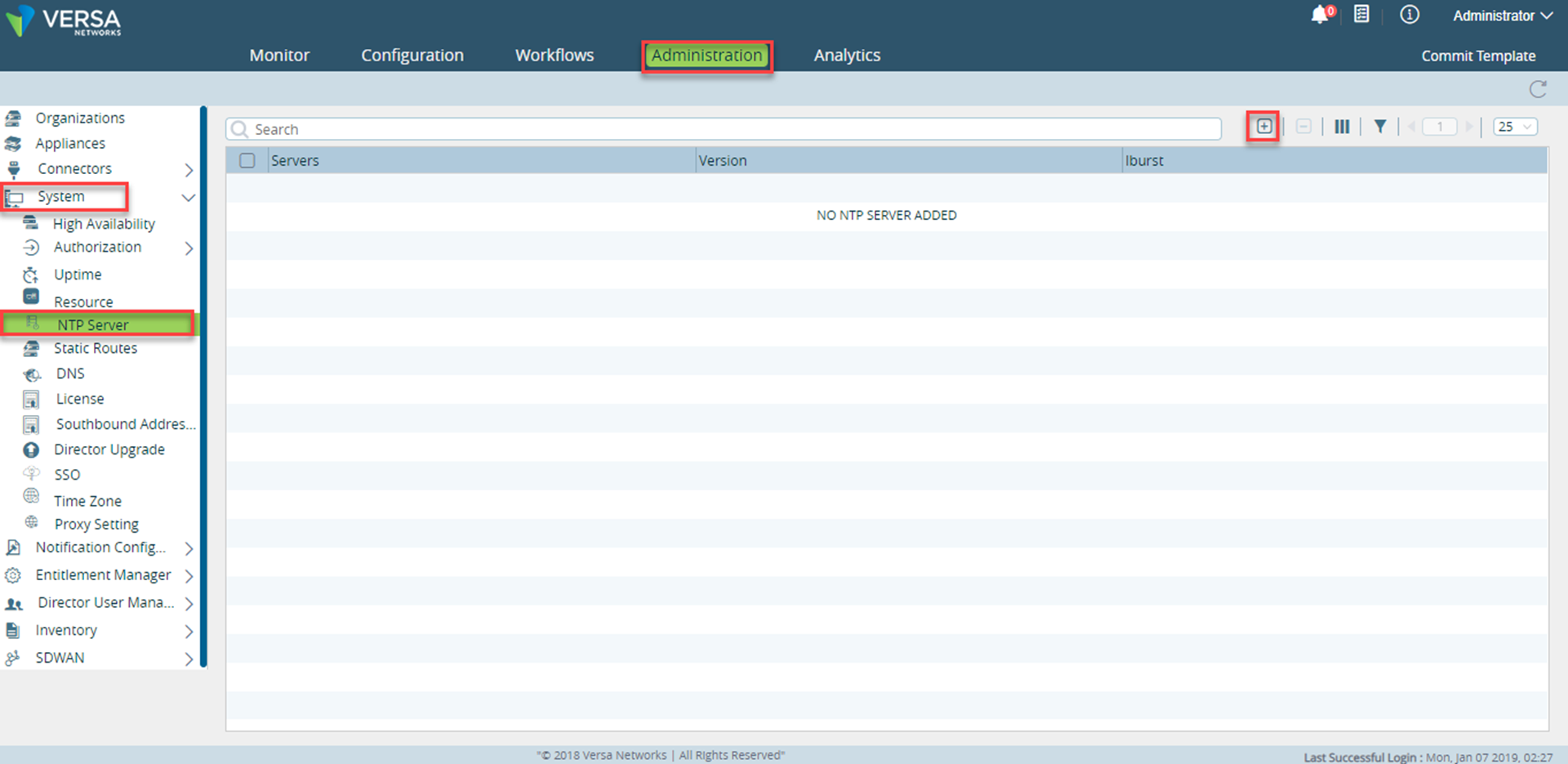
1. Login to the Versa Director and navigate to Administration->System->NTP Server
2. Click the + button in the right-side pane
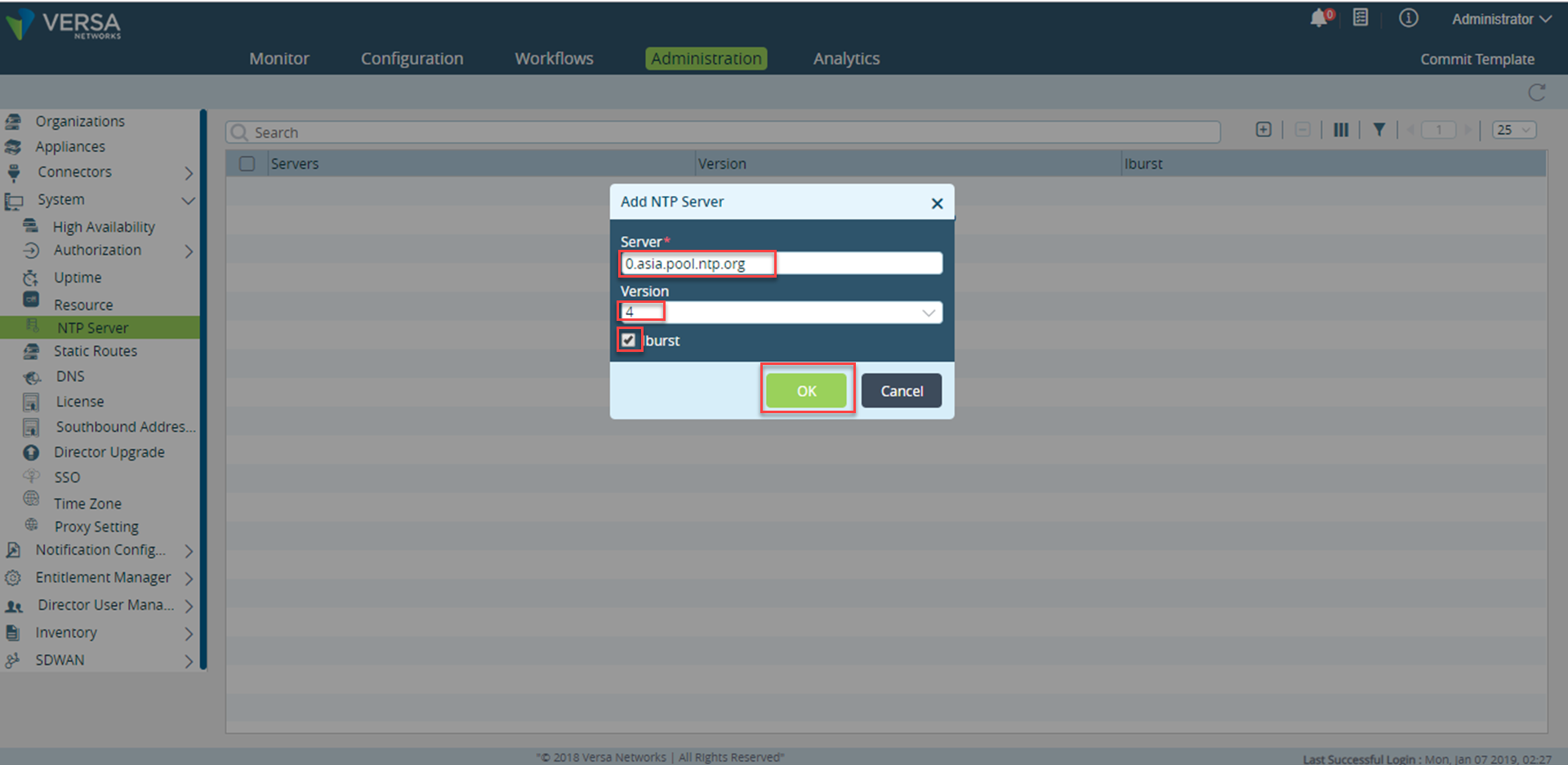
3. Enter the details
Server: 0.asia.pool.ntp.org is the FQDN pointing to random set of servers that will change every hour
Please note: If you are using FQDN, you need to configure DNS on Versa Director, you must follow instructions here
Version: Select the version of the NTP server from the drop-down list.
iburst: Select the iburst checkbox to enable the iburst for the server.
Please Note: iburst is used to indicate that you want to retrieve from this server as soon as possible.
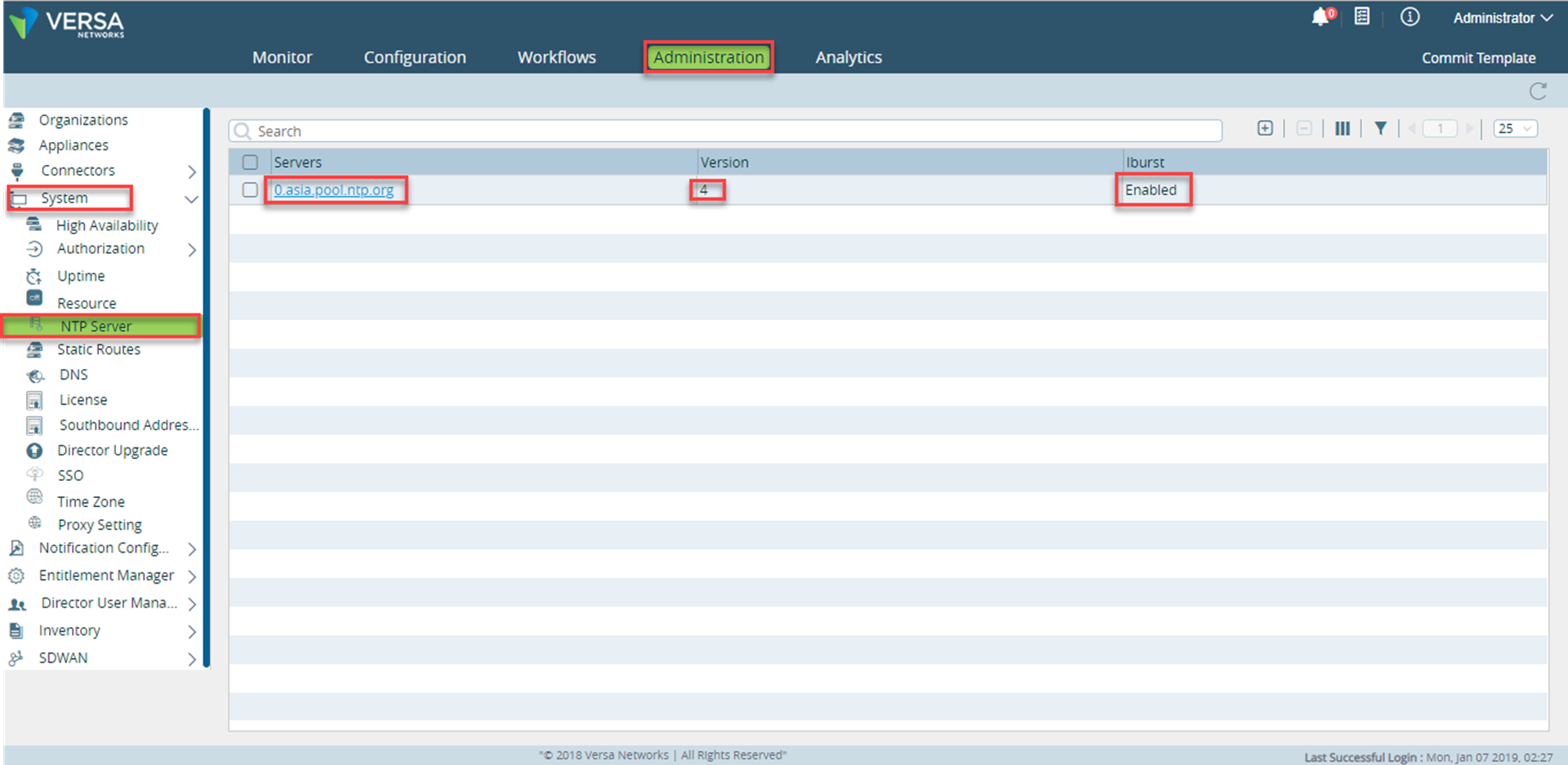
- Once configured, the NTP server on the Versa Director is seen below
Validation
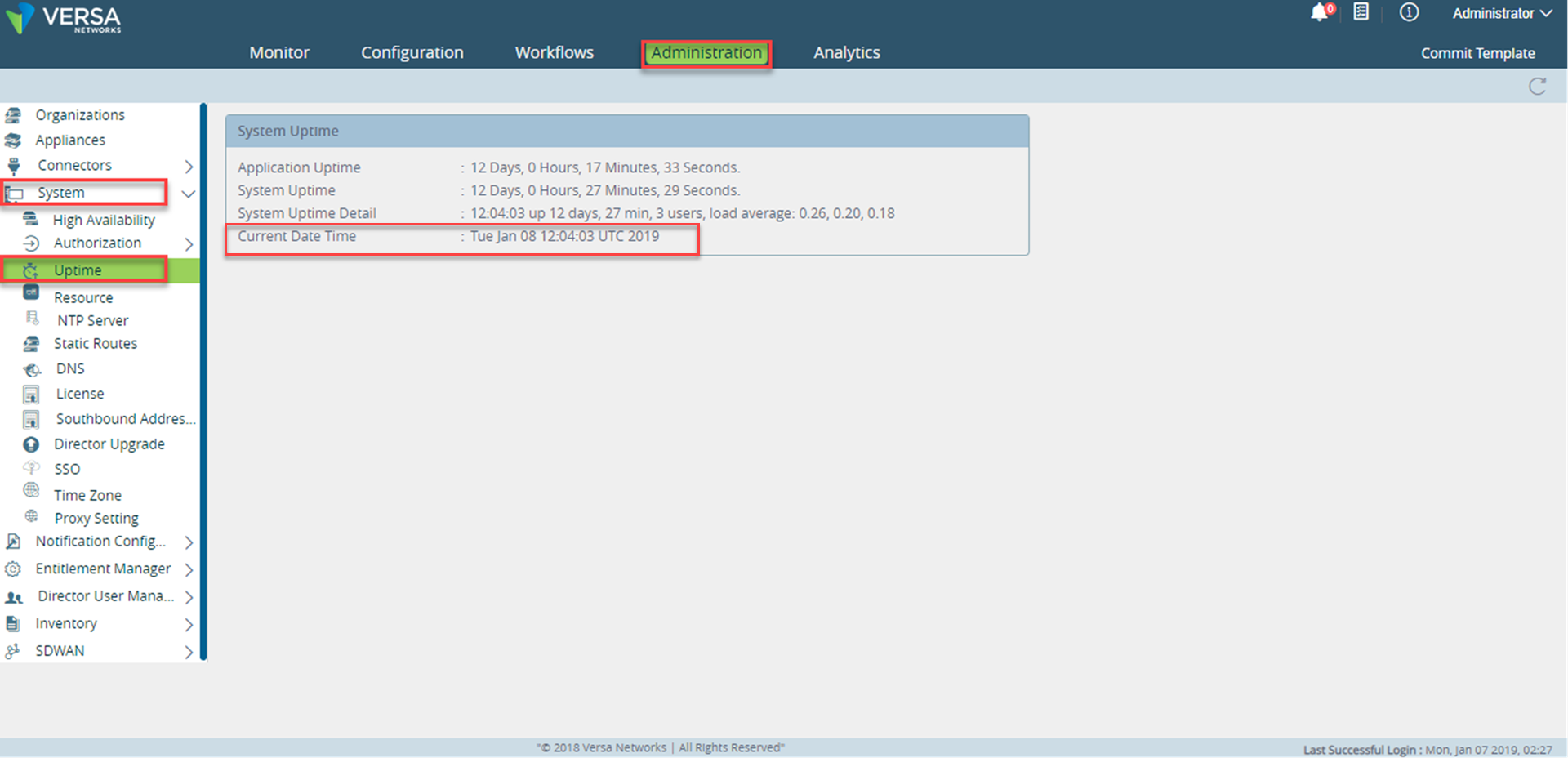
In the Versa Director, Navigate to Administration->System->Uptime
We can check the current Date and time of the director which it fetches from the NTP server.