=======================OBSOLETED from 20.x ONWARDS ===============================
Do follow the document below to configure Analytics Cluster in 20.x or 21.x or newer releases.
===================================================================================
This article describes how to create and configure a 4 node Versa Analytics Cluster.
It does not describe how to Install Versa Analytics software. For installation, please refer to Versa Analytics Installation Guide.
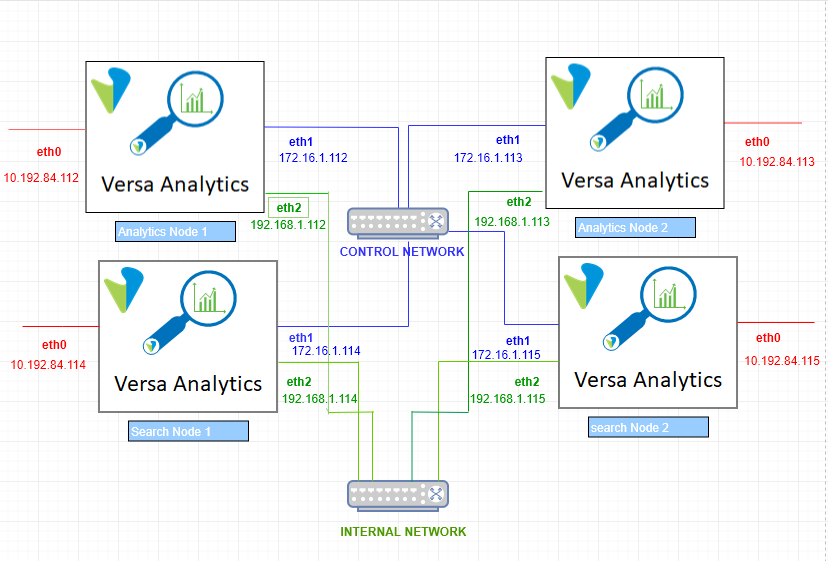
The typical 4 node Versa Analytics cluster is depicted in the diagram below.
Where 2 nodes are assigned Analytics Personality and 2 nodes are assigned Search Personality.
eth0 – (management network) is for the management interfaces.
eth1 – (control network) is the log collector interface.
eth2 – (Internal network) is for internal communication between the cluster nodes.
This diagram is used for all the explanations in this article.
Prerequisite:
- Versa Analytics software is already installed in 4 different VMs with at least 3 Network Interfaces.
- Versa Director GUI is accessible for post install configurations.
- User should be able to access the VMs using the default credentials (versa/versa123)
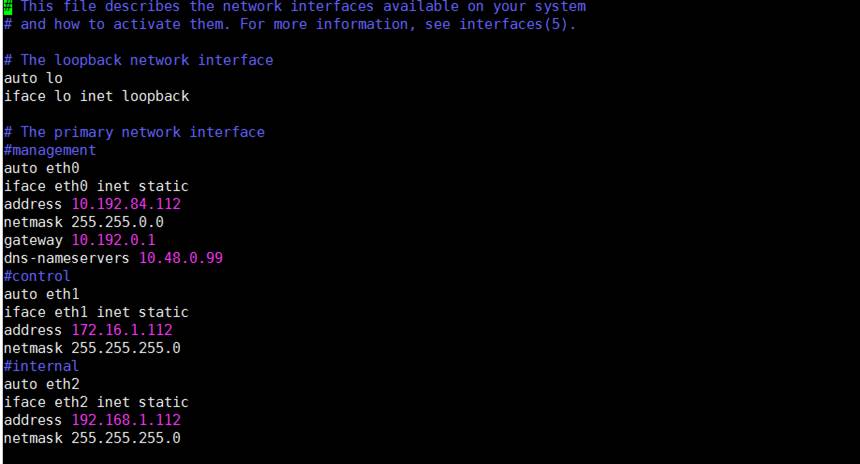
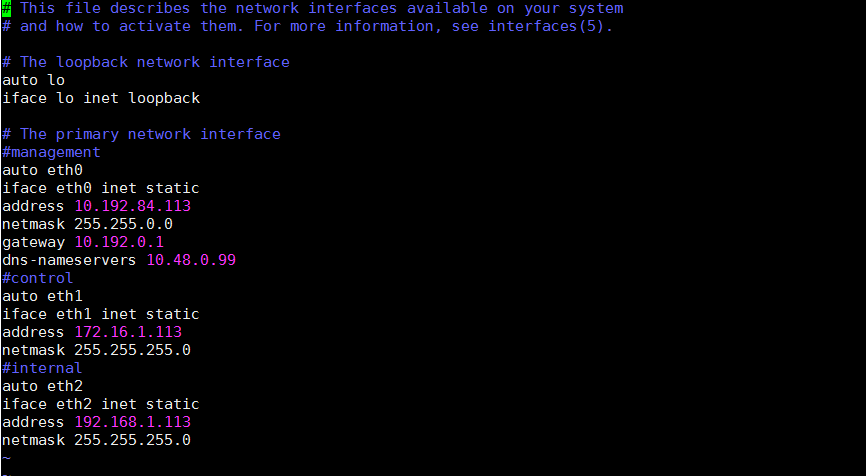
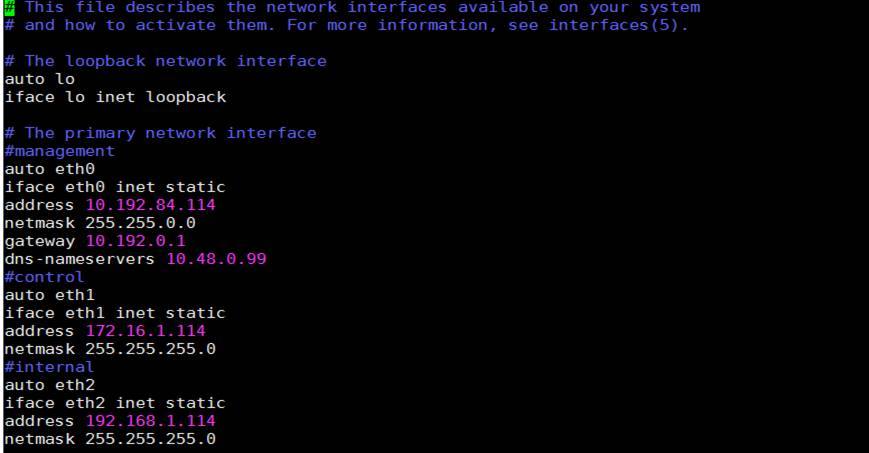
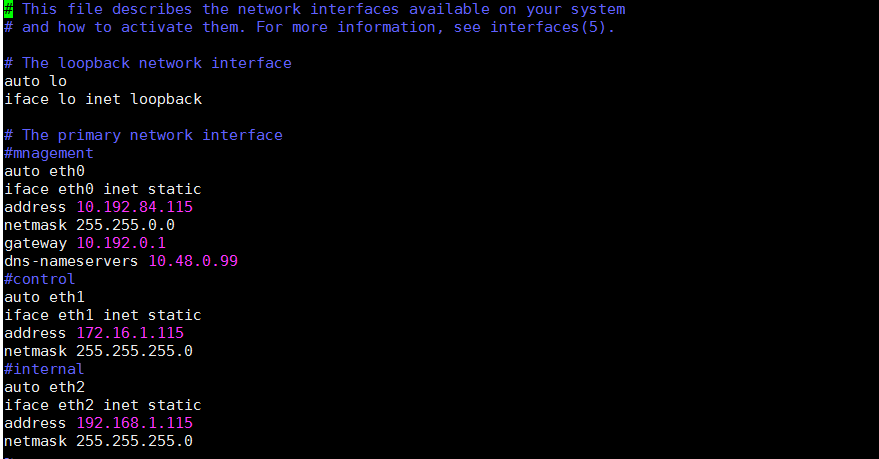
- Assign the IP addresses to each of the Network Interface by editing the interfaces file (in all 4 VMs)
sudo vi /etc/network/interfaces
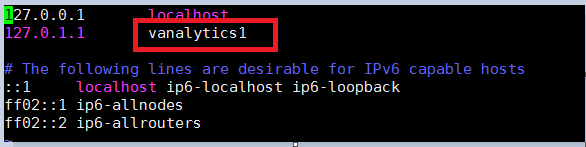
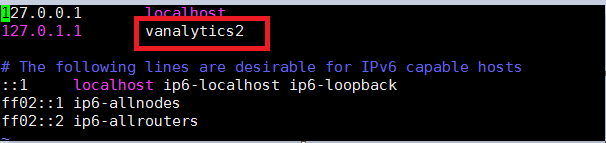
- Assign unique hostname to all nodes in the cluster else they will not be able to establish connection in cluster with the DB. For this you need to edit 2 files
sudo vi /etc/hosts
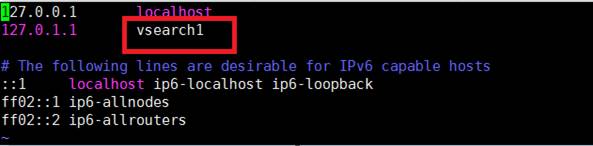
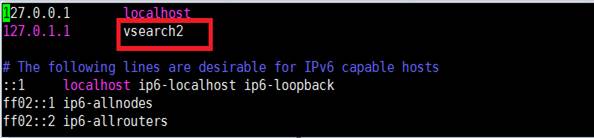
and sudo vi /etc/hostname
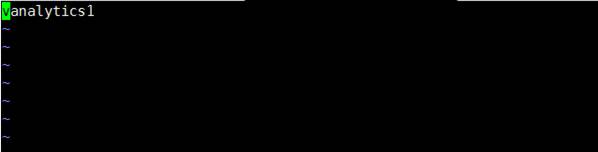

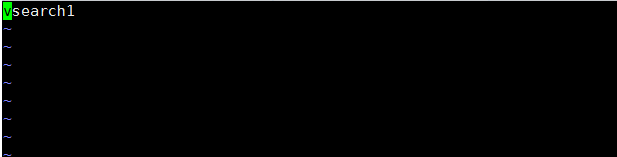
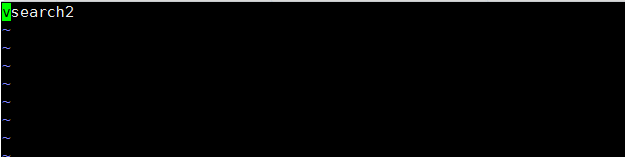
- Reboot all the nodes.
sudo reboot - Go to analytics1 node – cd /opt/versa/scripts/van-scripts
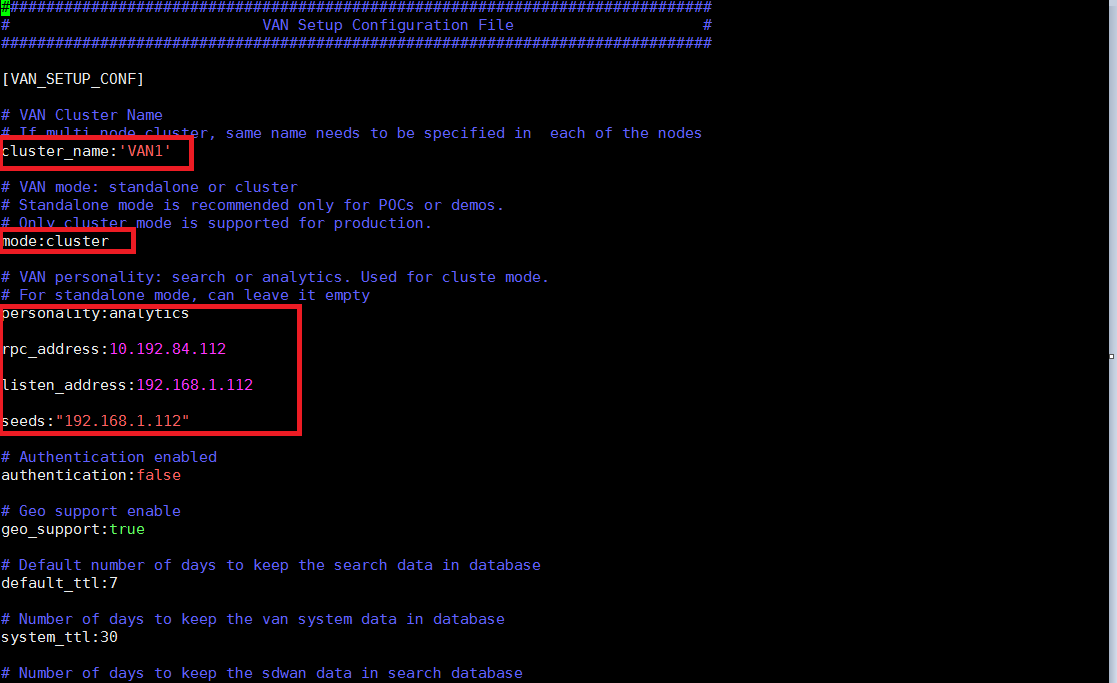
“sudo vi vansetup.conf “and make changes in the below parameters as shown below for analytics node 1.
Cluster name – should must be same in all nodes = VAN1
Mode – cluster for 2 or 4 node setup = cluster
Personality – analytics or search = analytics
RPC address- management network IP (eth0) = 10.192.84.112
Listen address – internal network IP (eth2) = 192.168.1.112
Seeds – “internal network IP of self node” (eth2) = “192.168.1.112”
The “vansetup.conf” file can be edited in any order but its always good to update in the following order:
Analytics1 > analytics2 > search1 >search2
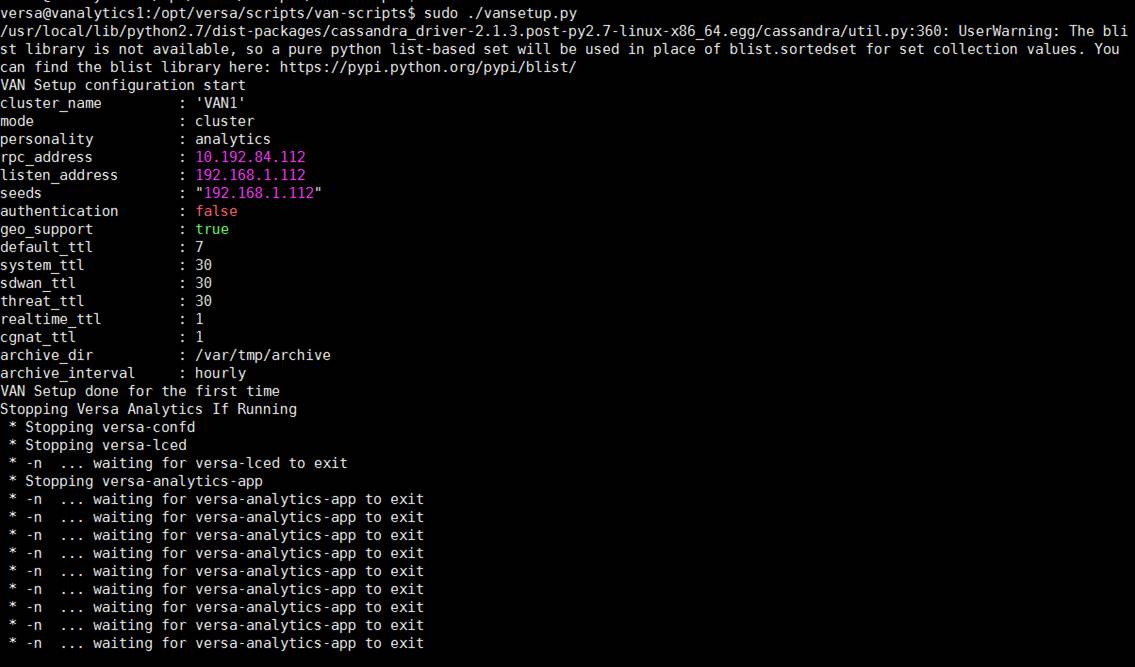
- Execute the script van “setup.py”
cd /opt/versa/scripts/van-scripts
sudo ./vansetup.py
PRESS “y” when asked for “ delete the database?”
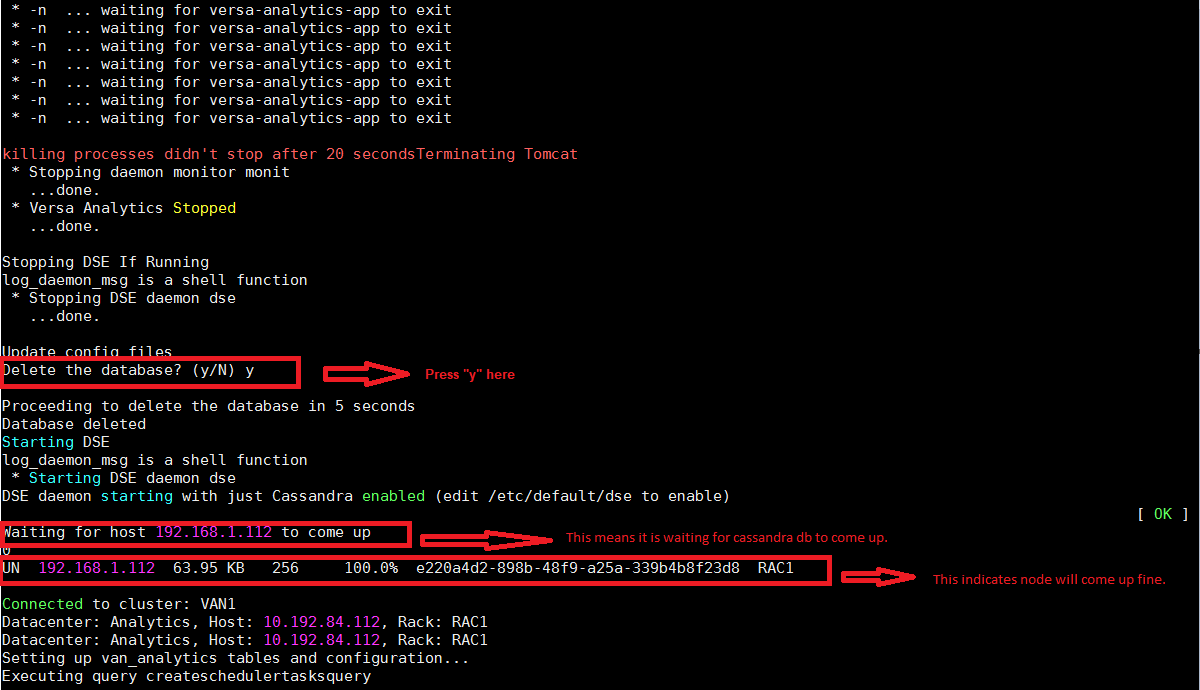
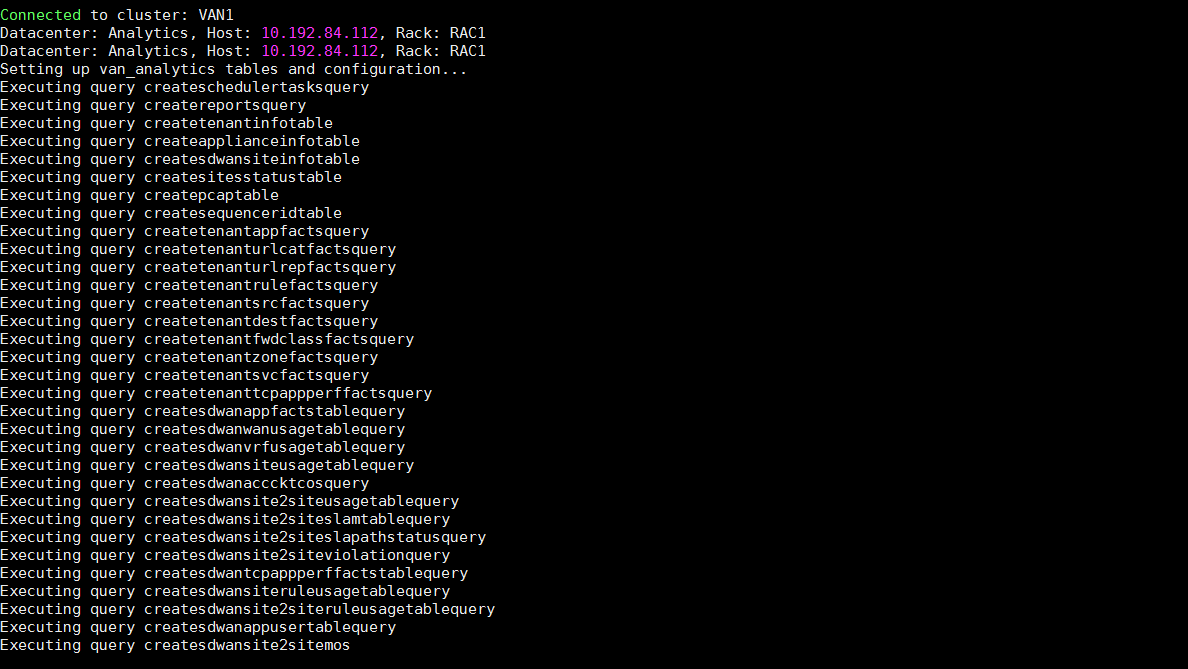
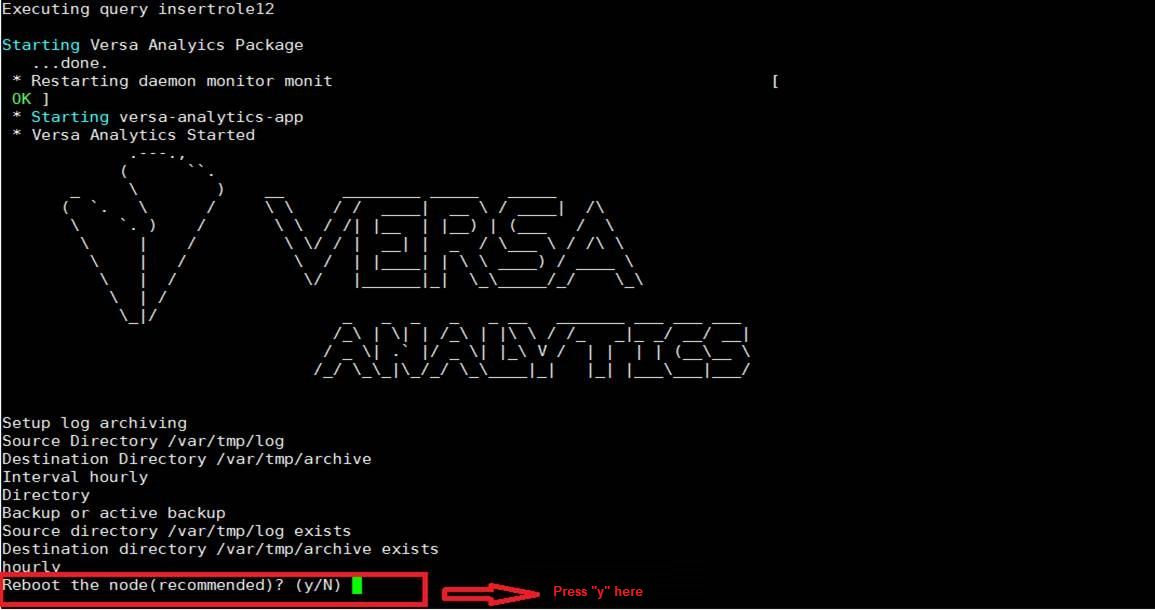
PRESS “y” when asked for reboot.

- Once the node comes up after reboot, run the command “sudo nodetool status” to check the node status as shown below:

- Go to the second analytics node
For second analytics node : analytics2, go to path opt/versa/scripts/van-scripts and make the following changes in the vansetup.conf file and save it.
Cluster name – should must be same in all nodes = VAN1
Mode – cluster for 2 or 4 node setup = cluster
Personality – analytics or search = analytics
RPC address- management address = 10.192.84.113
Listen address – internal network IP = 192.168.1.113
Seeds – “internal network IP address of 1st analytics node” = “192.168.1.112”
Then execute sudo ./vansetup.py in the 2nd analytics node and follow the same procedure as mentioned in step # 5.
Once the node come up after reboot, run the command “ sudo nodetool status” to check the node status as shown below:

- Go to the first search node
For first search node ( 3rd node of cluster) : search1, go to path opt/versa/scripts/van-scripts and make the following changes in the vansetup.conf file and save it.
Cluster name – should must be same in all nodes = VAN1
Mode – cluster for 2 or 4 node setup = cluster
Personality – analytics or search = search
RPC address- management address = 10.192.84.114
Listen address – internal network IP = 192.168.1.114
Seeds – “internal network IP address of 1st analytics node, internal network IP address of 1st self node” = “192.168.1.112, 192.168.1.114”
Then execute sudo ./vansetup.py in the 2nd analytics node and follow the same procedure as mentioned in step # 5.
Once the node come up after reboot, run the command “ sudo nodetool status” to check the node status as shown below:
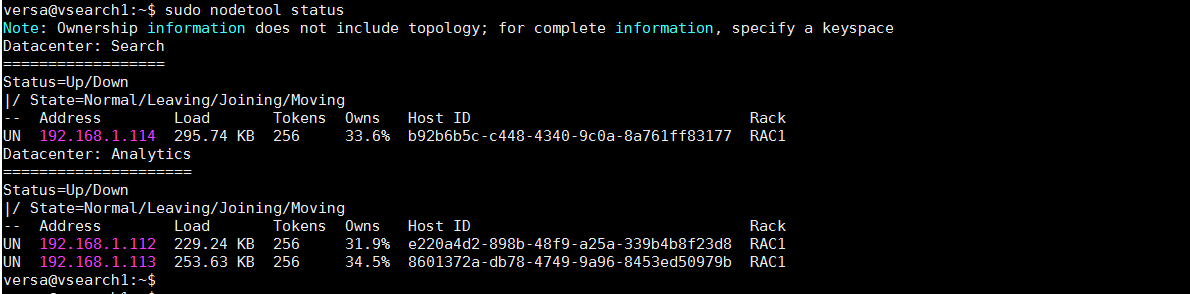
- Go to the second search node
For second search node ( 4rth node of cluster) : search2, go to path opt/versa/scripts/van-scripts and make the following changes in the vansetup.conf file and save it.
Cluster name – should must be same in all nodes = VAN1
Mode – cluster for 2 or 4 node setup = cluster
Personality – analytics or search = search
RPC address- management address = 10.192.84.115
Listen address – internal network IP = 192.168.1.115
Seeds – “internal network IP address of 1st search node” = “192.168.1.114”
Then execute sudo ./vansetup.py in the 2nd analytics node and follow the same procedure as mentioned in step # 5.
Once the node come up after reboot, run the command “sudo nodetool status” to check the node status as shown below:
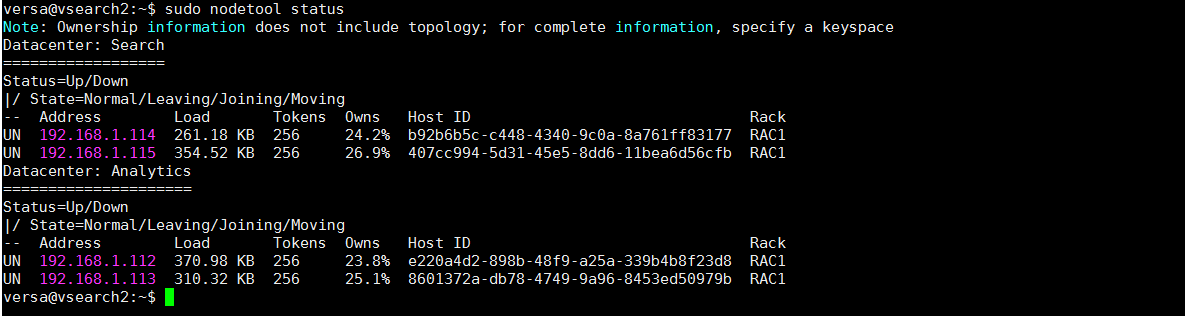
NOTE : 3rd and 4th node takes time at least 5-7 mins on step “ waiting for host to come up” during vansetup.py
- Next, configure the collector service, the address and port on which analytics will receive logs from collector.

Verify the same using below command
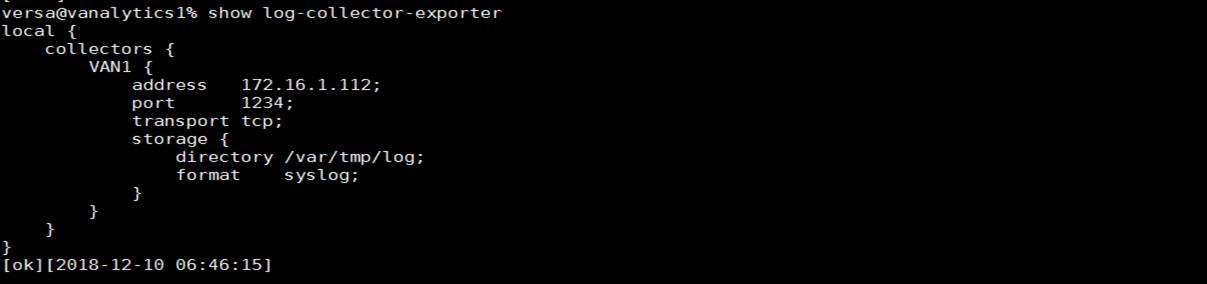
Same configuration ( log collector) needs to be done on all 4 nodes of cluster, the log collector IP will be the eth1 interface or control network IP of the respective node.
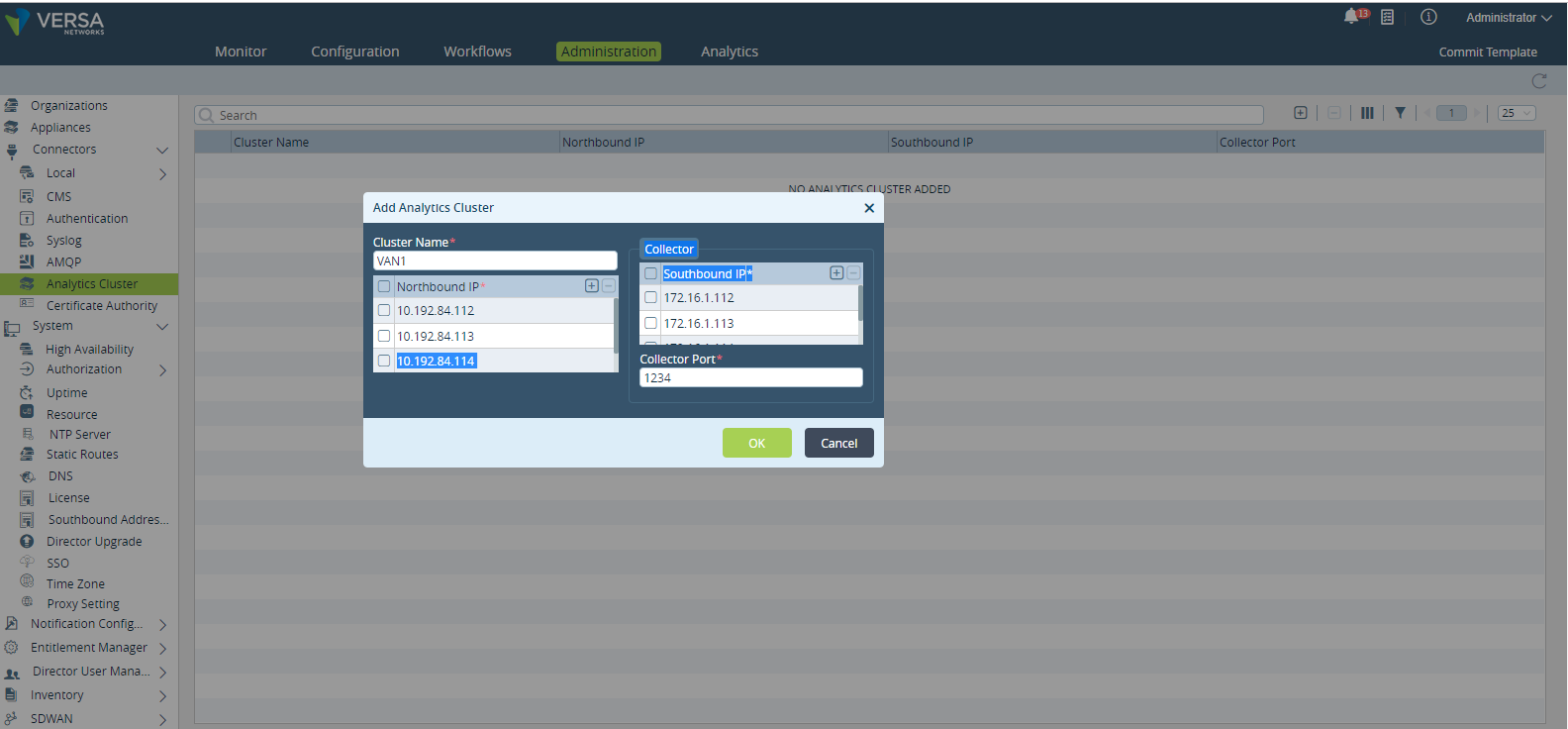
- Add the versa analytics cluster in the Versa Director (Primary/Master).
In the below figure
Northbound is always management IP address of analytics – eth0 interface IP address
Southbound is always control network IP address of analytics – eth1 interface IP address
Port number – The port number configured during log collector configuration.