
Please find the document on how to fix the issue because of a bug: 131879
The bug fix is available in all 22.1.4 builds from November 2025 onward
Problem Description: The appliance's sync state changed to 'unknown', and the monitor is not loading on the Director UI.
Scenario: If you keep both the director Master for a long time, the secondary director will start pushing the wrong restuser keys to the appliance.
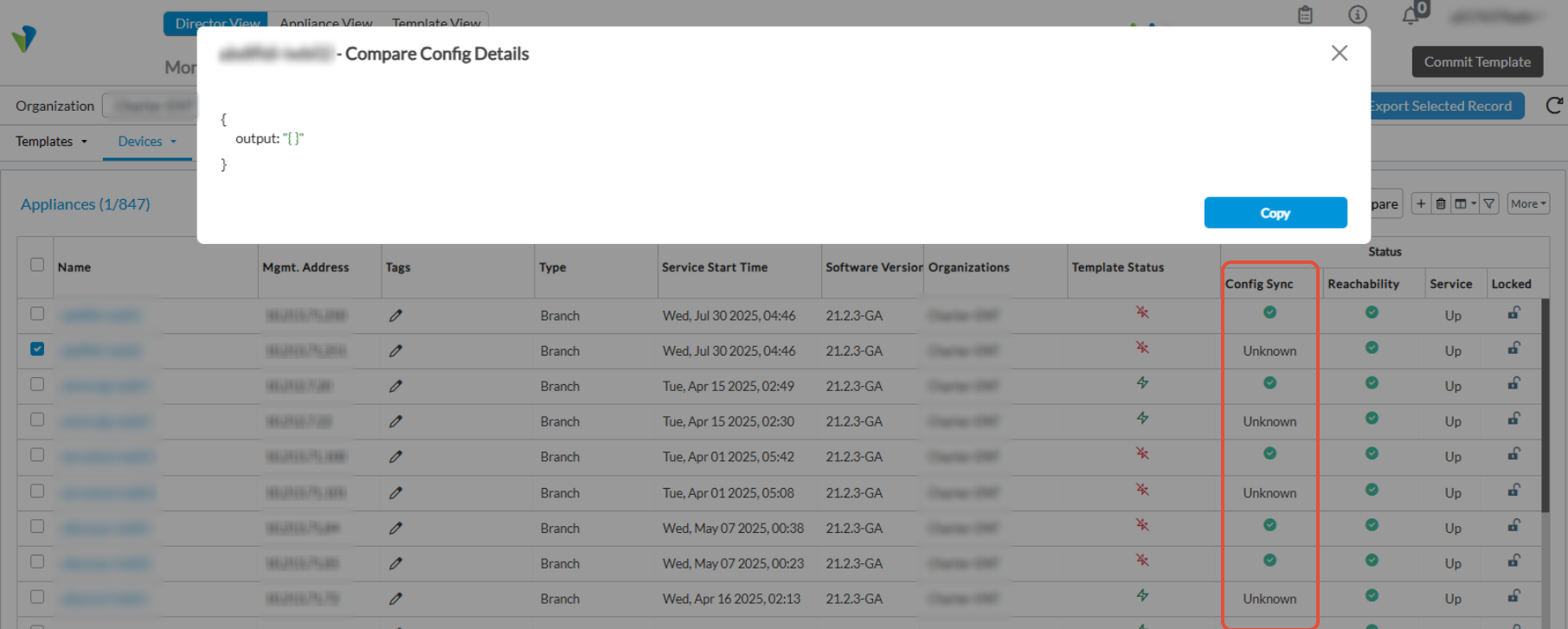
How to fix:
Mandatory: First, upgrade the director to the latest hotfix available for 22.1.4
Download the attached reset-passwd.sh on the director
1) Stop spring-boot on Secondary and Primary
admin@JRS-VD-Standby:~$ sudo service versa-spring-boot stop
admin@JRS-VD-Active:~$ sudo service versa-spring-boot stop
2) SQL command to create CSV
admin@JRS-VD-Active:/tmp$ sudo -u postgres psql -d vnms -tA -c "update appliance set restuser_pwd = null, admin_pwd = null where admin_pwd is null or restuser_pwd is null;"
admin@JRS-VD-Active:/tmp$ sudo -u postgres psql -d vnms -tA -F',' -c "SELECT a.name, a.ip_address FROM appliance a JOIN appliance_status t ON t.name = a.name WHERE t.ping_status = 'REACHABLE' and (restuser_pwd is null or admin_pwd is null);" > appliances.csv
3) Provide necessary permission to both reset-passwd.sh and appliance.csv
admin@JRS-VD-Active:/tmp$ chmod 755 reset-passwd.sh
admin@JRS-VD-Active:/tmp$ chmod 755 appliances.csv
admin@JRS-VD-Active:/tmp$ ./reset-passwd.sh appliances.csv
Name |IP |Status
-------------------------+-----------------+--------
HA-B | 10.155.0.19 | Success
HA-LAN-Device | 10.155.0.21 | Success
HA-A | 10.155.0.17 | Success
DUT-Appliance-2 | 10.155.0.25 | Success
HUB-AMER | 10.155.0.13 | Success
HUB-EMEA | 10.155.0.15 | Success
Branch-111 | 10.155.0.9 | Success
Austin-VOS | 10.155.0.23 | Success
Service-VNF | 10.73.40.7 | Success
Controller-1 | 10.73.40.5 | Success
Controller-2 | 10.73.40.6 | Success
admin@JRS-VD-Active:/tmp$
4) Once the script is finished, do the following.
Stop the services on Secondary, Restart Primary, and Start the Secondary Director
5) Initially, all impacted VOS will show RED X under the configuration sync, and eventually it will turn GREEN when the sync is done.
,P.S.: Since only one thread would do a sync operation, it may take significant time, eg for 400 appliances it may take ~12 hours, we can inform customer to monitor the appliance. If the numbers are more than 500+, it might take 24 hours to get them sync on the Director
6) Once all sync from is done (GREEN), run allow-cli false.
Administrator@JRS-VD-Active> config
Administrator@JRS-VD-Active% devices device * config system subjugate allow-cli false
Administrator@JRS-VD-Active% commit
→ Another Workaround (Manual per appliance) if we have access to the device CLI
1)configure
unhide debug
secret --- Password
set aaa authentication users user restuser password versa123
commit
2) Do sync from the Appliance on the GUI
Bug: Details: 131879
Description: Appliances sync state changed to 'unknown' state after upgrading and vsh restart
Fix: Latest hotfix but for existing devices needs a manual fix.
NOTE: Please do reach out to Versa tac if you have any queries/clarifications on the above before proceeding with any steps (these steps should be executed in a maintenance window)
