Overview
Prior to the April 28, 2025 hotfix release for versions 21.2.3, 22.1.3, and 22.1.4, if Versa services restarted four times within a 15-minute window, the system would attempt to trigger strongSwan. If strongSwan failed to fetch the staging configuration from the BRANCH-PRESTAGING snapshot and establish an IPsec connection with the Staging Controller (to retrieve branch connectivity from the Director using the staging IP address), the services would remain stopped.
However, starting with the April 28, 2025 hotfix or later, if strongSwan cannot establish connectivity to the Controller, the services will continue attempting to restart.
If the VOS node is running Bionic, OSSPACK installation is a must to ensure the required and updated libraries are in place for strongSwan to function correctly and to establish IPsec tunnels to the staging controllers.
The Branch must be onboarded using GZTP [Global-ZTP] to benefit from this feature (as of October 9, 2025).
Controller Alarm — /var/log/versa/alarms
On the controller where the Branch establishes an IPsec connection using strongSwan, check /var/log/versa/alarms for the maintenance mode alarm:

In Analytics and Director, the alarm key to look out for is branch-in-maintenance-mode, which will include the Staging IP address through which you can SSH to the VOS node.
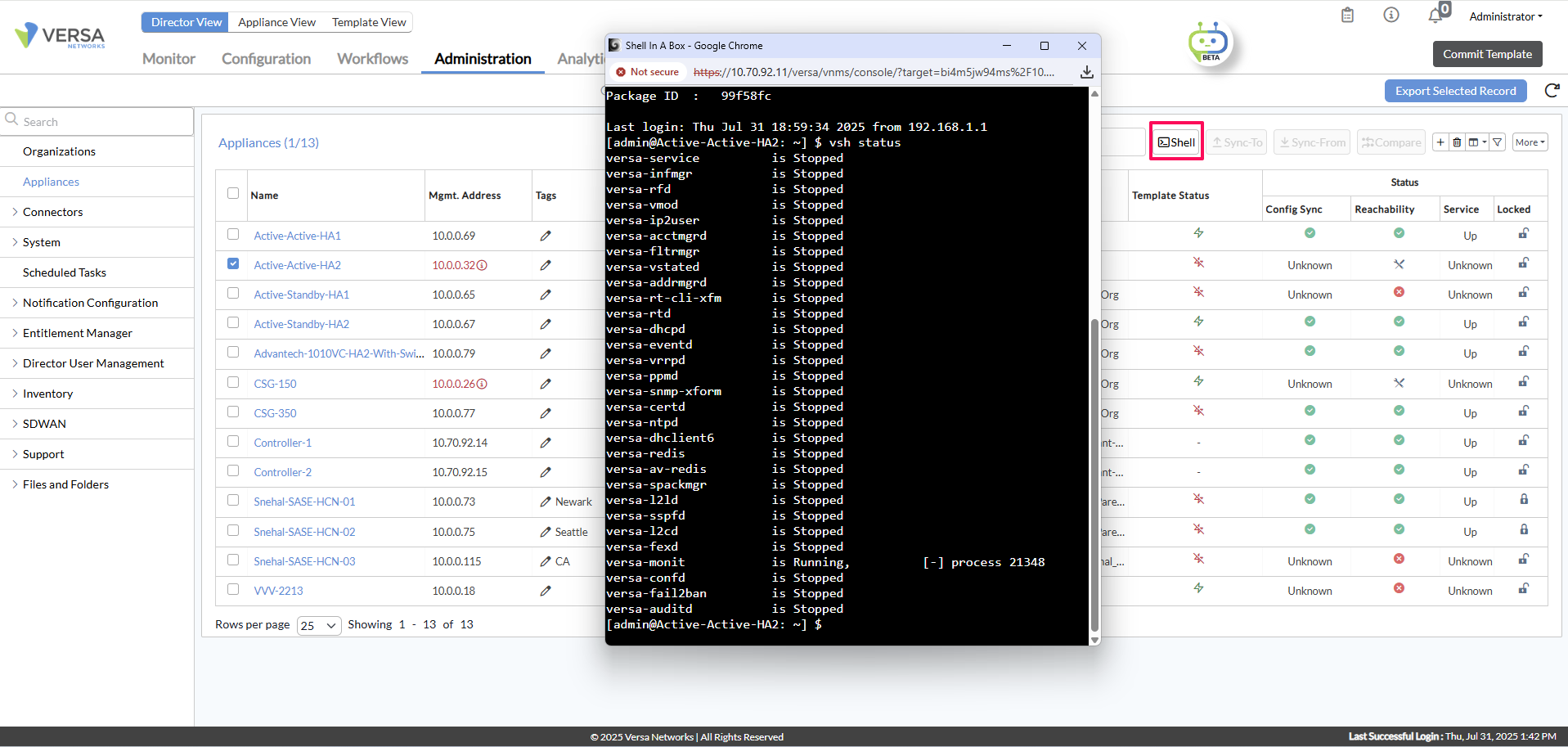
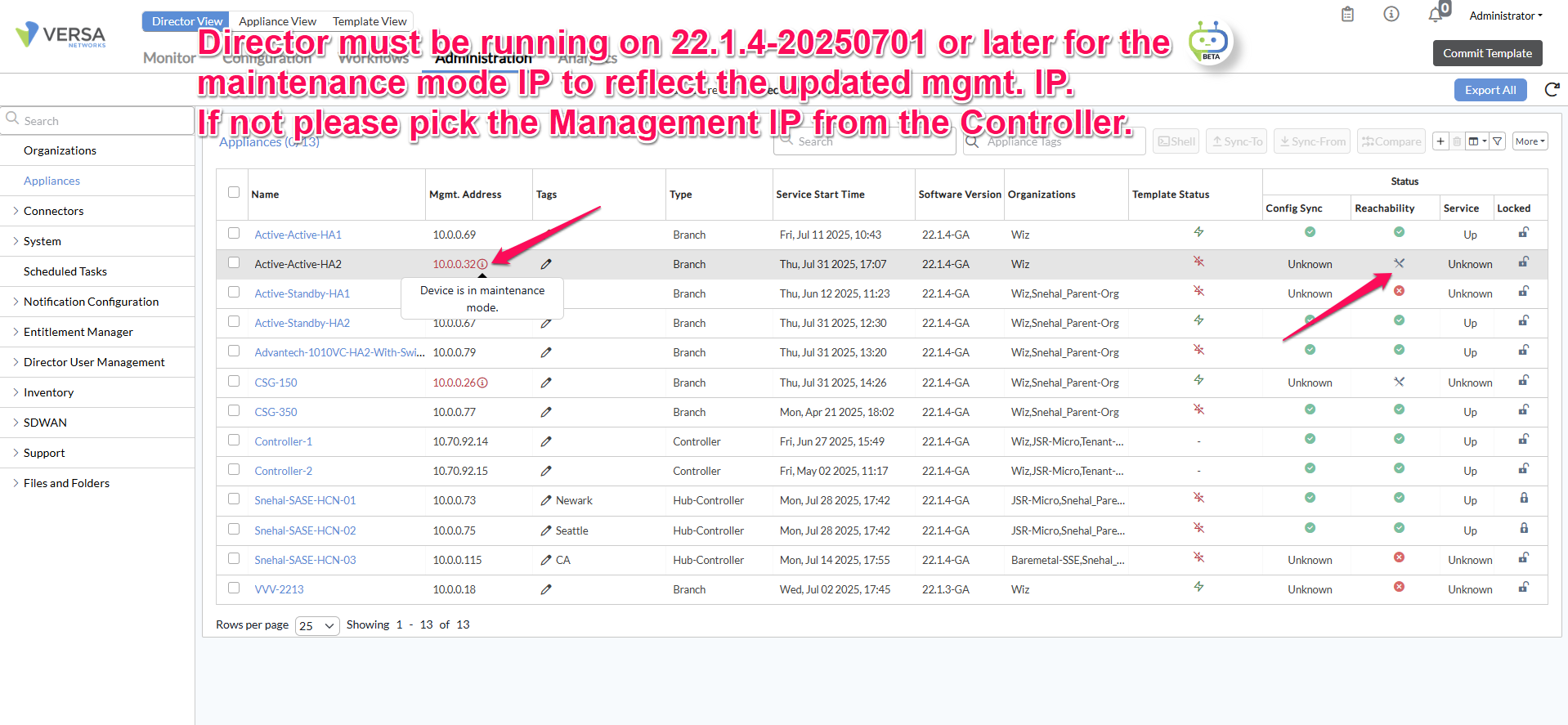
There is an open bug to update the Management IP of the appliance in maintenance mode, which will allow connecting to the VOS directly from the GUI.
Limitations
-
If the branch is staged to a Hub-Controller and not to the Main controllers, the strongSwan mechanism will not work. The appliance will continue to restart.
-
If all WAN IPs of VOS are DHCP, and there is a delay from the DHCP server to assign an IP when
eth-0/Xcomes back on Linux, strongSwan may not kick in — but services will continue to try coming up. -
Director will show the updated Management IP of the Appliance [Using strongSwan] only from 22.1.4-20250701-Hotfix release. Until then, use the Controller alarms to get the Management IP of the node Branch in maintenance mode.
-
If the Branch has a URL pattern match in its configuration, strongSwan may not kick in owing to a bug.
? Bug Report
Bug ID #129672Description URL Pattern match in Branch configuration causes strongSwan to fail to fetch the tunnel config context, preventing the strongSwan functionality from working. Fix Release ~Aug 2025 Hotfix VOS Release (Tentative) -
The
BRANCH-STAGINGorBRANCH-PRESTAGINGsnapshot must be listed undershow system snapshots. If neither is present, strongSwan will fail to initialize, causing Versa services to repeatedly attempt restarts.
How to Test This Feature in a Controlled Environment
The screenshots below are from a lab environment running:
| Component | Version |
|---|---|
| Director | 22.1.4-20250730 |
| Controller | 22.1.4-20250627 |
| Branch | 22.1.4-20250627 |
| Branch OSSPACK | versa-flexvnf-osspack-B-20250726.bin |
Step 1 — Kill the versa-vsmd process 4 times within 15 minutes.
[admin@Branch: ~] $ sudo pkill -9 -f versa-vsmd
Kill the
vsmd process four times only after all services have come up/started. Forcefully killing it immediately after services come up is not a real-world scenario and can lead to improper behavior — strongSwan may not function correctly.To verify all services are up, run:
vsh status from the appliance shell.
Step 2 — On another terminal window, tail the versa-appstart.log to view running logs:
[admin@Branch] $ tail -f /var/log/versa/versa-appstart.log
Step 3 — Once strongSwan kicks in, on the controller you should see: “Branch BRANCH1 is connected in maintenance mode”. The Management IP and Chassis-ID appear one line above.

Step 4 — On the Branch (after SSH via Versa Director), run the following command to see the IPsec status over strongSwan:

Step 5 — Sample snippet of how a node in maintenance mode would look:
Step 6 — Note that external auth will not work since Versa services are down. You can log in using local credentials to perform maintenance and restore services.