
Overview
Versa SD-WAN uses an SLA dampening mechanism to suppress repeated flapping alarms when a datapath oscillates between up and down states. When dampening is active, the (damp on) suffix appears in sdwanDatapathDown alarm messages. This article explains what dampening is, how it works, and how to tune or clear it.
Reference: Versa Docs — Configure SLA Monitor Optimization
Symptom
You may see alarms_local log entries like the following:
2026-03-21 18:55:08 Spoke-3 vsmd[10297]: [sdwan] [sdwanDatapathDown]
Tenant-1: Datapath from Spoke-3/INET-1 to Hub-1/INET-1 for fwdClass fc_ef is down (damp on)

2026-03-21 19:13:05 Spoke-3 vsmd[10297]: [sdwan] [sdwanDatapathUp]
Tenant-1: Datapath from Spoke-3/INET-1 to Hub-1/INET-1 for fwdClass fc_ef is up
The (damp on) suffix indicates the SLA monitor has activated dampening because the datapath exceeded the configured flap threshold within the evaluation window.
How SLA Dampening Works
The SLA monitor counts per-path up/down transitions over a configurable sliding window (dampen-eval-interval). If the number of flaps within that window reaches the flap-threshold, the path is placed in a dampened state.
While a path is dampened:
- It is treated as down for traffic path-selection, even if the physical link recovers.
- Further flap alarms are suppressed — no repeated noise from an unstable link.
- The path must remain continuously UP for the full
dampen-clear-intervalbefore dampening lifts and ansdwanDatapathUpalarm is sent.
If the path does not reach the flap threshold within an eval interval, the flap counter resets to zero — so isolated, infrequent flaps do not accumulate.
Configuration
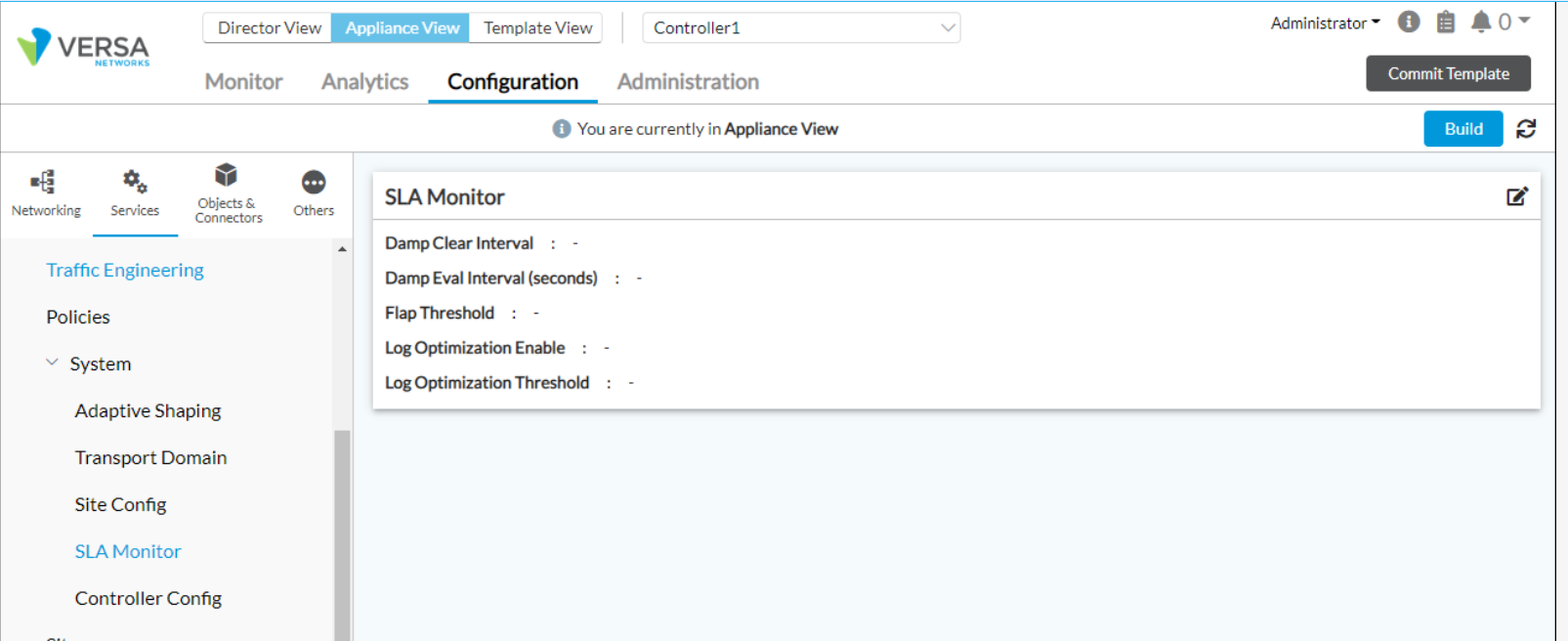
View the current SLA dampening settings on the device CLI:
admin@Spoke-3-cli(config)% show system sd-wan sla-monitor
flap-threshold        2;
dampen-eval-interval  300;
dampen-clear-interval 900;
log-opt-enable        false;
log-opt-threshold     500;
Parameter Reference
| Parameter | Default | Valid Range | Description |
|---|---|---|---|
flap-threshold | 10 | 2 – 100 | Number of up/down transitions within the eval interval that activate dampening. |
dampen-eval-interval | 60 sec | 60 – 300 sec | Sliding window (seconds) over which flaps are counted. Counter resets each interval if the threshold is not reached. |
dampen-clear-interval | 300 sec | 60 – 3600 sec | Time (seconds) the path must remain continuously UP before dampening clears. |
log-opt-enable | false | true / false | Enable SLA optimization logging. |
log-opt-threshold | 500 ms | — | SLA optimization log threshold in milliseconds. |
Note: The defaults above are factory values. The sample config reflects customer-tuned values.
Dampening Clear Behavior
Dampening clears automatically when both of the following are true at the same time:
- The path is in an UP state.
- The path has remained stable (no flaps) for longer than
dampen-clear-intervalseconds.
When both conditions are met, the dampening state lifts and an sdwanDatapathUp alarm is generated.
Example Timeline
Using default values (flap-threshold 10, dampen-eval-interval 60s, dampen-clear-interval 300s):
- T+0 to T+60: 10+ up/down transitions occur within 60 seconds → dampening activated, alarm shows
(damp on). - Path is held DOWN by the SLA monitor even if the physical link recovers.
- Once the path stays UP continuously for 300 seconds without further flaps, dampening clears and an
sdwanDatapathUpalarm is sent.
Troubleshooting Checklist
- Verify WAN underlay stability: check for packet loss and jitter on the interface shown in the alarm (e.g.,
INET-1). - Confirm the SLA probe target (BFD/ICMP/HTTP) is reachable and not causing false positives.
- Run
show system sd-wan sla-monitorto confirm the running configuration matches the intended values. - If dampening takes too long to clear, reduce
dampen-clear-interval(minimum: 60 s). - If dampening triggers too aggressively on a link with expected occasional instability, increase
flap-threshold(up to 100) or shortendampen-eval-interval.
Related Alarms
- sdwanDatapathDown — Datapath SLA failure detected.
(damp on)means dampening is now active on this path. - sdwanDatapathUp — Datapath has recovered and dampening has cleared.
- sdwanDatapathDown (damp on, force clear) — Dampening was cleared by an explicit operator action.