
This article shows how to upload the package of FlexVNF(VOS) and VD to Director in offline mode. In some situations, the Versa Director doesn't have internet access to download the package or very slow internet access. This article will help to upload package in this situation.
Download the Image to your local system or Jump server and SCP to VD.
Place the package to any of the directory.
Example: Below the versa-flexvnf-20230106-182219-ddb992e-21.3.2.bin is kept on /home/admin.
admin@VD50:~$ pwd
/home/admin
admin@VD50:~$ ls -ls | grep flex
940836 -rw-r----- 1 admin versa 963409266 Jan 7 03:44 versa-flexvnf-20230106-182219-ddb992e-21.3.2.bin
admin@VD50:~$
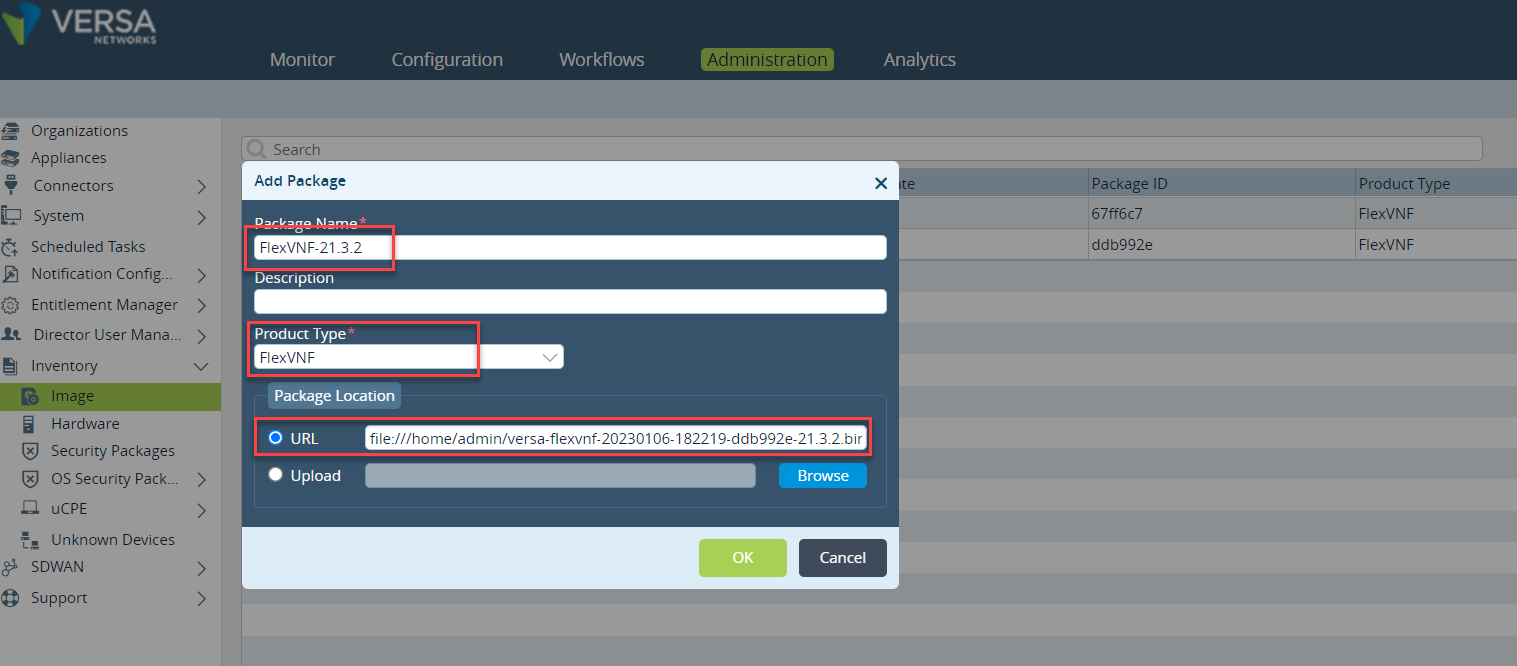
So the URL/Link will be - file:///home/admin/versa-flexvnf-20230106-182219-ddb992e-21.3.2.bin
To download the Controller and VOS software image file to the Director software image repository:
In Director mode, select the Administration tab in the top menu bar.
Select Inventory > Image in the left menu bar. The Build Package screen displays.
Click the add-icon.png Add icon. In the Add Package popup window, enter information for the following fields:
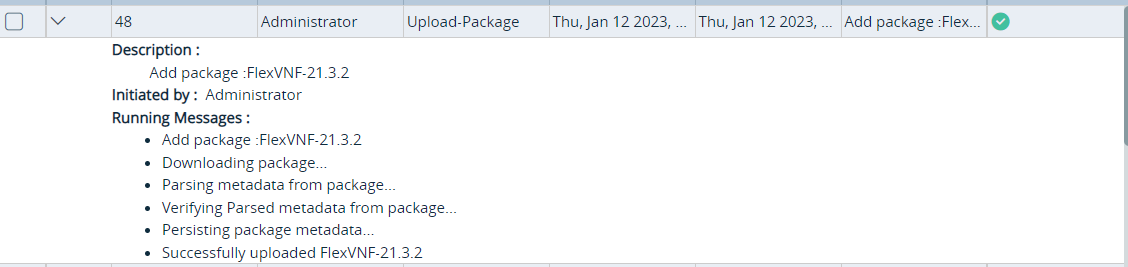
Once the upload completed you will get the task window.
The 2nd option is to upload the Package from your desktop to the Versa Director.