
Issue- Appliance upgrade failure when “url” method is used to upload the image to the Director.
Cause for the Issue – Parsing the package name fails as the query parameters are present within the downloaded link causing the file to be saved incorrectly.
Symptoms- When we try to upload a file using the url then the uploaded file will be successfully uploaded but the director gui will show the “release date” as “flexvnf” and checking the packages directory will show the incorrect name.
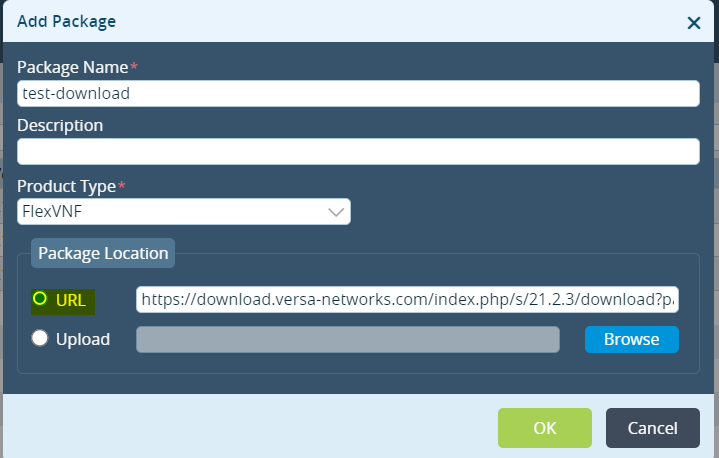

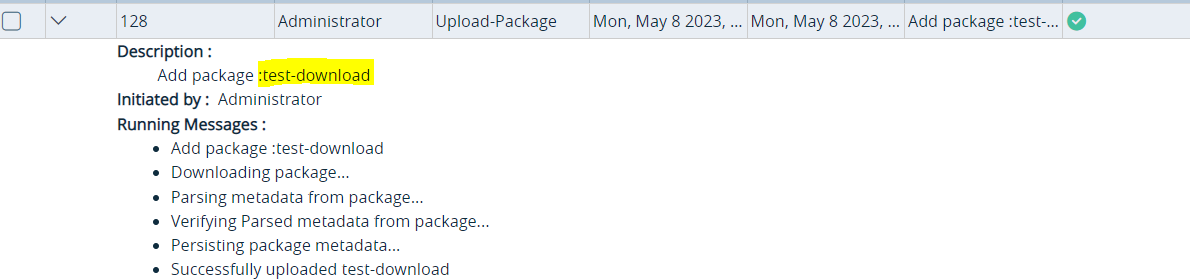
Cli Check
admin@Director-1:~$ cd /var/versa/packages/device
admin@Director-1:.../packages/device$ ls -ltr
total 16
drwxrwx--- 2 versa versa 4096 Feb 11 14:28 d500f8a6-087e-4776-ac62-739fb31cffec
drwxrwx--- 2 versa versa 4096 Feb 16 13:25 775159c5-ff9b-4dcb-88a8-de1649b642a6
drwxrwx--- 2 versa versa 4096 Apr 6 16:12 25e81c8d-2499-438b-a9a7-ce4c046788a4
drwxr-xr-x 2 versa versa 4096 May 7 21:26 4abbc63b-f3ff-4e80-8c28-3f77c9ef10c4
admin@Director-1:.../packages/device$ cd 4abbc63b-f3ff-4e80-8c28-3f77c9ef10c4
admin@Director-1:.../device/4abbc63b-f3ff-4e80-8c28-3f77c9ef10c4$ ll
total 1227924
drwxr-xr-x 2 versa versa 4096 May 7 21:26 ./
drwxrwx--- 6 versa versa 4096 May 7 21:26 ../
-rwxr----- 1 versa versa 1257380798 May 7 21:26 'download?path=%2F21.2.3-VOS%2F18.04&files=versa-flexvnf-20230430-101702-dbe5d34-21.2.3-B.bin
The Above shows the incorrect naming convention the correct naming convention should have been just “versa-flexvnf-20230430-101702-dbe5d34-21.2.3-B.bin”
Workaround
- Use the below commands to download the files moving into the /tmp folder and run either of the two commands. Replace the link and the name as per your file.
wget --content-disposition --no-check-certificate "https://download.versa-networks.com/index.php/s/21.2.3/download?path=%2F21.2.3-VOS%2F18.04&files=versa-flexvnf-20230430-101702-dbe5d34-21.2.3-B.bin" -O versa-flexvnf-20230430-101702-dbe5d34-21.2.3-B.bin
or
curl -LJ -k "https://download.versa-networks.com/index.php/s/21.2.3/download?path=%2F21.2.3-VOS%2F18.04&files=versa-flexvnf-20230430-101702-dbe5d34-21.2.3-B.bin" -o versa-flexvnf-20230430-101702-dbe5d34-21.2.3-B.bin
Once the Download is complete go to the cli and use the below command to manually instruct the director to upload the file from the /tmp directory.
request nms actions packages add product-type FlexVNF uri file:<file directory> name <name of the file>
eg. request nms actions packages add product-type FlexVNF uri file:/tmp/versa-flexvnf-20230430-101702-dbe5d34-21.2.3-B.bin name test-download-manual
result {
task {
task-id 129
link {
rel GET
href vnms/tasks/task/129
}
}
}
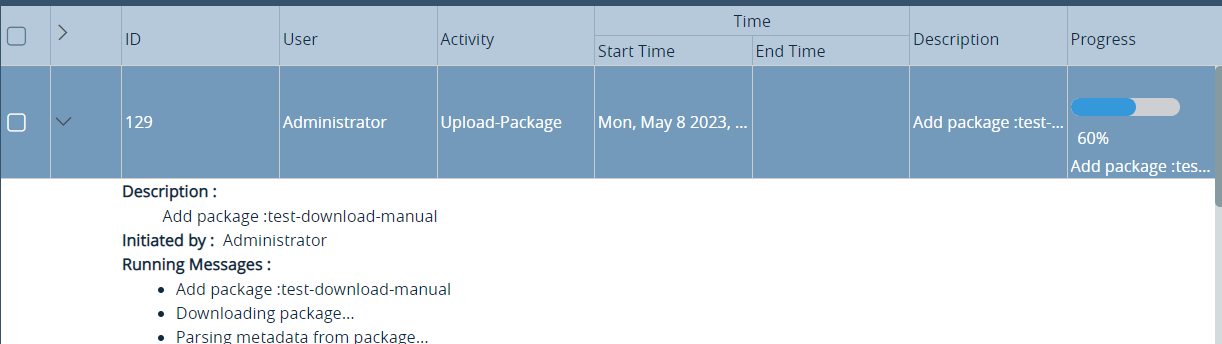
Once the upload is complete you should see the correct outputs in the cli and gui , post which you can delete the previously downloaded incorrectly renamed image as well.

admin@Director-1:/tmp$ cd /var/versa/packages/device
admin@Director-1:/tmp$ls -ltr
total 20
drwxrwx--- 2 versa versa 4096 Feb 11 14:28 d500f8a6-087e-4776-ac62-739fb31cffec/
drwxrwx--- 2 versa versa 4096 Feb 16 13:25 775159c5-ff9b-4dcb-88a8-de1649b642a6/
drwxrwx--- 2 versa versa 4096 Apr 6 16:12 25e81c8d-2499-438b-a9a7-ce4c046788a4/
drwxr-xr-x 2 versa versa 4096 May 7 21:26 4abbc63b-f3ff-4e80-8c28-3f77c9ef10c4/
drwxr-xr-x 2 versa versa 4096 May 7 21:47 50bce92d-51d8-4202-86a1-6b91986516a2/
admin@Director-1:.../packages/device$ cd 50bce92d-51d8-4202-86a1-6b91986516a2
admin@Director-1:.../device/50bce92d-51d8-4202-86a1-6b91986516a2$ ls -ltr
total 1227916
-rwxr----- 1 versa versa 1257380798 May 7 21:48 versa-flexvnf-20230430-101702-dbe5d34-21.2.3-B.bin